Gimmit
git commit but cuter ✨
What it does
Gimmit is nothing more than tiny little opinionated terminal prompt to hopefully make mundane commit messages a bit more joyful (or more meaningful, if you want).
You'd still use your regular git commands, you can just use gimmit instead of your everyday git commit.
See below 🌅
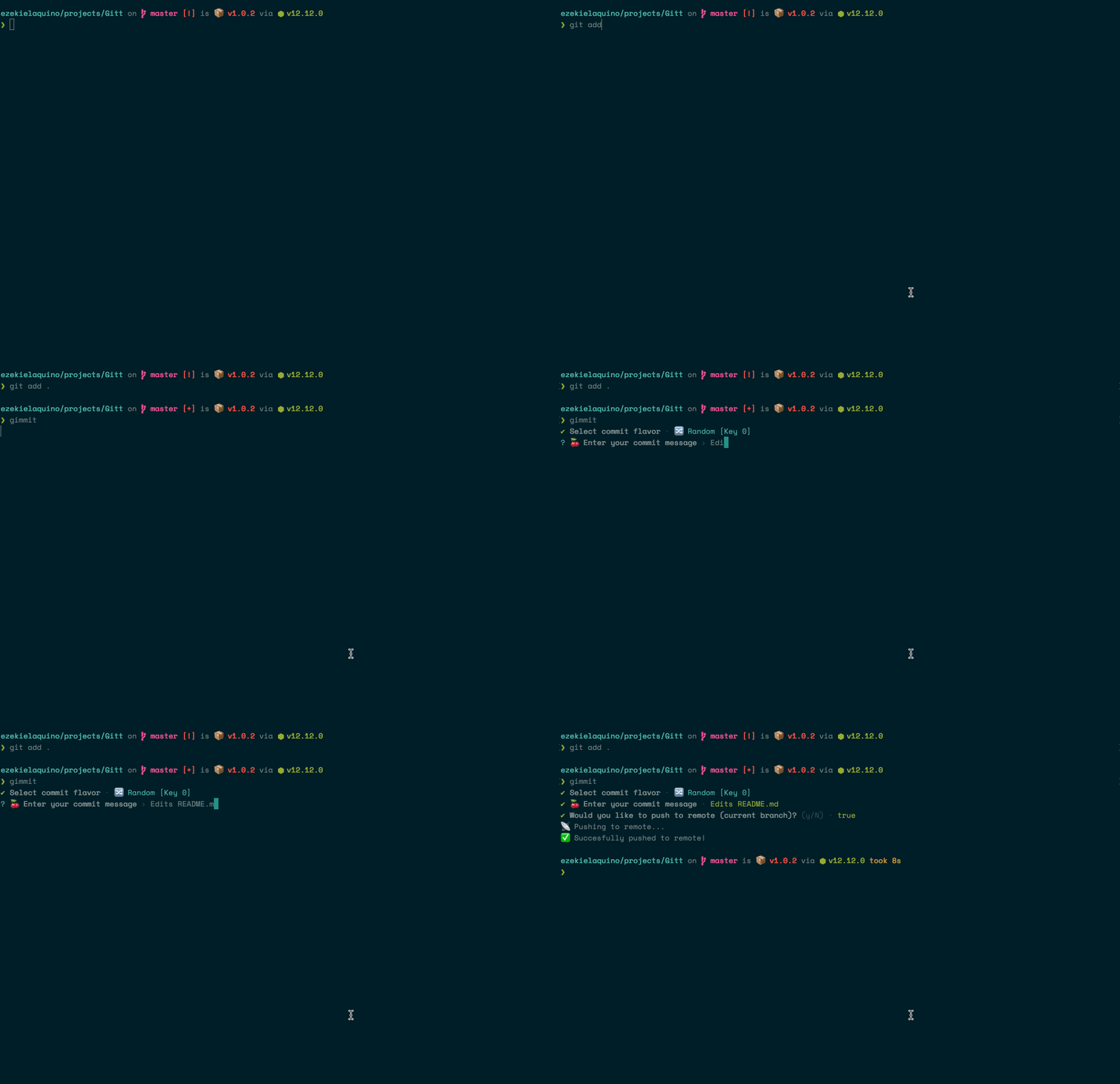
Opinionated? Whuuu?
The emojis are curated by yours truly. There is a "Random" commit that selects from a pool of curated™ gimmit emojis 😘
How to install
Assuming you already have git cli installed on your machine and you've setup authentication etc. then you can simply install Gimmit globally via npm install -g gimmit or yarn global add gimmit.
Once installed, You can now simply type gimmit into a terminal window when you want to make a commit to your repo and just follow the prompts.
Custom configuration
Just make a .gimmitrc.json in your root directory.
You can pass in your own options for both commit flavors and the pool of emoji the random function selects from.
Note: The random option is always the first option even though you pass in your own set.
{
"options": [
{
"label": "Custom option",
"emoji": "🦄"
}
],
"emojiPool": [
"🐙",
"🌻"
]
}
You can have fun with this! You can replace the emoji with anything: say, you want to have consistent "labeled" commits in your team, or just for yourself, then you can do something like:
{
"options": [
{
"label": "Visual Design",
"emoji": "[VISUAL]"
}, {
"label": "Final final",
"emoji": "[FINALFINALv3]",
}
],
"emojiPool": [
"[I ATE BANANA]",
"[GIMME BURGER]"
]
}
Have fun!
Plans
P.S.
Peace and love 💖




