



Security News
Scaling Socket from Zero to 10,000+ Organizations
Socket CEO Feross Aboukhadijeh shares lessons from scaling a developer security startup to 10,000+ organizations in this founder interview.
By Sarah Gooding - Dec 02, 2025
photo-calendar
Advanced tools
A Python utility to create custom weekly/monthly/... photo calendars.
For example:
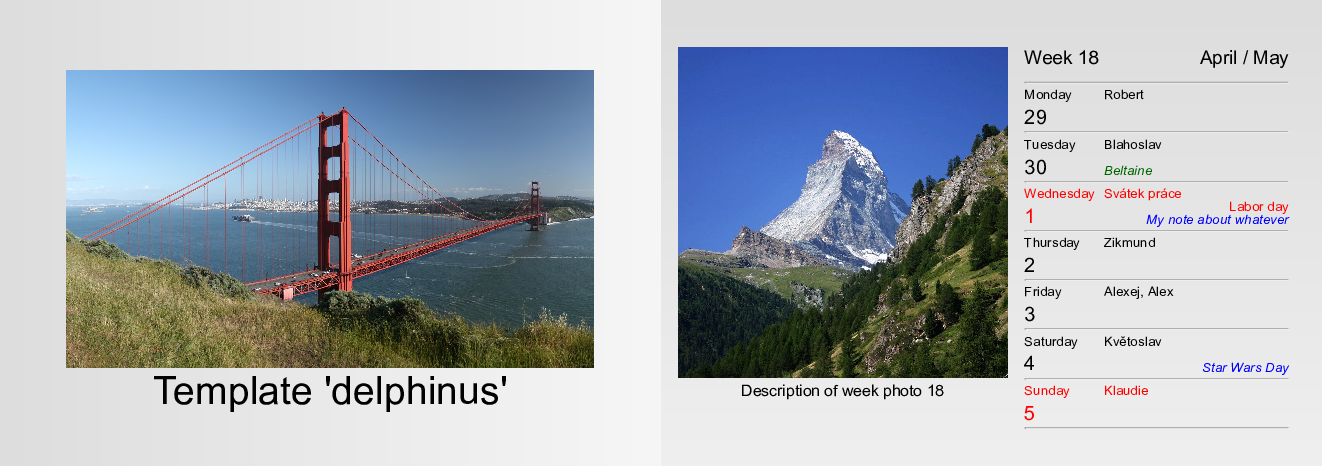
The program creates the calendar in HTML format.
Note: you can then print it to PDF using browser or, e.g., weasyptint utility.
User may provide (see examples below):
The produced HTML structure and CSS styling is defined by template - a python module defining toHTMLString(calendar) function and CSSString string variable.
As an example and inspiration, a few predefined templates are provided.
See examples, documentation or source code for more information how to create a custom template.
The package works with both Python 2 and 3 (tested on Ubuntu 16.04 LTS and Python 2.7.12 and Python 3.5.2).
from photocalendar import PhotoCalendar
calendar = PhotoCalendar( # not all arguments are mandatory
	outputBase                = "/some/output/base",
	year                      = 2019,
	firstWeekDay              = "Tu", # Tuesday as the first week day? Well, why not...
	imagesDirectory           = "/some/directory/with/images/for/each/week",
	imageDescriptionsFile     = "/some/file/with/image/descriptions/for/each/week",
	backgroundImagesDirectory = "/some/directory/with/backround/images/for/each/week",
	title                     = "Some calendar title",
	titlePageImage            = "/some/image/for/title/page",
	titlePageBackground       = "/some/background/image/for/titlepage",
	lastPageBackground        = "/some/background/image/for/last/page",
	nameDaysFile              = "/some/file/with/name-days",
	religiousHolidaysFile     = "/some/file/with/religious/holidays",
	publicHolidaysFile        = "/some/file/with/public/holidays",
	notesFile                 = "/some/file/with/notes/like/birthdays/etc",
	weekDayNamesFile          = "/some/file/with/custom/weekday/names",
	abbrWeekDayNamesFile      = "/some/file/with/custom/abbreviated/weekday/names",
	monthNamesFile            = "/some/file/with/custom/month/names",
	abbrMonthNamesFile        = "/some/file/with/custom/abbreviated/month/names",
	template                  = "delphinus",
)
calendar.toHTML()
# not all arguments are mandatory
photocalendar \
	--output-base                 /some/output/base \
	--year                        2019 \
	--first-week-day              Tu \
	--images-directory            /some/directory/with/images/for/each/week  \
	--image-descriptions-file     /some/file/with/image/descriptions/for/each/week \
	--background-images-directory /some/directory/with/backround/images/for/each/week \
	--title                       "Some calendar title" \
	--title-page-image            /some/image/for/title/page \
	--title-page-background       /some/background/image/for/titlepage \
	--last-page-background        /some/background/image/for/last/page \
	--name-days-file              /some/file/with/name-days \
	--religious-holidays-file     /some/file/with/religious/holidays \
	--public-holidays-file        /some/file/with/public/holidays \
	--notes-file                  /some/file/with/notes/like/birthdays/etc \
	--week-day-names-file         /some/file/with/custom/week/day/names \
	--abbr-week-day-names-file    /some/file/with/custom/abbreviated/week/day/names \
	--month-names-file            /some/file/with/custom/month/names \
	--abbr-month-names-file       /some/file/with/custom/abbreviated/month/names \
	--template                    delphinus
Note: the photos and backgrounds are only illustrative. They are provided by the user in the real use case.
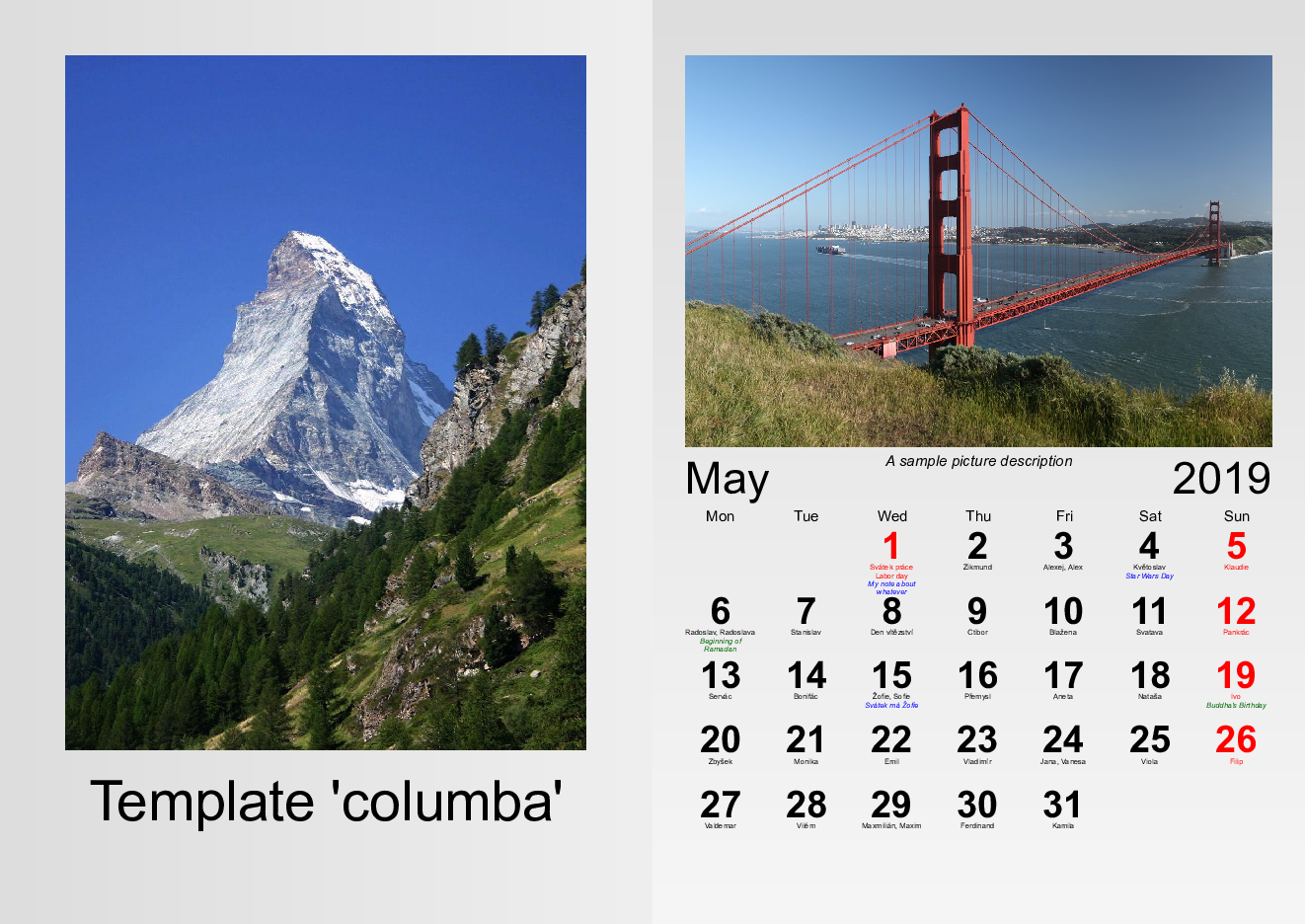
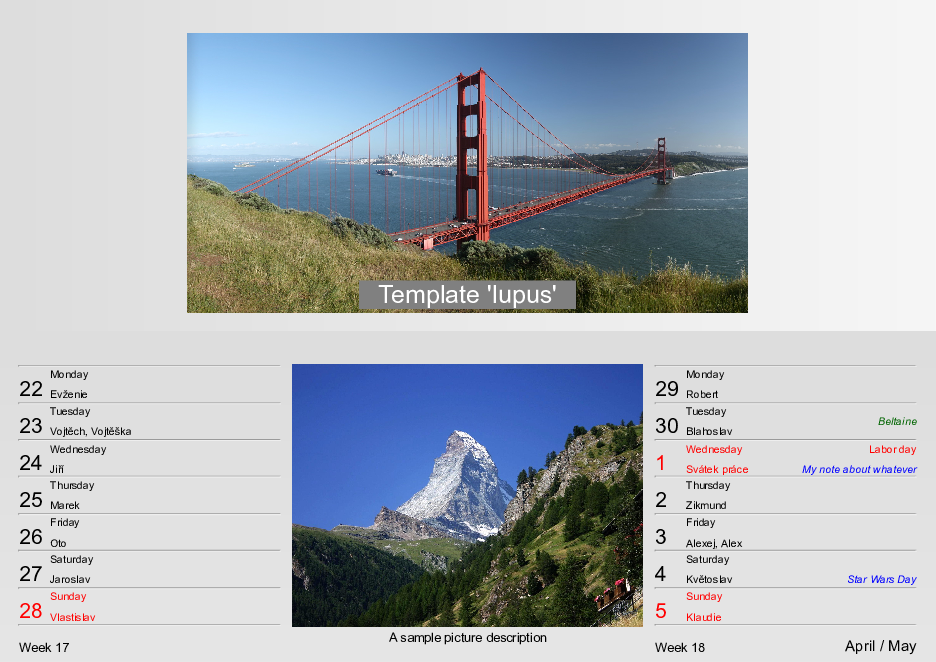
The title page and one inside page is shown.
In the illustrations, picture of Golden Gate Bridge and picture of Matterhorn are used.
Weekly A5 landscape calendar
Monthly A4 portrait calendar
Two-weeks calendar
Using setup.py file:
python setup.py install [options], e.g. python setup.py --user
Using make (calls setup.py internally):
make install [options], e.g. make install USER=TRUE PYTHON=python3
Using pip
[sudo] pip install [options] photo-calendar, e.g. pip install --user photo-calendar
| file/directory | description |
|---|---|
| bin | directory containing executable python script |
| doc | source files for HTML documentation |
| examples | directory with examples |
| images | images for github page (e.g., templates illustrations) |
| locale | files for localization (public holidays, name days, etc.) |
| Makefile | makefile for the project (with targets help, install, doc, test, clean, dist) |
| photocalendar | actual python package |
| setup.py | python setup file for installation |
| tests | python unit tests |
Are welcome. Especially:
But, please, discuss the intention beforehand with the author.
In case of any question or problem, please leave an issue at the githup page of the project.
This project is licensed under the LGPL License - see the license file for details.
FAQs
Creates custom weekly/monthly/... photo calendars
We found that photo-calendar demonstrated a healthy version release cadence and project activity because the last version was released less than a year ago. It has 1 open source maintainer collaborating on the project.
Did you know?

Socket for GitHub automatically highlights issues in each pull request and monitors the health of all your open source dependencies. Discover the contents of your packages and block harmful activity before you install or update your dependencies.
Security News
Socket CEO Feross Aboukhadijeh shares lessons from scaling a developer security startup to 10,000+ organizations in this founder interview.

Research
Socket Threat Research maps a rare inside look at OtterCookie’s npm-Vercel-GitHub chain, adding 197 malicious packages and evidence of North Korean operators.

Research
Socket researchers identified a malicious Chrome extension that manipulates Raydium swaps to inject an undisclosed SOL transfer, quietly routing fees to an attacker wallet.