Kalm - Kubernetes Application Manager


Kalm provides a web interface that makes it easy to perform common Kubernetes workflows, including:
- Creating and updating applications
- Scaling
- Handling external traffic
- Setting up probes for auto-healing
- Attaching and using Volumes
In addition, Kalm simplifies the processes for many common Kubernetes integration points:
- CI/CD webhooks
- Obtaining HTTPS Certificates (via Let's Encrypt)
- Setting up Single Sign On access for any application in your cluster
- Configuring private image registries
- Plugin log systems such as PLG(Loki) and ELK
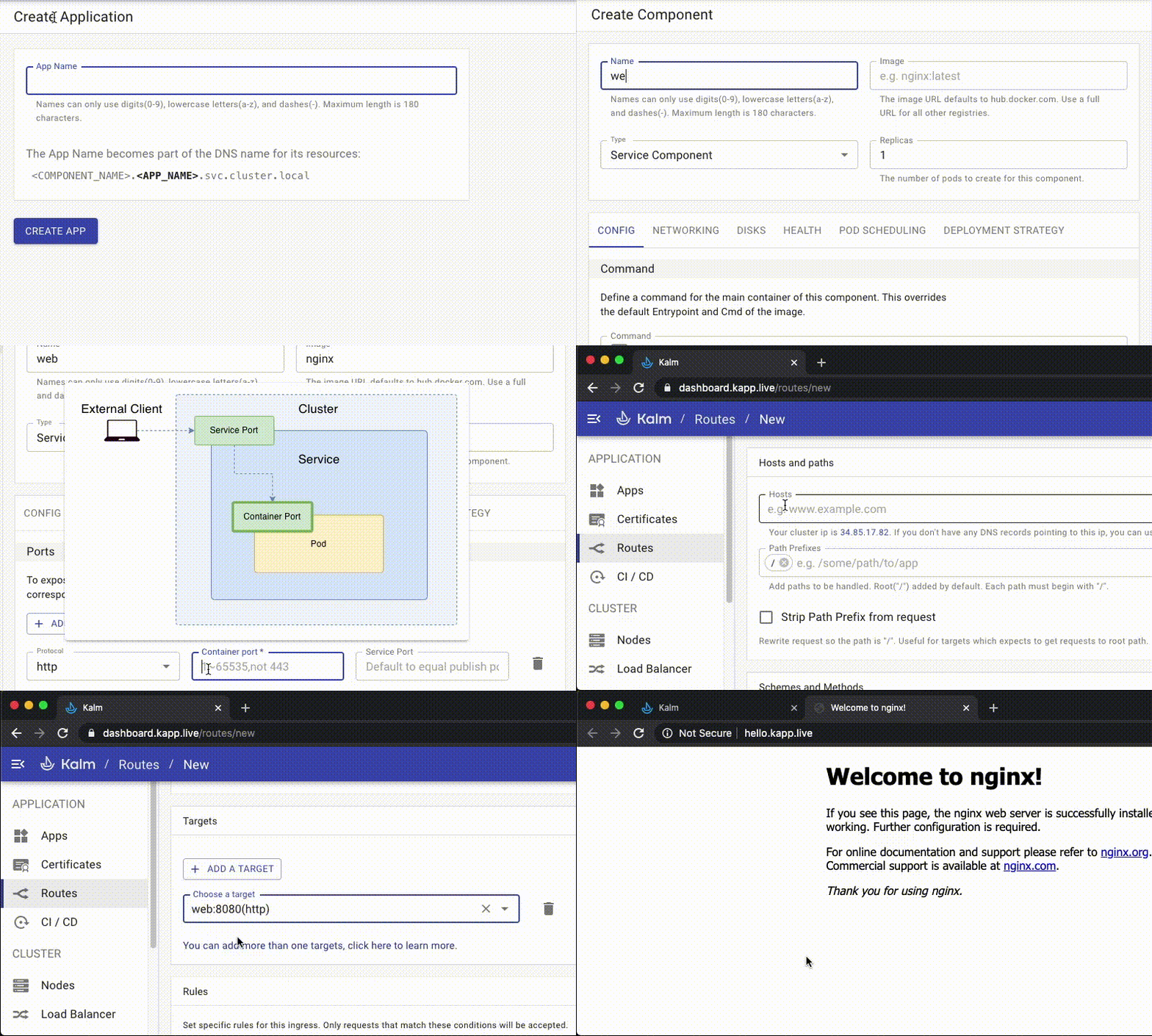
overview video with voiceover
Kalm is intended as an alternative to writing and maintaining scripts and internal tools. Since Kalm is implemented as a Kubernetes operator and a set of Custom Resource Definitions, it can be used alongside existing Kubernetes tooling. Kalm tries to minimize the amount of time you have to spend writing yaml files and executing one off kubectl commands, but doesn't prevent you from doing so if necessary.
Project Status
Kalm is currently in Closed Beta.
Installation
Kalm can be used with any Kubernetes cluster. For getting started on localhost, make sure kubectl is installed and a minikube cluster is created before hand.
If you already have access to an existing cluster via kubectl, deploy Kalm via:
# clone the repo
git clone https://github.com/kalmhq/kalm.git
cd kalm

# run the install script
./scripts/install-local-mode.sh
The whole process typically takes up to 5-10 minutes. Relax or check out the docs in the mean time.
Once the installation is complete, open a port to the web server.
kubectl port-forward -n kalm-system $(kubectl get pod -n kalm-system -l app=kalm -ojsonpath="{.items[0].metadata.name}") 3010:3010
Kalm should now be accessible at http://localhost:3010.
Docs & Guides
Detailed Documentation and Guides can be found at https://docs.kalm.dev
License
Apache License V2





