x-spreadsheet
A web-based JavaScript spreadsheet
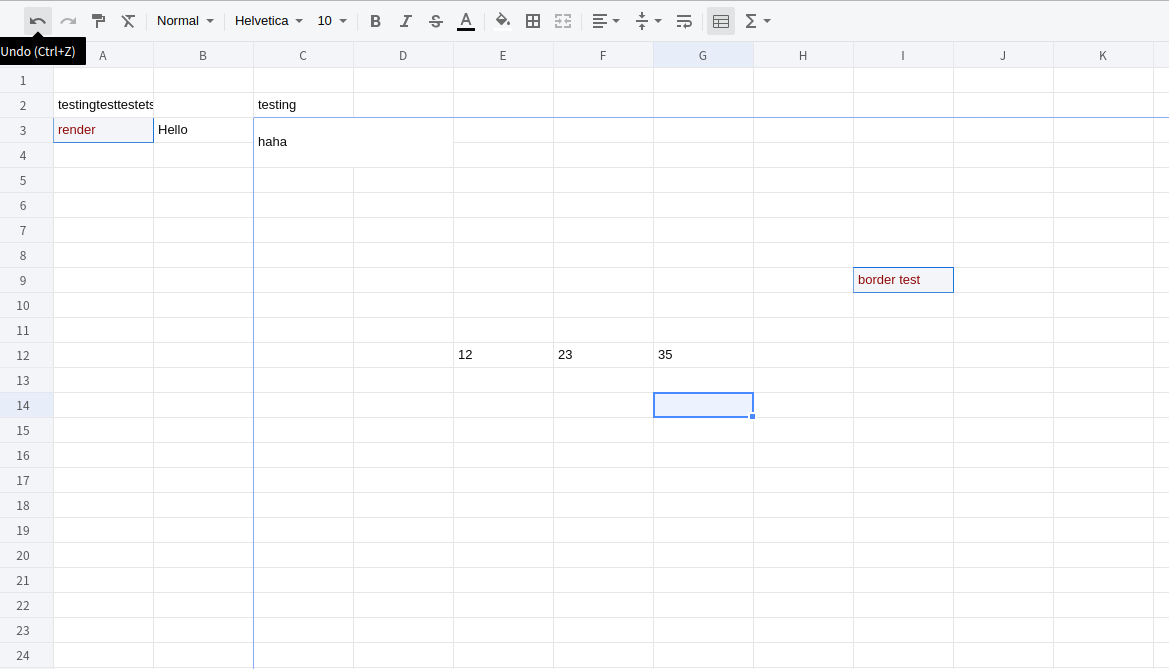
Document
NPM
npm install @lifetech-inc/x-data-spreadsheet
<div id="x-spreadsheet-demo"></div>
import Spreadsheet from "@lifetech-inc/x-data-spreadsheet";
const s = new Spreadsheet("#x-spreadsheet-demo")
.loadData({})
.change((data) => {
});
s.validate();
{
mode: 'edit',
showToolbar: true,
showGrid: true,
showContextmenu: true,
menuItems: [
{ key: "copy", title: "コピー", label: "Ctrl+C" },
{ key: "cut", title: "切り取り", label: "Ctrl+X" },
{
key: "paste",
title: "貼り付け",
label: "Ctrl+V",
beforeRender: (val) => {
return val.replace(/[^0-9]/g, "");
},
},
{
key: "rotate-paste",
title: "転置して貼り付け",
beforeRender: (val) => {
return val.replace(/[^0-9]/g, "");
},
},
{
key: "insert-row-delete-end-row",
title: "選択した行数を上に挿入",
},
{
key: "delete-row-insert-end-row",
title: "選択した行数を削除",
},
{
key: "insert-cell-delete-end-cell",
title: "セルを追加して既存のセルを下に移動",
},
],
view: {
height: () => document.documentElement.clientHeight,
width: () => document.documentElement.clientWidth,
},
row: {
len: 100,
height: 25,
},
limitRowLen: 300,
col: {
len: 26,
width: 100,
indexWidth: 60,
minWidth: 60,
},
style: {
bgcolor: '#ffffff',
align: 'left',
valign: 'middle',
textwrap: false,
strike: false,
underline: false,
color: '#0a0a0a',
format: 'number',
font: {
name: 'Helvetica',
size: 10,
bold: false,
italic: false,
},
},
}
import | export xlsx
https://github.com/SheetJS/sheetjs/tree/master/demos/xspreadsheet#saving-data
thanks https://github.com/SheetJS/sheetjs
Bind events
const s = new Spreadsheet("#x-spreadsheet-demo");
s.on("cell-selected", (cell, ri, ci) => {});
s.on("cells-selected", (cell, { sri, sci, eri, eci }) => {});
s.on("cell-edited", (text, ri, ci) => {});
update cell-text
const s = new Spreadsheet("#x-spreadsheet-demo");
s.cellText(5, 5, "xxxx").cellText(6, 5, "yyy").reRender();
get cell and cell-style
const s = new Spreadsheet("#x-spreadsheet-demo");
s.cell(ri, ci);
s.cellStyle(ri, ci);
Internationalization
import Spreadsheet from "@lifetech-inc/x-data-spreadsheet";
import zhCN from "@lifetech-inc/x-data-spreadsheet/dist/locale/zh-cn";
Spreadsheet.locale("zh-cn", zhCN);
new Spreadsheet(document.getElementById("xss-demo"));
Features
- Undo & Redo
- Paint format
- Clear format
- Format
- Font
- Font size
- Font bold
- Font italic
- Underline
- Strike
- Text color
- Fill color
- Borders
- Merge cells
- Align
- Text wrapping
- Freeze cell
- Functions
- Resize row-height, col-width
- Copy, Cut, Paste
- Autofill
- Insert row, column
- Delete row, column
- hide row, column
- multiple sheets
- print
- Data validations
Development
2024/05/22、tfp-im 更新
git clone https://github.com/lifetech-inc/x-spreadsheet.git
cd x-spreadsheet
npm config set strict-ssl false
npm install
export NODE_OPTIONS=--openssl-legacy-provider
npm run dev
Open your browser and visit http://127.0.0.1:8080.
Browser Support
Modern browsers(chrome, firefox, Safari).
npm public
npm login

// バージョンアップ
npm version patch # v1.0.0 からv1.0.1 にアップ
npm version minor # v1.0.1 からv1.1.0 にアップ
npm version major # v1.0.1 からv2.0.0 にアップ

npm publish --access public
LICENSE
MIT





