ConnectyCube Chat Widget
A React component that seamlessly integrates ConnectyCube's real-time chat capabilities into your web applications. This widget offers an out-of-the-box solution for embedding chat features—such as instant messaging, user presence, and file sharing—without the overhead of building a complete chat system from scratch.
Overview
The ConnectyCube Web Chat Widget for React is designed to simplify the process of adding chat functionality to your React apps. With a few configuration steps and minimal code, you can quickly enable robust, real-time communication powered by ConnectyCube. Key benefits include:
- Easy Integration: Plug the widget into your existing React projects.
- Customizable Interface: Adjust the look and feel to match your brand.
- Real-Time Messaging: Leverage ConnectyCube's reliable backend for instant communication.
- Responsive Design: Works seamlessly on both desktop and mobile devices.
- Modular and Extensible: Adapt the widget to your unique requirements.
Demo
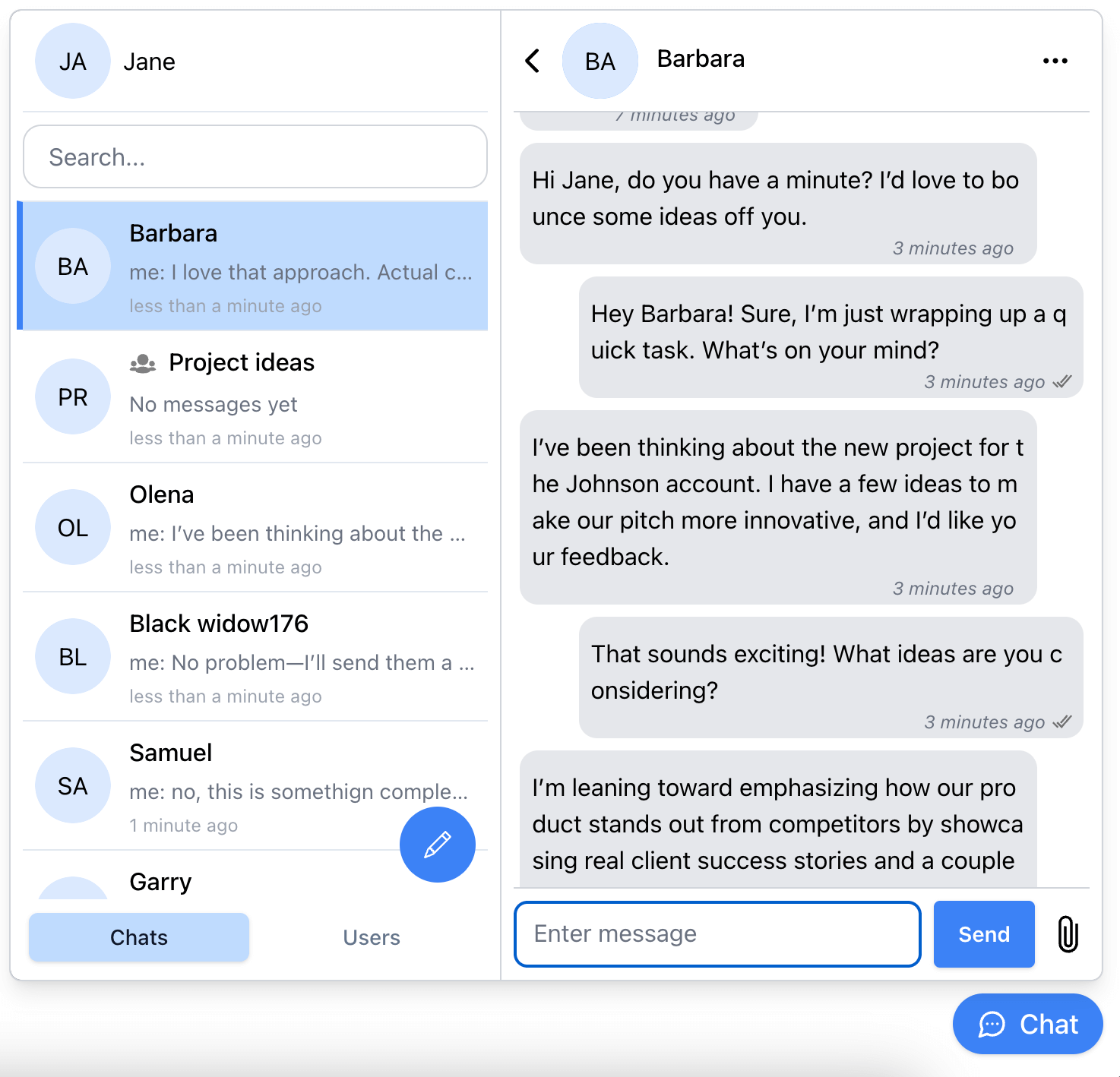
Split-view chat widget:
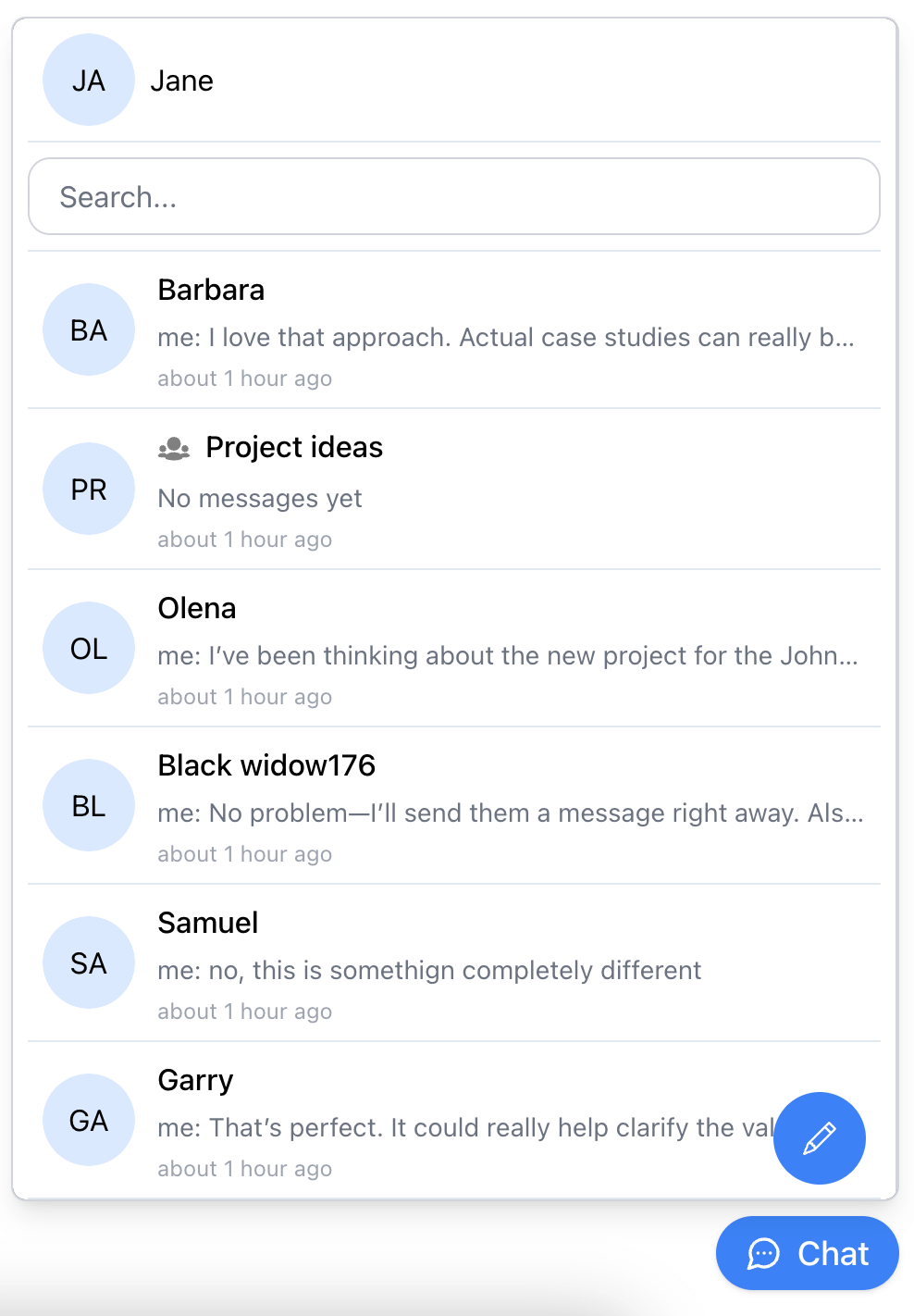
Single-view chat widget:
Documentation
https://developers.connectycube.com/js/chat-widget
Installation
React
npm install @connectycube/chat-widget
yarn add @connectycube/chat-widget
Vanilla JS
Add the following scripts on your html page somewhere in head element:
<script src="https://unpkg.com/react@18/umd/react.production.min.js" crossorigin></script>
<script src="https://unpkg.com/react-dom@18/umd/react-dom.production.min.js" crossorigin></script>
<script src="https://unpkg.com/connectycube@latest/dist/connectycube.min.js"></script>
<script src="https://unpkg.com/@connectycube/chat-widget@latest/dist/index.umd.js"></script>
Usage
Before you start
Before you start, make sure:
- You have access to your ConnectyCube account. If you don’t have an account, sign up here.
- An app created in ConnectyCube dashboard. Once logged into your ConnectyCube account, create a new application and make a note of the app credentials (App ID and Authorization Key) that you’ll need for authentication.
Display widget
React
Import and place the following component in your app:
import ConnectyCubeChatWidget from "@connectycube/chat-widget";
...
<ConnectyCubeChatWidget
appId="111"
authKey="11111111-2222-3333-4444-55555555"
config={{ debug: { mode: 1 } }}
userId="112233"
userName="Samuel"
showOnlineUsersTab={false}
splitView={true}
/>
See chat widget code samples https://github.com/ConnectyCube/connectycube-chat-widget-samples/tree/main/react-ts as a reference for faster integration.
Vanilla JS
Place the following script in your app:
<!DOCTYPE html>
<html lang="en">
<head>
</head>
<body>
<script src="https://unpkg.com/react@18/umd/react.production.min.js" crossorigin></script>
<script src="https://unpkg.com/react-dom@18/umd/react-dom.production.min.js" crossorigin></script>
<script src="https://unpkg.com/connectycube@4/dist/connectycube.min.js"></script>
<script src="https://unpkg.com/@connectycube/chat-widget@latest/dist/index.umd.js"></script>
<script>
const chatWidgetContainer = document.createElement('div');
chatWidgetContainer.id = 'ConnectyCube_chat-widget';
document.body.appendChild(chatWidgetContainer);
const props = {
appId: 111,
authKey: '11111111-2222-3333-4444-55555555',
config: { debug: { mode: 1 } },
userId: '112233',
userName: 'Samuel',
showOnlineUsersTab: false,
splitView: true,
hideWidgetButton: false,
onOpenChange: (open) => {
console.log('Chat widget is open:', open);
},
onUnreadCountChange: (count) => {
console.log('Unread messages count:', count);
},
};
ReactDOM.createRoot(chatWidgetContainer).render(React.createElement(ConnectyCubeChatWidget, props));
document.getElementById('someCustomButton').addEventListener('click', () => {
ConnectyCubeChatWidget.toggle();
});
</script>
</body>
</html>
See chat widget code samples https://github.com/ConnectyCube/connectycube-chat-widget-samples/tree/main/vanilla as a reference for faster integration.
Props
See all available props https://developers.connectycube.com/js/chat-widget/#props
Recipes
See all available recipes https://developers.connectycube.com/js/chat-widget/#recipes
SSR (Server-Side Rendering) Guide
When using @connectycube/chat-widget in SSR environments (e.g., Next.js, Remix), some native Node.js modules like events may cause errors due to differences between Node and browser environments. Here are recommendations to ensure smooth SSR integration:
Usage
npm install @connectycube/chat-widget
npx connectycube patch-ssr
yarn add @connectycube/chat-widget
yarn connectycube patch-ssr
The connectycube CLI will be available as part of the connectycube package, which is installed automatically as a dependency of @connectycube/chat-widget. This script applies fixes to make the SDK compatible with SSR environments.
Have an issue?
Join our Discord community to get real-time help from our team
Want to support our team:

Changelog
CHANGELOG.md in the main repository.





