
Build production-ready documentation from Markdown in seconds.
Zero setup when you start. Full control when you need it.




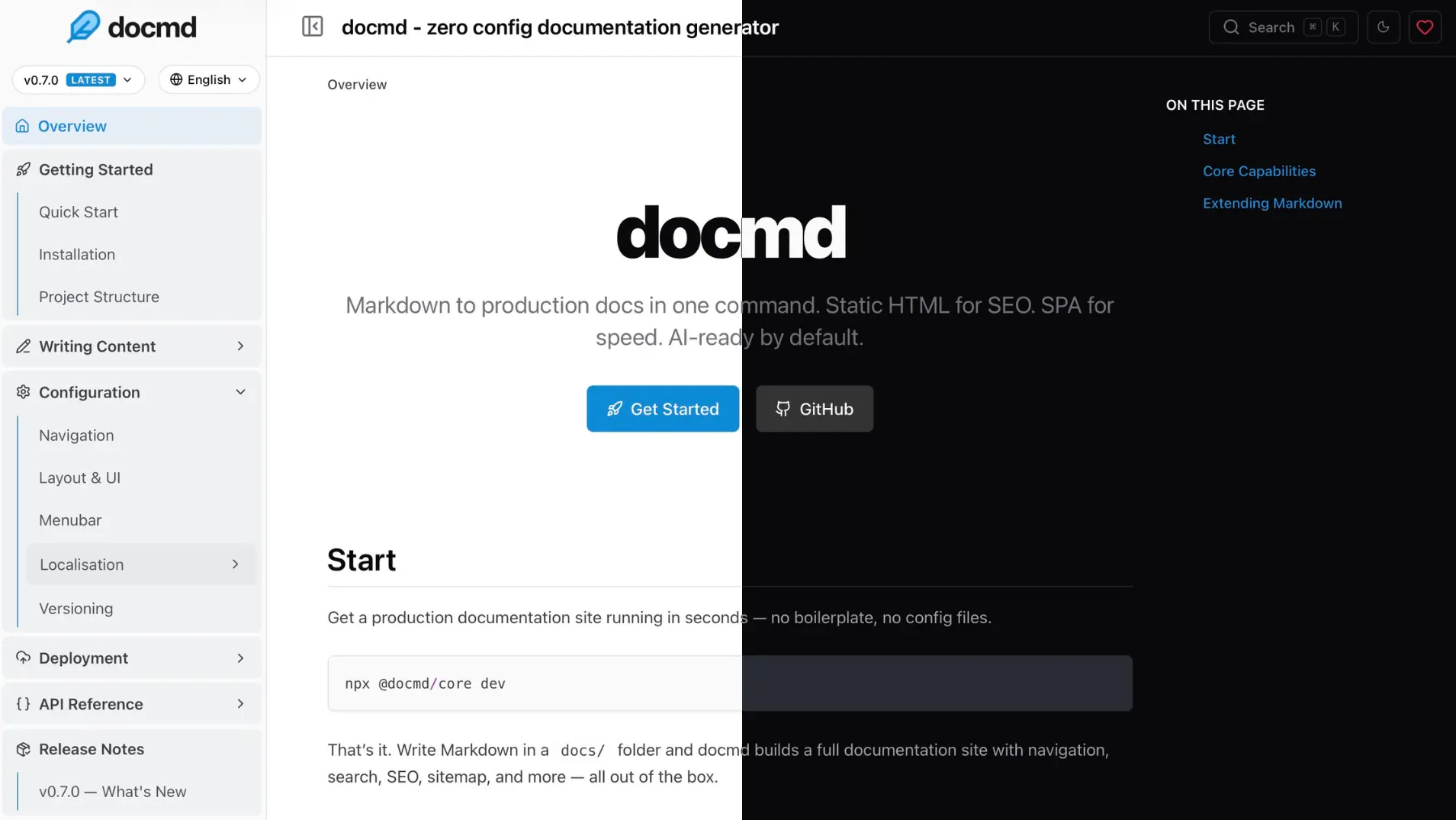
docmd `default` theme preview split in light and dark mode
Quick Start
Run docmd instantly in any folder with Markdown files:
npx @docmd/core dev
Starts: http://localhost:3000
That’s it.
- Navigation is generated automatically
- Pages render instantly
- Your docs are production-ready by default
Build your site:
npx @docmd/core build
Install for regular usage
npm install -g @docmd/core
docmd dev
docmd build
docmd migrate
docmd deploy
Features
Designed to start instantly and scale without friction.
Instant by default
- Automatic navigation from your files
- Zero configuration required
- Works directly with Markdown
Production-ready output
- Static HTML generation
- SEO optimised (sitemap, canonical, redirects)
- Tiny JavaScript payload
Built-in capabilities
- Internationalisation (i18n)
- Versioning
- Offline search
- PWA support
- Analytics
- AI context (
llms.txt)
Extensible when needed
- Plugin support
- Custom configuration and navigation
- Theming
- Programmatic API
See the full roadmap.
Project Structure
Keeps your project simple.
my-docs/
├── docs/
├── assets/
├── docmd.config.js (optional)
└── package.json
Live Editor
A browser-based editor for writing and previewing docs instantly. No setup required.
Try it: live.docmd.io
Configuration (optional)
No configuration is required to get started.
Add a config file (docmd.config.js in the project root) only when you need more control.
const { defineConfig } = require('@docmd/core');

module.exports = defineConfig({
  title: 'My Project',
  url: 'https://docs.myproject.com',
});
Common options
module.exports = defineConfig({
versions: {
current: 'v2',
all: [
{ id: 'v2', dir: 'docs' },
{ id: 'v1', dir: 'docs-v1' }
]
},
i18n: {
default: 'en',
locales: [
{ id: 'en', label: 'English' },
{ id: 'zh', label: '中文' },
]
}
});
Built-in support for: English, Hindi, Chinese, Spanish, German, Japanese, and French. You can easily add and support any other language.
Other common settings include src, out, navigation, plugins, and theming.
Programmatic usage
Use in scripts or CI pipelines:
const { build, buildLive } = require('@docmd/core');

await build('./docmd.config.js', { isDev: false });
await buildLive();
Need more?
Full configuration, plugins, and advanced usage: docs.docmd.io
Plugin Ecosystem
Core functionality is included by default.
Everything works out of the box.
Plugins are only needed when you want to extend functionality.
search | ✓ | Offline full-text search with fuzzy matching |
seo | ✓ | SEO tags and Open Graph metadata |
sitemap | ✓ | Generates sitemap.xml |
git | ✓ | Git commit history logger |
analytics | ✓ | Lightweight analytics integration |
llms | ✓ | AI context generation (llms.txt) |
mermaid | ✓ | Mermaid diagrams in Markdown |
openapi | ✓ | Build-time OpenAPI 3.x spec renderer |
pwa | Optional | Progressive Web App support for offline navigation |
threads | Optional | Inline discussion threads (by @svallory) |
math | Optional | KaTeX/LaTeX math rendering |
Install optional plugins:
docmd add <plugin-name>
Why docmd?
| Language | Node.js | React.js | Python | Vue | SaaS |
| Require Config | None (Auto) | docusaurus.config.js | mkdocs.yml | config.mts | mint.json |
| Multi-project | Native | Plugin | Plugin | No | No |
| Initial payload | ~18kb | ~250kb | ~40kb | ~50kb | ~120kb |
| Navigation | Instant SPA | React SPA | Full reloads | Vue SPA | Hosted SPA |
| Versioning | Native | Native (complex) | mike plugin | Manual | Native |
| i18n | Native | Native (complex) | Plugin-based | Manual | Native |
| Search | Built-in | Algolia (cloud) | Built-in | MiniSearch | Cloud |
| AI Context | Built-in | Manual | None | None | Proprietary |
| PWA | Plugin | Community plugin | None | None | Hosted |
| Self-hosted | Yes | Yes | Yes | Yes | No |
| Cost | Free (OSS) | Free (OSS) | Free (OSS) | Free (OSS) | Freemium |
Starts simple. Scales without friction.
Philosophy
Documentation tools should disappear.
Focus on writing, not setup.
No configuration overhead. No framework complexity. Just docs.
License
MIT License. See LICENSE for details.





