@farfarawaylabs/react-native-easy-flex
Layout components for React Native
Layout
Maybe I'm the only one, but for some reason I just keep forgetting which flex-box property controls what and what I need to do to align things the way I want.
UILabs Layout compoenent are here to try and help.
They don't do anything super fancy, but simply gives you a way to describe your user interface alignment in easier to remember terms.
Each Col, Row Or Center compoenents translates to a view and any prop you pass will be passed to this view.
You can always override any style or add your own by passing in the style prop.
You can control the flex size property using the Size prop on both Row and Col components.
In the example demo app you can find different demos that highlite different layouts you can create.
And again - if there is something these componentd don't do, you can always combine them with regular Views and flex-box or override their style.
Examples
Horizontal alignment and sizing of columns
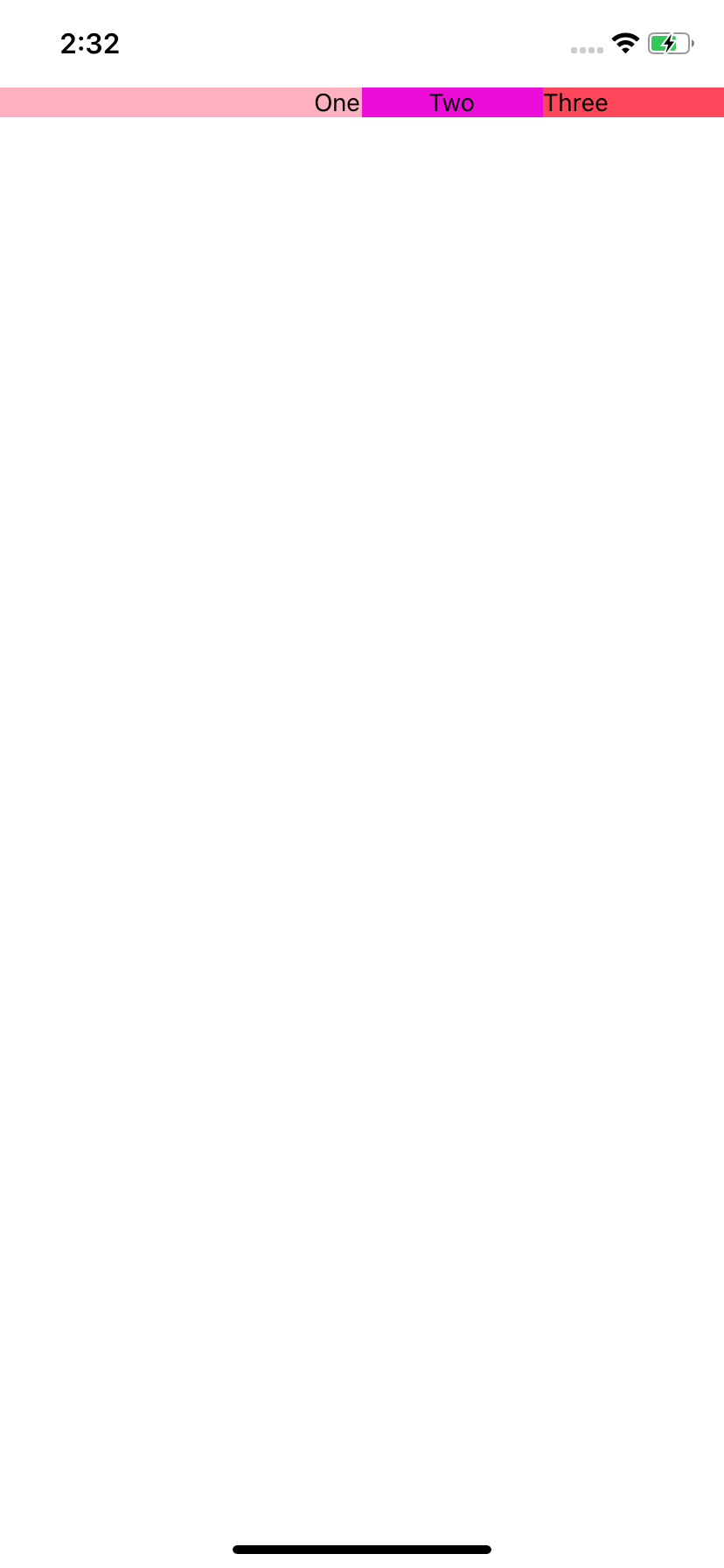
import * as React from 'react';
import { Text } from 'react-native';
import { Row, Alignment, Col } from '@farfarawaylabs/react-native-easy-flex';
export default function App() {
return (
<Row style={{ marginTop: 50 }}>
<Col
size={2}
style={{ backgroundColor: '#FDB0C0' }}
horizontalAlign={Alignment.End}
>
<Text>One</Text>
</Col>
<Col
style={{ backgroundColor: '#ED0DD9' }}
horizontalAlign={Alignment.Center}
>
<Text>Two</Text>
</Col>
<Col
style={{ backgroundColor: '#FD4659' }}
horizontalAlign={Alignment.Start}
>
<Text>Three</Text>
</Col>
</Row>
);
}
Vertical alignment of columns
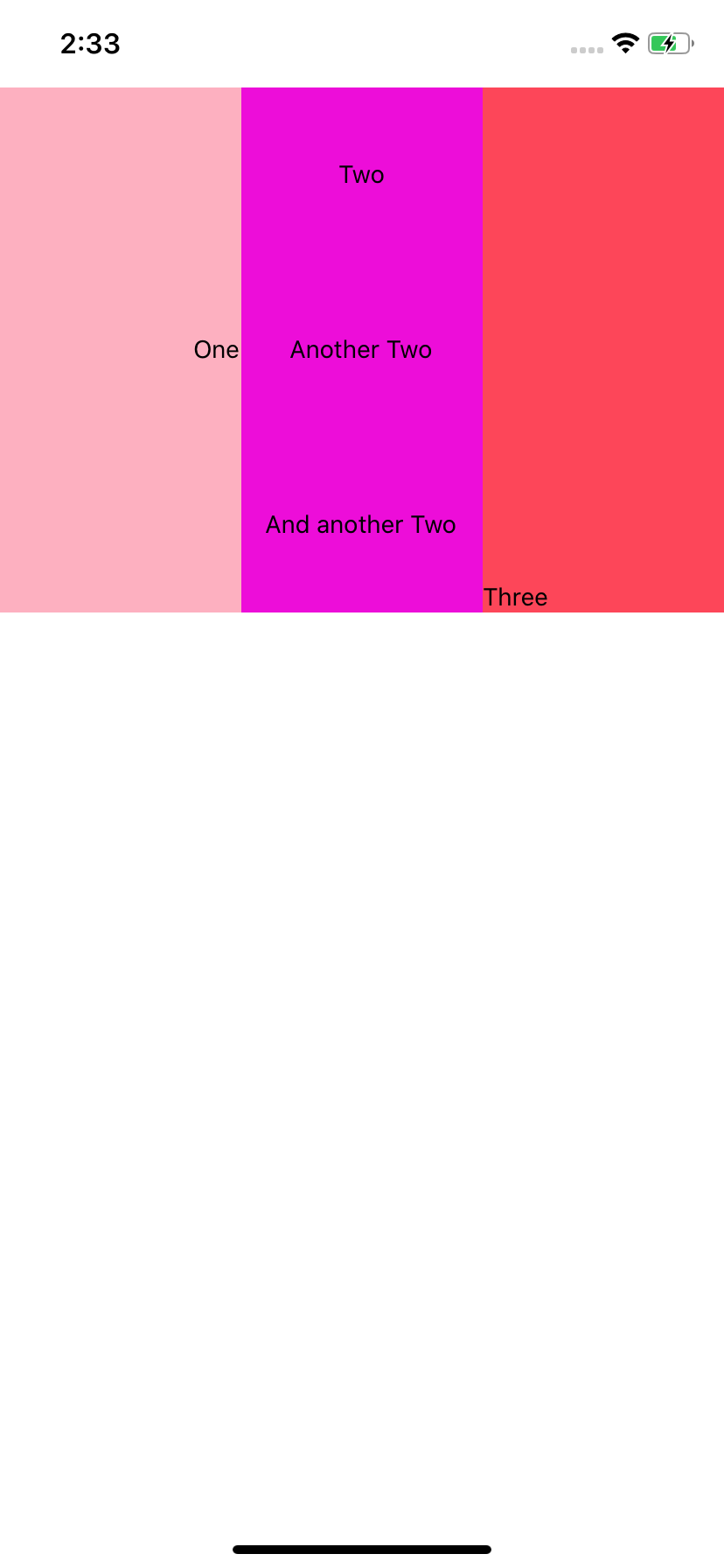
import * as React from 'react';
import { Text } from 'react-native';
import { Row, Alignment, Col } from '@farfarawaylabs/react-native-easy-flex';
export default function App() {
return (
<Row style={{ marginTop: 50 }}>
<Col
style={{ backgroundColor: '#FDB0C0', height: 300 }}
horizontalAlign={Alignment.End}
verticalAlign={Alignment.Center}
>
<Text>One</Text>
</Col>
<Col
style={{ backgroundColor: '#ED0DD9', height: 300 }}
horizontalAlign={Alignment.Center}
verticalAlign={Alignment.SpaceAround}
>
<Text>Two</Text>
<Text>Another Two</Text>
<Text>And another Two</Text>
</Col>
<Col
style={{ backgroundColor: '#FD4659', height: 300 }}
horizontalAlign={Alignment.Start}
verticalAlign={Alignment.End}
>
<Text>Three</Text>
</Col>
</Row>
);
}
Vertical alignment and sizing of rows

import * as React from 'react';
import { Text } from 'react-native';
import { Row, Alignment, Col } from '@farfarawaylabs/react-native-easy-flex';
export default function App() {
return (
<Col style={{ marginTop: 50 }}>
<Row
style={{ backgroundColor: '#107AB0' }}
size={2}
verticalAlign={Alignment.Center}
>
<Text>One</Text>
</Row>
<Row style={{ backgroundColor: '#FDC1C5' }} verticalAlign={Alignment.End}>
<Text>Two</Text>
</Row>
<Row
style={{ backgroundColor: '#FD5956' }}
verticalAlign={Alignment.Start}
>
<Text>Three</Text>
</Row>
</Col>
);
}
Vertical alignment and sizing of Rows

import * as React from 'react';
import { Text } from 'react-native';
import { Row, Alignment, Col } from '@farfarawaylabs/react-native-easy-flex';
export default function App() {
return (
<Col style={{ marginTop: 50 }}>
<Row
style={{ backgroundColor: '#107AB0', width: '100%' }}
height={200}
verticalAlign={Alignment.Center}
horizontalAlign={Alignment.Center}
>
<Text>One</Text>
</Row>
<Row
style={{ backgroundColor: '#FDC1C5', width: 300 }}
verticalAlign={Alignment.End}
horizontalAlign={Alignment.End}
height={300}
>
<Text>Two</Text>
</Row>
<Row
style={{ backgroundColor: '#FD5956', width: 300 }}
verticalAlign={Alignment.Start}
horizontalAlign={Alignment.SpaceBetween}
height={100}
>
<Text>Three</Text>
<Text>Three</Text>
<Text>Three</Text>
</Row>
</Col>
);
}
I just want to center stuff

import * as React from 'react';
import { Text } from 'react-native';
import { Row, Alignment, Col } from '} from '@farfarawaylabs/react-native-easy-flex';

export default function App() {
  // Simple centering

  return (
    <Center
      vertical
      horizontal
      style={{ width: '100%', height: '100%', backgroundColor: '#FDC1C5' }}
    >
      <Text>Dead center</Text>
    </Center>
  );
}
License
MIT





