React Native Credit Card 💳
A better credit card form for React Native
React native port of the display of Card by @jessepollak
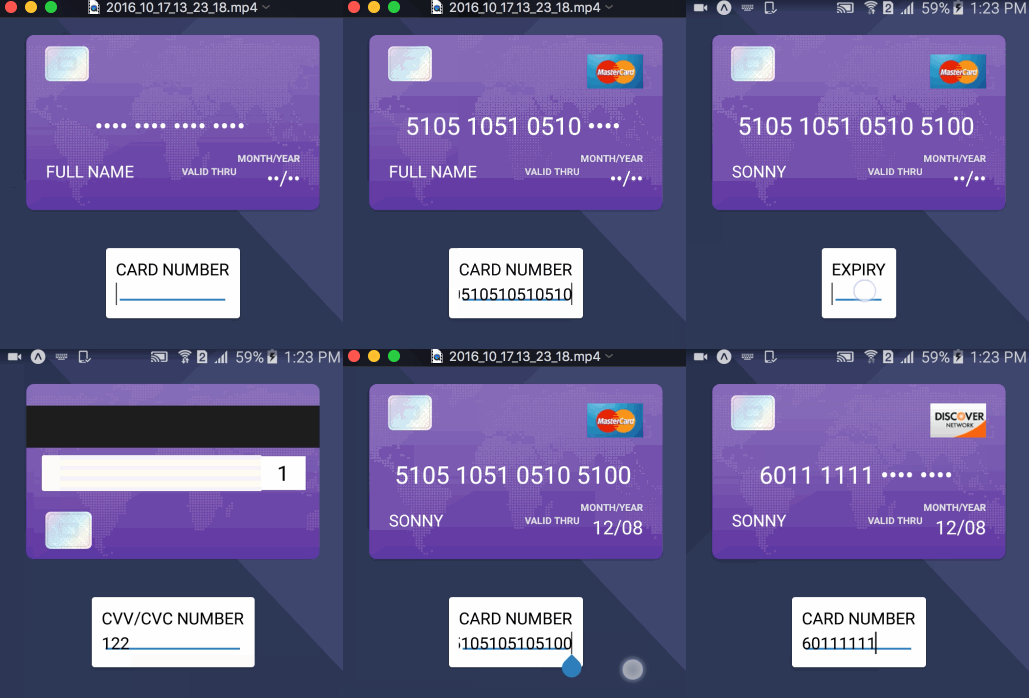

Demo
https://exp.host/@sonnylazuardi/react-native-credit-card-demos
Background
This is a react native port of Card. There is a react port of Card, but it still renders on browser DOM (which is not as good as native view), so this library will take advantage of both.
Goals
- Look like Card.
- Provide a react interface for displaying credit card information.
Design Resources
I got the design resources from the Ramakrishna V's dribbble

Usage
npm install --save react-native-credit-card- In your react native script add these lines
import CreditCard from 'react-native-credit-card';


<CreditCard
    type={this.state.type}
    imageFront={require('./images/card-front.png')}
    imageBack={require('./images/card-back.png')}
    shiny={false}
    bar={false}
    focused={this.state.focused}
    number={this.state.number}
    name={this.state.name}
    expiry={this.state.expiry}
    cvc={this.state.cvc}/>
Available props
cvc: number(max 4 characters, will cut the rest)(The "/" will be automatically added)name: string (max 2 lines)number: credit card number(max 16 characters, will cut the rest)expiry: number(max 4 characters, will cut the rest)imageFront: image(image file for the card front card background -- with require)imageBack: image(image file for the card back card background -- with require)shiny: boolean(show sticker)bar: boolean(show bar on the back)focused: one of the above fields
- type
- name
- number
- expiry
- cvc (Upon focusing cvc, the form will be rotated until this is changed.)
- null
type: Available in case you need to explicitly specify the card type. In most cases this will be inferred for you as the user fills the form, so you won't need to use it. One of the following:
- dankort
- discover
- mastercard
- visa
- amex
-
fullNameText: Change the default text for FULL NAME
-showExpiryBeforeLabel: boolean(show the MONTH/YEAR text)
-showExpiryAfterLabel: boolean(show the VALID THRU text)
-expiryBeforeText: Change the default text for MONTH/YEAR
-expiryAfterText: Change the default text for VALID THRU
Todo
- Automated test
- More credit card type variations
Examples
todo.
Most of the credit goes to @jessepollak and @JohnyDays for creating and mantaining Card and React Credit Card, I just ported it over to React Native.





