OpenAI Agents SDK (JavaScript/TypeScript)
The OpenAI Agents SDK is a lightweight yet powerful framework for building multi-agent workflows in JavaScript/TypeScript. It is provider-agnostic, supporting OpenAI APIs and more.
Core concepts
- Agents: LLMs configured with instructions, tools, guardrails, and handoffs.
- Handoffs: Specialized tool calls for transferring control between agents.
- Guardrails: Configurable safety checks for input and output validation.
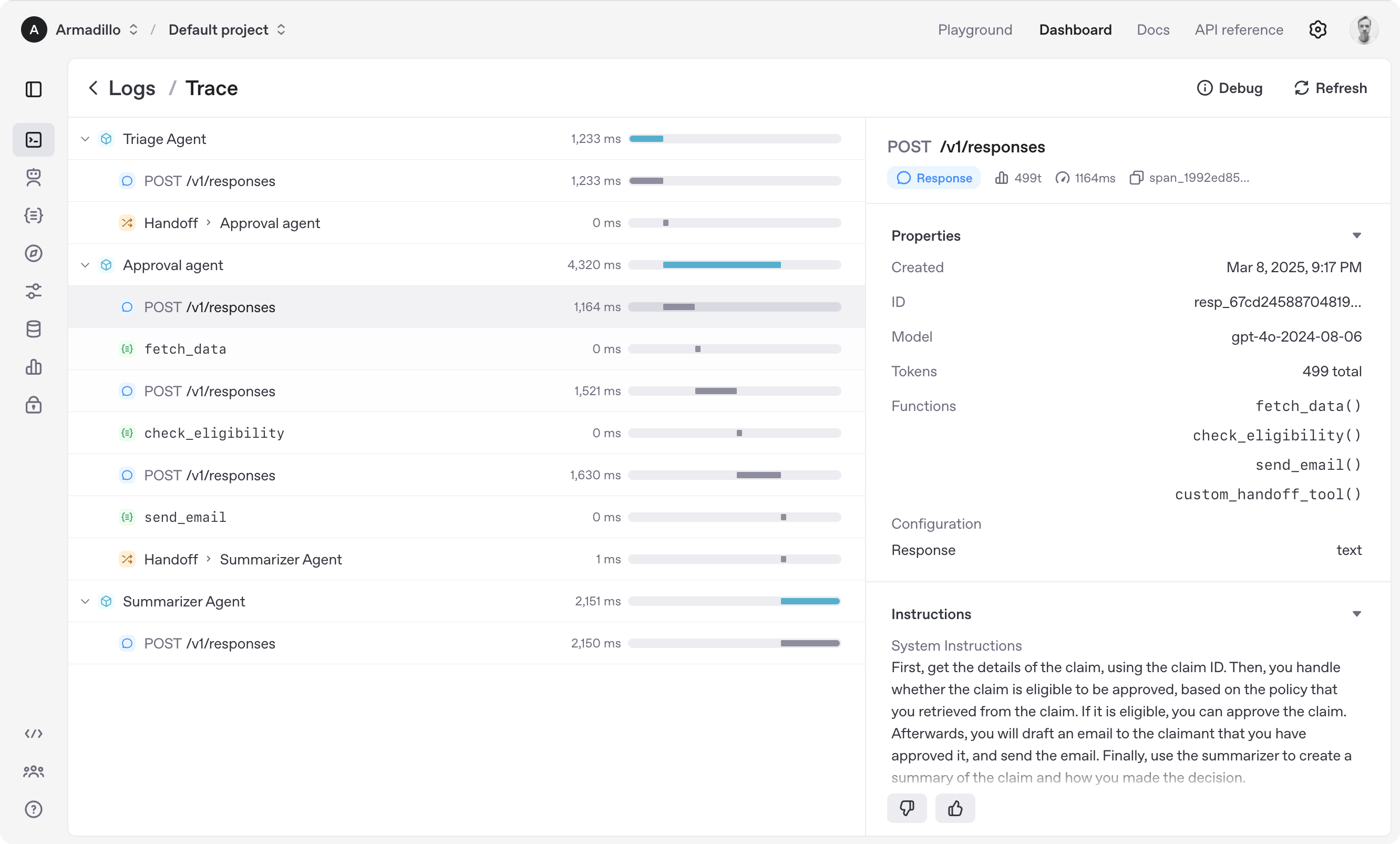
- Tracing: Built-in tracking of agent runs, allowing you to view, debug, and optimize your workflows.
Explore the examples/ directory to see the SDK in action.
Supported Features
Get started
Supported environments
- Node.js 22 or later
- Deno
- Bun
Experimental support:
- Cloudflare Workers with
nodejs_compat enabled
Check out the documentation for more detailed information.
Installation
npm install @openai/agents zod@3
Hello world example
import { Agent, run } from '@openai/agents';
const agent = new Agent({
name: 'Assistant',
instructions: 'You are a helpful assistant',
});
const result = await run(
agent,
'Write a haiku about recursion in programming.',
);
console.log(result.finalOutput);
(If running this, ensure you set the OPENAI_API_KEY environment variable)
Functions example
import { z } from 'zod';
import { Agent, run, tool } from '@openai/agents';

const getWeatherTool = tool({
  name: 'get_weather',
  description: 'Get the weather for a given city',
  parameters: z.object({ city: z.string() }),
  execute: async (input) => {
    return `The weather in ${input.city} is sunny`;
  },
});

const agent = new Agent({
  name: 'Data agent',
  instructions: 'You are a data agent',
  tools: [getWeatherTool],
});

async function main() {
  const result = await run(agent, 'What is the weather in Tokyo?');
  console.log(result.finalOutput);
}

main().catch(console.error);
Handoffs example
import { z } from 'zod';
import { Agent, run, tool } from '@openai/agents';
const getWeatherTool = tool({
name: 'get_weather',
description: 'Get the weather for a given city',
parameters: z.object({ city: z.string() }),
execute: async (input) => {
return `The weather in ${input.city} is sunny`;
},
});
const dataAgent = new Agent({
name: 'Data agent',
instructions: 'You are a data agent',
handoffDescription: 'You know everything about the weather',
tools: [getWeatherTool],
});
const agent = Agent.create({
name: 'Basic test agent',
instructions: 'You are a basic agent',
handoffs: [dataAgent],
});
async function main() {
const result = await run(agent, 'What is the weather in San Francisco?');
console.log(result.finalOutput);
}
main().catch(console.error);
Voice Agent
import { z } from 'zod';
import { RealtimeAgent, RealtimeSession, tool } from '@openai/agents-realtime';
const getWeatherTool = tool({
name: 'get_weather',
description: 'Get the weather for a given city',
parameters: z.object({ city: z.string() }),
execute: async (input) => {
return `The weather in ${input.city} is sunny`;
},
});
const agent = new RealtimeAgent({
name: 'Data agent',
instructions: 'You are a data agent',
tools: [getWeatherTool],
});
const { apiKey } = await fetch('/path/to/ephemeral/key/generation').then(
(resp) => resp.json(),
);
const session = new RealtimeSession(agent);
await session.connect({ apiKey });
The agent loop
When you call Runner.run(), the SDK executes a loop until a final output is produced.
- The agent is invoked with the given input, using the model and settings configured on the agent (or globally).
- The LLM returns a response, which may include tool calls or handoff requests.
- If the response contains a final output (see below), the loop ends and the result is returned.
- If the response contains a handoff, the agent is switched to the new agent and the loop continues.
- If there are tool calls, the tools are executed, their results are appended to the message history, and the loop continues.
You can control the maximum number of iterations with the maxTurns parameter.
Final output
The final output is the last thing the agent produces in the loop.
- If the agent has an
outputType (structured output), the loop ends when the LLM returns a response matching that type.
- If there is no
outputType (plain text), the first LLM response without tool calls or handoffs is considered the final output.
Summary of the agent loop:
- If the current agent has an
outputType, the loop runs until structured output of that type is produced.
- If not, the loop runs until a message is produced with no tool calls or handoffs.
Error handling
- If the maximum number of turns is exceeded, a
MaxTurnsExceededError is thrown.
- If a guardrail is triggered, a
GuardrailTripwireTriggered exception is raised.
Acknowledgements
We'd like to acknowledge the excellent work of the open-source community, especially:
We're committed to building the Agents SDK as an open source framework so others in the community can expand on our approach.
For more details, see the documentation or explore the examples/ directory.






