@openassistant/geoda
The GeoDa tools for OpenAssistant provides spatial data analysis capabilities using GeoDaLib.
Features
| standardizeVariable | Standardize the data of a variable using one of the following methods: deviation from mean, standardize MAD, range adjust, range standardize, standardize (Z-score). |
| dataClassify | Perform data classification using various methods: natural breaks, equal intervals, quantile, standard deviation, percentile, box, unique values. |
| rate | Calculate the rates from a base variable and an event variable using one of the following methods: raw rates, excess risk, empirical bayes, spatial rates, spatial empirical bayes, eb rate standardization. |
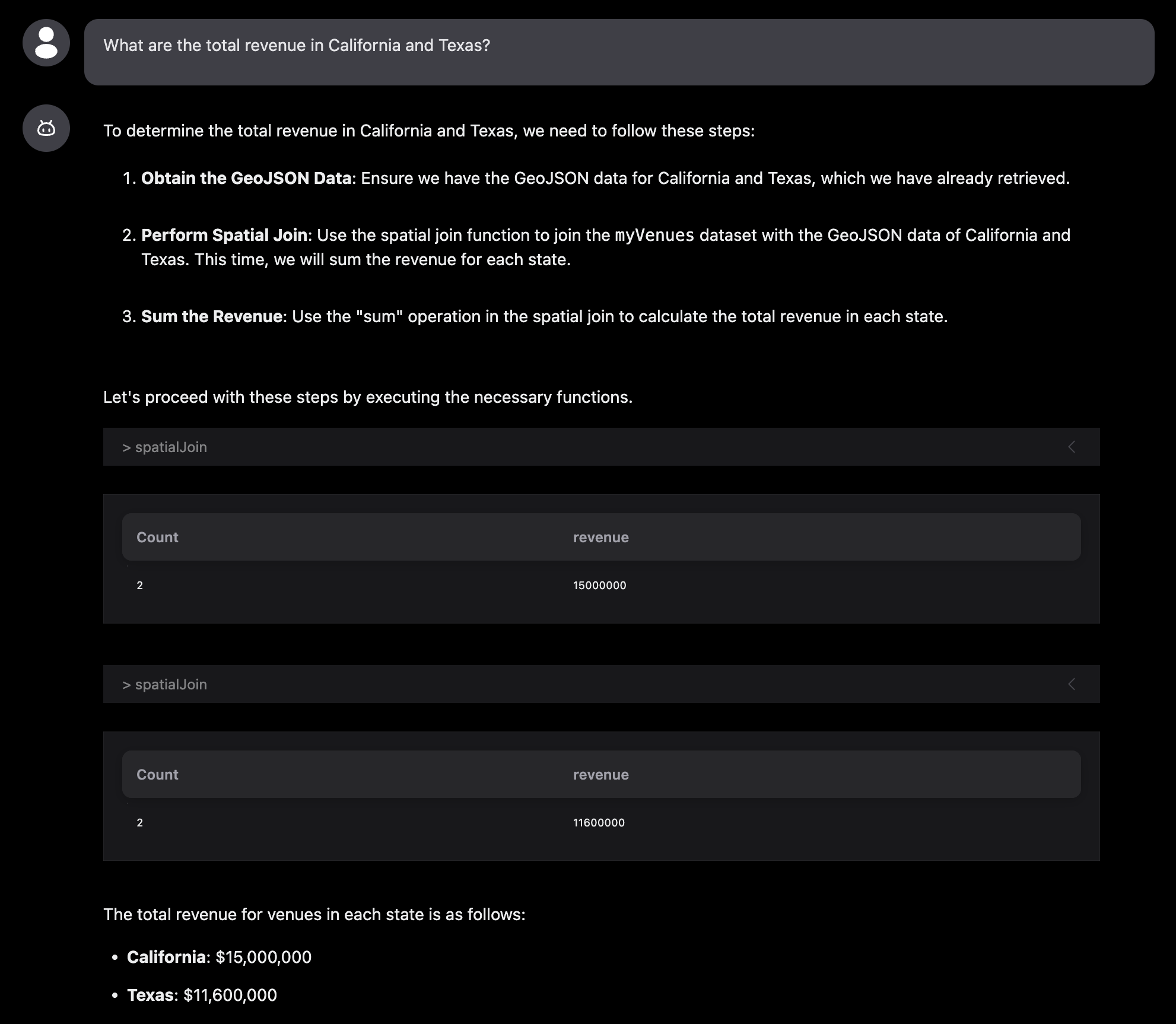
| spatialJoin | Join geometries from one dataset with geometries from another dataset. |
| globalMoran | Calculate Global Moran's I for a given variable to check if the variable is spatially clustered or dispersed. |
| lisa | Apply local indicators of spatial association (LISA) statistics to identify local clusters and spatial outliers, including local Moran's I, local G, local G*, local Geary's C, and quantile LISA. |
| spatialWeights | Generate spatial weights matrices for spatial analysis: queen, rook, k-nearest neighbors, distance band. |
| spatialRegression | Perform regression analysis with spatial data: classic, spatial lag, spatial error. |
| area | Calculate the area of geometries in a GeoJSON dataset. |
| buffer | Create buffer zones around geometries. |
| cartogram | Create a dorling cartogram from a given geometries and a variable. |
| centroid | Calculate the centroids (geometric centers) of geometries. |
| dissolve | Merge multiple geometries into a single geometry. |
| grid | Create a grid of polygons that divides a given area into N rows and M columns. |
| length | Calculate the length of geometries in a GeoJSON dataset. |
| minimumSpanningTree | Generate the minimum spanning tree from a given dataset or geojson. |
| perimeter | Calculate the perimeter of geometries in a GeoJSON dataset. |
| thiessenPolygons | Generate thiessen polygons or voronoi diagrams from a given dataset or geojson. |
Installation
npm install @openassistant/geoda @openassistant/utils ai
Quick Start
Suppose you have a spatial dataset which could be fetched from your data API. The json data could look like this:
const SAMPLE_DATASETS = {
  myVenues: [
    { "location": "New York", "latitude": 40.7128, "longitude": -74.0060, "value": 12500000 },
    ...
  ]
};
You can share the meta data of your dataset in the instructions prop of the AiAssistant component, so the LLM can understand which datasets are available to use when performing spatial analysis.
:::note
The meta data is good enough for the AI Assistant. Don't put the entire dataset in the context, and there is no need to share your dataset with the AI Assistant or the LLM models. This also helps to keep your dataset private.
:::
const instructions = `You can help users to perform spatial analysis on a dataset.
Please always confirm the function calling and its arguments with the user.

Here is the dataset are available for function calling:
DatasetName: mySpatialData
Fields: location, longitude, latitude, value`;
Then, you can add the Geoda tools in your application:
import { dataClassify, DataClassifyTool } from '@openassistant/geoda';
import { convertToVercelAiTool } from '@openassistant/utils';
import { generateText } from 'ai';
import { openai } from '@ai-sdk/openai';

const classifyTool: DataClassifyTool = {
  ...dataClassify,
  toolContext: {
    getValues: async (datasetName: string, variableName: string) => {
      return SAMPLE_DATASETS[datasetName].map((item) => item[variableName]);
    },
  },
};

const result = await generateText({
  model: openai('gpt-4.1', { apiKey: key }),
  prompt: 'Can you classify the data of population into 5 classes?',
  tools: { dataClassify: convertToVercelAiTool(classifyTool) },
});
Once set up, you can perform spatial analyses through natural language prompts:
- For data classification: "How can I classify the population data into 5 classes using natural breaks?"
- For outlier detection: "Can you help me analyze the spatial autocorrelation of population data"
- For pattern analysis: "Can you help to check the spatial patterns of the revenue data"
- For spatial regression: "Can you help me run a spatial regression model to analyze the relationship between population and revenue"
- For spatial join: "What are the total revenue in California and Texas?"
The assistant will automatically understand your request and use the appropriate spatial analysis function.
See the example for more details.





