

Product
Rust Support Now in Beta
Socket's Rust support is moving to Beta: all users can scan Cargo projects and generate SBOMs, including Cargo.toml-only crates, with Rust-aware supply chain checks.
By Mikola Lysenko, Trevor Norris - Sep 11, 2025
@ophidian/build
Advanced tools
This module provides a complete build system for Obsidian plugins including a Github action for publishing them, without needing to duplicate large amounts of code and configuration between plugins. (The build and publish parts are actually independent: you don't have to use the builder to use the publisher or vice-versa, but they are combined in one repository for ease of use.)
To build your plugin, you'll need a small file like this (named ophidian.config.mjs by convention, but anything ending in .mjs will work):
import Builder from "@ophidian/build";

new Builder("src/pane-relief.ts") // <-- the path of your main module
.withSass()      // Could be omitted
.withInstall()   // Optional: publish to OBSIDIAN_TEST_VAULT on build
.build();
This is the entire build configuration. You can do more complex things with it, but the basics are:
import .css or .scss files in your code; for CSS you'll just put a styles.css in your repository root.)OBSIDIAN_TEST_VAULT environment variable and hot-reloaded (if you have the hot-reload plugin installed in that vault). (Note: if you don't want to set the environment variable by hand, you can use an .envrc file with direnv to set it automatically, or you can just symlink the plugin directory in your test vault to ./dist (or vice versa) and make sure there's a .hotreload file in it.)Now, how do you actually run it? You need to modify your package.json like so (changing the file name if needed):
{
  "scripts": {
    "dev": "node ophidian.config.mjs dev",
    "build": "node ophidian.config.mjs production"
  },
  // ...
  "devDependencies": {
    "@ophidian/build": "^1",
    // ...
  }
}
Now, you can use your package manger (npm, yarn, or pnpm) to dev (watch & rebuild with sourcemaps) or build (one-time run with compressed code). (You'll also need to have your package manager install your dev dependencies before you start.)
Regardless of build type, the output files are copied to dist/ under your project root, and optionally copied to your test vault. Note that because of the way esbuild Sass support works, you'll also see a spurious dist/main.css file -- @ophidian/build then copies this file to the correct name of dist/styles.css.
The Ophidian Publish action makes updating your plugins on Github easy, even if you don't use Ophidian as a library or to build your plugin. Its features include:
dist/ or build/ subdirectoryAnd, perhaps the best part, it keeps your plugin action scripts short and sweet, e.g.:
name: Publish plugin
on:
  push:  # Sequence of patterns matched against refs/tags
    tags:
      - "*" # Push events to matching any tag format, i.e. 1.0, 20.15.10
jobs:
  build:
    runs-on: ubuntu-latest
    steps:
      - uses: actions/checkout@v3
      - uses: ophidian-lib/build@v1
        with:
          token: ${{ secrets.GITHUB_TOKEN }}
          release-notes: ${{ github.event.commits[0].message }}
Aside from having a .github/workflows/publish.yml file like the above example, your plugin must have a build command that can be run via your package manager build command. It should place the built main.js and styles.css (if applicable) in the repository root, or else dist/ or build/. Files in the root take precedence over files found elsewhere; manifest.json (and manifest-beta.json if applicable) must always be in the repository root since Obsidian (and BRAT) look for them there.
If you have a manifest-beta.json, Ophidian will publish it in place of manifest.json, if it contains a higher version number. Whichever version is chosen must exactly match the tag you pushed (with git push --tags) to deploy the new version, or the action will fail with an error.
The action supports the following configuration variables, which you may need to change from the simple arrangment shown above:
token - should be set as shown, it will be used to generate the release, upload files, and create release notesrelease-notes should be set to what you want included in the release notes. Set as shown in the example unless you need something special. The first line of the string will be converted to an H3 heading (by adding ### and a space in front of it).package-manager should be set to pnpm, npm or yarn to match your package lockfile (pnpm-lock.yaml, package-lock.json, or yarn.lock). This is the command that will be used to run the install and build scripts for your plugin.build-script can be set if you want the build to use a different package.json script than build (e.g. cibuild, publish-plugin, or something like that)node-version can be set if you need a specific node.js version to run your builder; Ophidian targets Node 14 by default.pnpm-version can be set if you need a specific version of pnpm. (The default is the latest version that supports Node 14.)(Note: I am using this action mainly with pnpm; if you experience problems using npm or yarn, feel free to file an issue, ideally referencing the repo and/or branch that's giving you trouble so I can attempt to reproduce the problem.)
As of version 1.2, you can now inline files as strings, using code like this:
// Both of these are strings from the files at build time
import someFile from "text:./someFile.whatever";
import someCSS  from "scss:./some.scss";  // and scss is converted to css
If you want to use this feature, you'll probably want to add the following to one of your .d.ts files (e.g. global.d.ts in your source folder):
declare module "scss:*" {
    const value: string;
    export default value;
}

declare module "text:*" {
    const value: string;
    export default value;
}
This will tell TypeScript and your IDE that what importing from these locations produces strings.
FAQs
A build/publish system for Obsidian Plugins
We found that @ophidian/build demonstrated a not healthy version release cadence and project activity because the last version was released a year ago. It has 1 open source maintainer collaborating on the project.
Did you know?

Socket for GitHub automatically highlights issues in each pull request and monitors the health of all your open source dependencies. Discover the contents of your packages and block harmful activity before you install or update your dependencies.
Product
Socket's Rust support is moving to Beta: all users can scan Cargo projects and generate SBOMs, including Cargo.toml-only crates, with Rust-aware supply chain checks.
Product
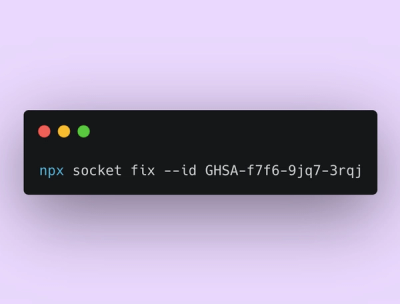
Socket Fix 2.0 brings targeted CVE remediation, smarter upgrade planning, and broader ecosystem support to help developers get to zero alerts.

Security News
Socket CEO Feross Aboukhadijeh joins Risky Business Weekly to unpack recent npm phishing attacks, their limited impact, and the risks if attackers get smarter.