


Security News
The Hidden Blast Radius of the Axios Compromise
The Axios compromise shows how time-dependent dependency resolution makes exposure harder to detect and contain.
By Ahmad Nassri - Apr 01, 2026
@petitatelier/osc-stream
Advanced tools
A readable stream of OSC Messages, read and received from an underlying Websocket
A readable- and writable stream of OSC Messages, wrapping an underlying OSC Websocket client (from the @adzialocha/osc-js library).
Requires an OSC bridge server running on your local network, to enable bi-directional messaging between the OSCStream class instance and a remote OSC controller. You can use the @petitatelier/osc-bridge command-line utility to start one. See demo instructions hereafter.
  <script type="module">
    import { OSCStream , OSCMessageHTMLFormatter } from "@petitatelier/osc-stream";
    const oscStream = new OSCStream({ host: "0.0.0.0", port: 8080 });

    oscStream.readable
      .pipeThrough( OSCMessageHTMLFormatter)
      .pipeTo( streamingElement.writable)
      .catch( err => console.error( "Something went wrong!", err));

    const oscWriter = oscStream.writable.getWriter();
    oscWriter.write( new self.OSC.Message( "/ping"))
      .catch( err => console.error( "Something went wrong!", err));
  </script>
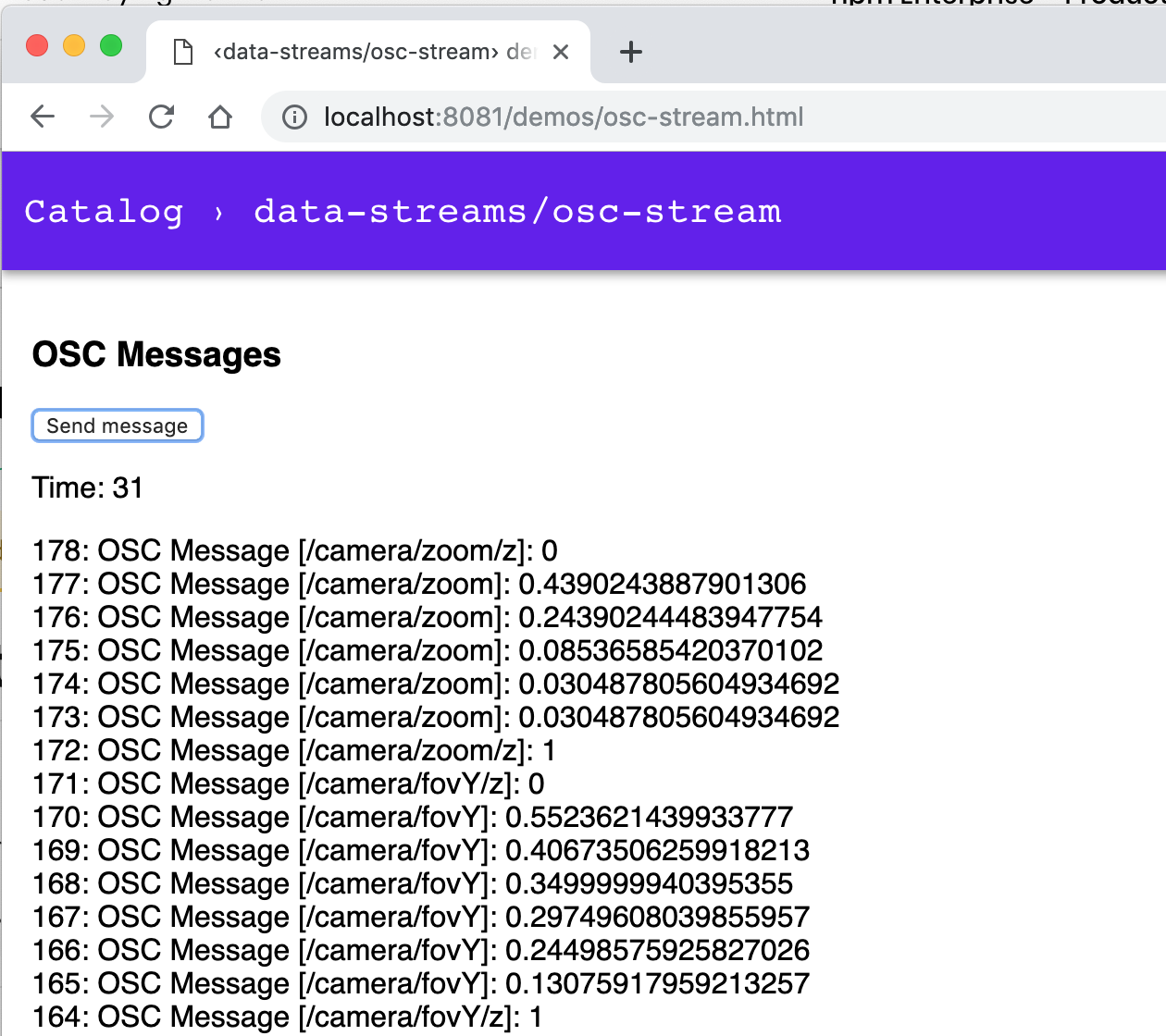
Run following command and navigate to http://127.0.0.1:8081/demos/osc-stream.html:
$ npm run dev:osc
The npm run dev:osc command will start an OSC bridge server, along with the local
dev HTTP server, enabling bi-directional messaging between a remote OSC controller
and the OSCStream class instance of the demo.
Before starting the OSC bridge server, you might want to tweak its configuration;
see the config section of the package.json at the root of
this monorepo.
{
  …
  "config": {
    "http-server": {
      "host": "0.0.0.0",
      "port": "8081"
    },
    "osc-bridge": {
      "udp-server": {
        "host": "0.0.0.0",
        "port": "7400"
      },
      "udp-client": {
        "host": "192.168.178.29",
        "port": "7500"
      },
      "ws-server": {
        "host": "0.0.0.0",
        "port": "8080"
      }
    }
  },
  …
}
You will also need to configure your remote OSC controller app, to send its outgoing messages to the OSC bridge server.
Use the IP address of the network adapter listed by the OSC bridge server
upon start. For instance, if you get following output, your computer and
the OSC bridge server will be reachable at IP 192.168.178.47:
$ npm run dev:osc

> @petitatelier/data-streams@ dev:osc …
> osc-bridge & npm run dev && fg

OSC Websocket <-> UDP bridge server
Bridging OSC over Web Socket to/from `ws://0.0.0.0:8080`
Listening for OSC over UDP on `0.0.0.0:7400`
Broadcasting OSC over UDP to `192.168.178.29:7500`
Local host reachable at: [ en0: `192.168.178.47` ]
…
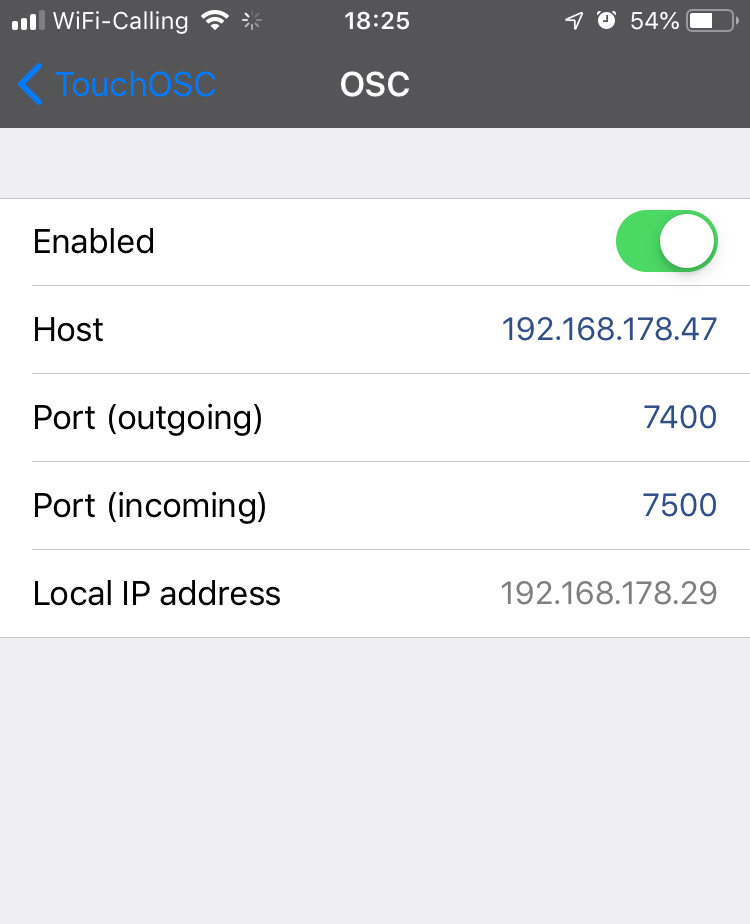
And if you were using the popular TouchOSC
remote OSC controller app, you would consequently configure its Host and
Port (outgoing) fields with IP 192.168.178.47 and port 7400, as shown
in screencopy hereafter:
FAQs
A readable stream of OSC Messages, read and received from an underlying Websocket
We found that @petitatelier/osc-stream demonstrated a not healthy version release cadence and project activity because the last version was released a year ago. It has 2 open source maintainers collaborating on the project.
Did you know?

Socket for GitHub automatically highlights issues in each pull request and monitors the health of all your open source dependencies. Discover the contents of your packages and block harmful activity before you install or update your dependencies.
Security News
The Axios compromise shows how time-dependent dependency resolution makes exposure harder to detect and contain.

Research
A supply chain attack on Axios introduced a malicious dependency, plain-crypto-js@4.2.1, published minutes earlier and absent from the project’s GitHub releases.

Research
Malicious versions of the Telnyx Python SDK on PyPI delivered credential-stealing malware via a multi-stage supply chain attack.