React Video Annotation Tool
React Video Annotation Tool is a flexible and intuitive library to add annotations on videos in real-time. It supports a wide range of features including shape tools, annotation lists, undo/redo functionality, and more.
Features
- Annotate videos with custom shapes and colors.
- Easily control video playback.
- Undo, redo, and delete shapes with simple methods.
- Manage annotations with a customizable list.
- Integrate directly with databases for saving/loading annotations.
- Responsive and styled UI for modern web apps.
-
Keyboard Shortcuts for Improved Productivity
-
Ctrl + Z: Undo the last action.
-
Ctrl + Y: Redo the undone action.
-
Delete Button: Remove selected shapes.
Preview
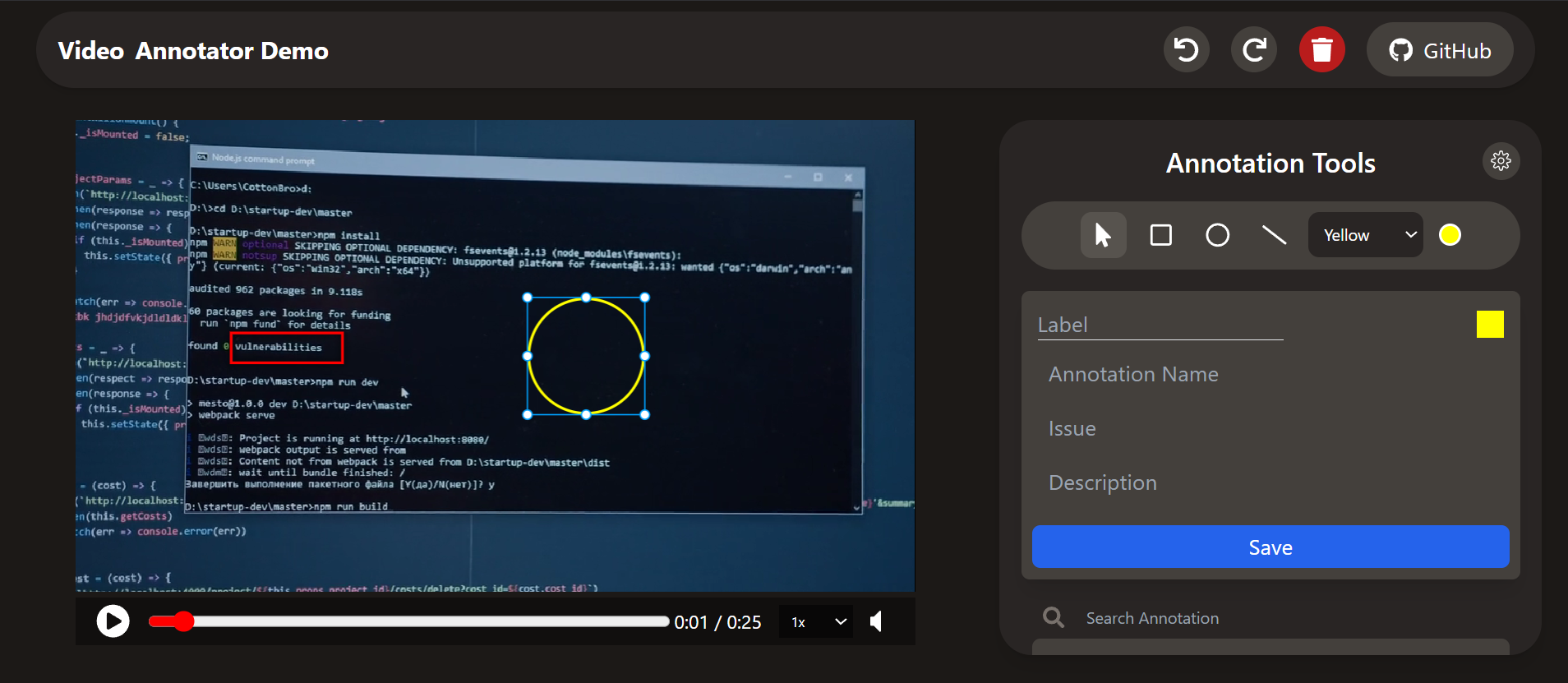
Links
Installation
Install the package using npm or yarn:
npm install react-video-annotation-tool
Usage
App.js Example
import { useRef, useState } from "react";
import { TwoDVideoAnnotation } from "react-video-annotation-tool";
import { FaUndo, FaRedo, FaTrash } from "react-icons/fa";

function App() {
  const annotationRef = useRef(null);
  const [allAnnotations, setAllAnnotations] = useState([]);

  return (
    <div className="app">
      {/* Toolbar */}
      <div className="tools">
        <button onClick={() => annotationRef.current?.undo()}>
          <FaUndo /> Undo
        </button>
        <button onClick={() => annotationRef.current?.redo()}>
          <FaRedo /> Redo
        </button>
        <button onClick={() => annotationRef.current?.deleteShape()}>
          <FaTrash /> Delete
        </button>
      </div>

      {/* Video Annotation Tool */}
      <TwoDVideoAnnotation
        rootRef={annotationRef}
        shapes={allAnnotations}
        setShapes={setAllAnnotations}
        selectedShapeTool={"rectangle"}
        videoUrl="https://videos.pexels.com/video-files/6804117/6804117-sd_960_506_25fps.mp4"
      />
    </div>
  );
}

export default App;
Shapes objects and properties examples, expected as initial Data array of shapes of objects if passed
const initialShapes = [
{
id: "rectangle1",
color: "blue",
label: "My Rectangle",
data: {},
properties: {
type: "rectangle",
x: 13,
y: 5,
width: 4,
height: 4,
startTime: 0,
endTime: 0.5,
scaleX: 1,
scaleY: 1,
screenHeight: 600,
screenWidth: 400,
strokeWidth: 2,
opacity: 0.8,
},
},
{
id: "circle1",
color: "red",
label: "My Circle",
data: {},
properties: {
type: "circle",
x: 10,
y: 15,
radius: 4,
startTime: 1,
endTime: 1.5,
scaleX: 1,
scaleY: 1,
screenHeight: 600,
screenWidth: 400,
strokeWidth: 2,
opacity: 0.8,
},
},
{
id: "line1",
color: "green",
label: "My Line",
data: {},
properties: {
type: "line",
x: 20,
y: 30,
points: [0, 0, 100, 0, 100, 100],
startTime: 2,
endTime: 2.5,
scaleX: 1,
scaleY: 1,
screenHeight: 600,
screenWidth: 400,
strokeWidth: 2,
opacity: 0.8,
},
},
];
API
TwoDVideoAnnotation Props
rootRef | ref | - | Ref to access methods (e.g., undo, redo, deleteShape). |
shapes | array | [] | Initial array of annotations. |
setShapes | function | - | State setter to update annotations. |
videoUrl | string | - | URL of the video to annotate. |
selectedShapeTool | string | - | The currently selected shape tool ('rectangle' , 'circle' , 'line'). |
hideAnnotations | boolean | false | Whether to hide all annotations. |
annotationColor | string | "red" | Color for new annotations. |
videoControls | object | {} | Video playback controls ({autoPlay:true, loop:true}, etc.). |
lockEdit | boolean | false | Disable editing annotations. |
selectedAnnotationData | function | - | Callback triggered when annotation is selected. |
Developers
License
This library is available under the MIT License.





