React Native Wheel Picker


Introduction
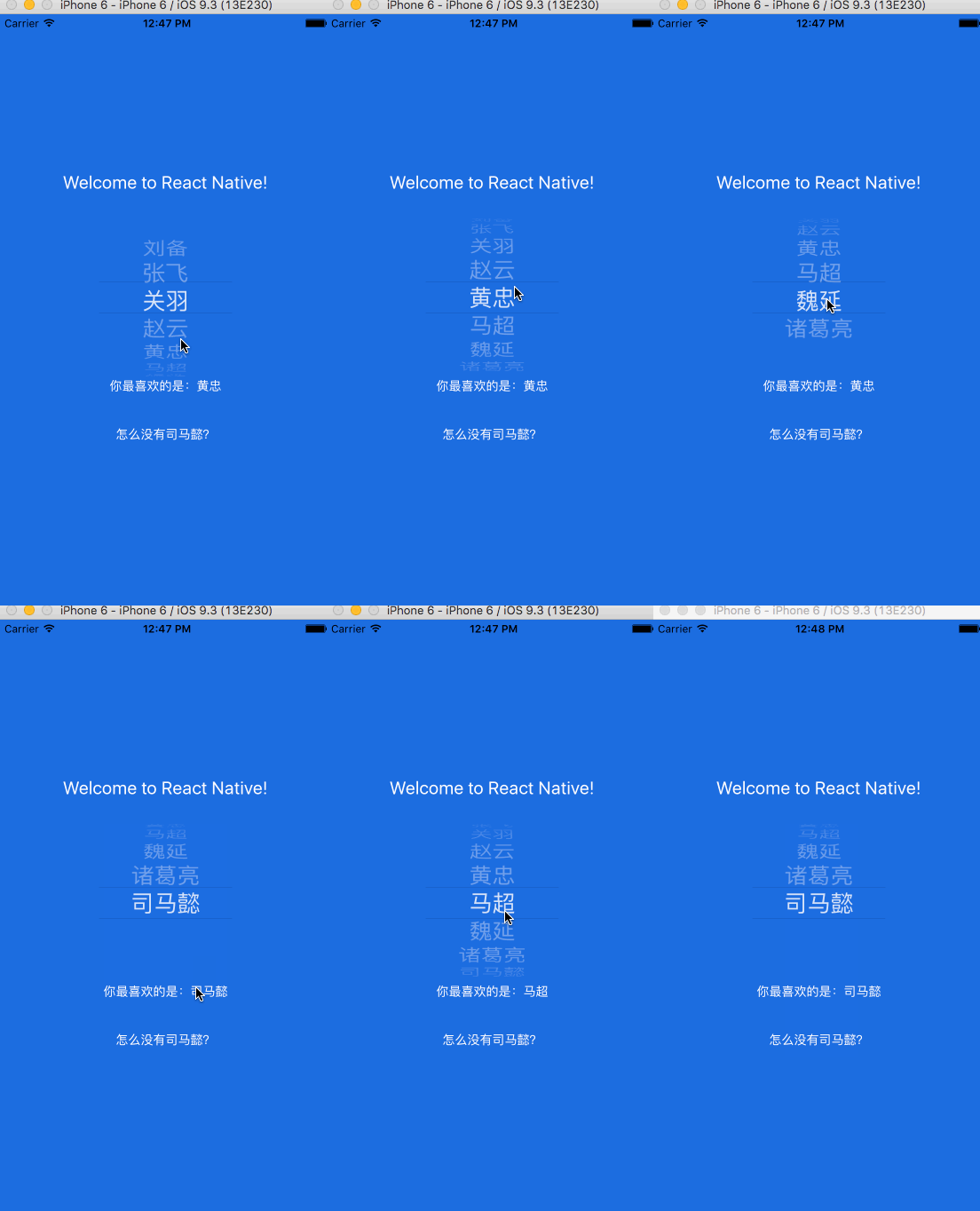
Cross platform Picker component based on React-native.
Since picker is originally supported by ios while Android only supports a ugly Spinner component. If you want to have the same user behaviour, you can use this.
The android component is based on https://github.com/AigeStudio/WheelPicker which runs super fast and smoothly. It also supports curved effect which make it exactly the same looking and feel as the ios picker.

Getting Started
npm install @gregfrench/react-native-wheel-picker --save
or
yarn add @gregfrench/react-native-wheel-picker
To link the project, please run
react-native link @gregfrench/react-native-wheel-picker
iOS
CocoaPods on iOS needs this extra step:
npm install @react-native-picker/picker --save
cd ios && pod install && cd ..
or
yarn add @react-native-picker/picker
cd ios && pod install && cd ..
Android
No additional step is required.
Example code (using functional components)
import React, { useState } from 'react';
import { View, Text } from 'react-native';

import Picker from '@gregfrench/react-native-wheel-picker'
var PickerItem = Picker.Item;

const WheelPicker = () => {
  const [selectedItem, setSelectedItem ] = useState(2);
  const [itemList , setItemList ] = useState(['Item 1', 'Item 2', 'Item 3', 'Item 4', 'Item 5']);

  return (
    <View>
      <Text>
        <Picker style={{width: 150, height: 180}}
          lineColor="#000000" //to set top and bottom line color (Without gradients)
          lineGradientColorFrom="#008000" //to set top and bottom starting gradient line color
          lineGradientColorTo="#FF5733" //to set top and bottom ending gradient
          selectedValue={selectedItem}
          itemStyle={{color:"black", fontSize:26}}
          onValueChange={(index) => setSelectedItem(index) }>
          {itemList.map((value, i) => (
            <PickerItem label={value} value={i} key={i}/>
          ))}
        </Picker>
      </Text>
    </View>
  );
};

export default WheelPicker;
Example code (using classes)
import React, { Component } from 'react';
import { Text, View } from 'react-native';

import Picker from '@gregfrench/react-native-wheel-picker'
var PickerItem = Picker.Item;

export default class WheelPicker extends Component {

  constructor(props) {
    super(props);
    this.state = {
      selectedItem : 2,
      itemList: ['Item 1', 'Item 2', 'Item 3', 'Item 4', 'Item 5']
    };
  }

  onPickerSelect (index) {
    this.setState({
      selectedItem: index,
    });
  }

  onAddItem = () => {
    var name = 'New item';

    if (this.state.itemList.indexOf(name) == -1) {
      this.state.itemList.push(name);
    }

    this.setState({
      selectedItem: this.state.itemList.indexOf(name),
    });
  }

  render () {
    return (
      <View>
        <Picker style={{width: 150, height: 180}}
          lineColor="#000000" //to set top and bottom line color (Without gradients)
          lineGradientColorFrom="#008000" //to set top and bottom starting gradient line color
          lineGradientColorTo="#FF5733" //to set top and bottom ending gradient
          selectedValue={this.state.selectedItem}
          itemStyle={{color:"black", fontSize:26}}
          onValueChange={(index) => this.onPickerSelect(index)}>
            {this.state.itemList.map((value, i) => (
                <PickerItem label={value} value={i} key={i}/>
            ))}
        </Picker>

        <Text style={{margin: 20}}>
          Selected item: {this.state.itemList[this.state.selectedItem]}
        </Text>

        <Text style={{margin: 20}} onPress={this.onAddItem}>
          Add item
        </Text>
      </View>
    );
  }
}
Credits
@lesliesam - for the original source code for which this code was forked off of
@m3rlin94 - for the line coloring code





