react-iscroller
An effective react infinite scroll container. inspired by twitter's blog.
Motivation
As the pwa(progressive web app) becoming more popular, the performance and user experience are more and more important. And infinite scroll is almost the most important part within a pwa project. But i found the results by searching react infinite scroller on github are not my needs. Fortunately, I found this article of twitter on medium by chance. That's i want. So I tried to make my own one.
Install
npm i react-iscroller
Example
It's simple to use as follow:
import { InfiniteScroller } from "react-iscroller"

return <InfiniteScroller
  itemAverageHeight={22}
  containerHeight={window.innerHeight}
  items={this.state.messages}
  itemKey="id"
  onRenderCell={this.renderCell}/>
Feature
- infinite load
- lazy load
- dynamic height
- pure component
- cache
- resize
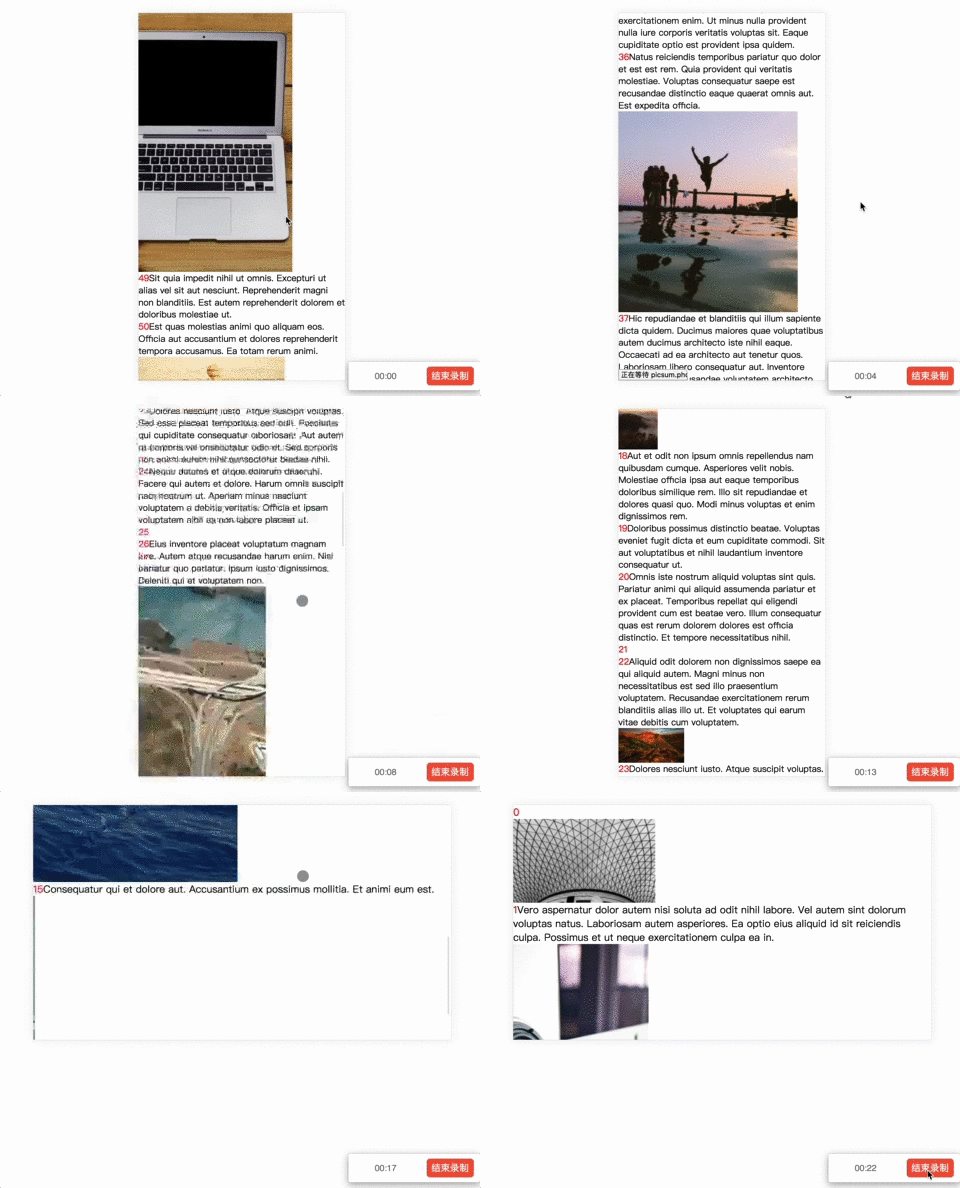
Online Demo
image_and_text
Props
containerHeight(required): number
the height of the wrapper of the infinite scroller
className(optional): string
className attatched to scroller.
items(required): object[]
your data
itemKey(required): string
identity of your data. help scroller implements pure component.
itemAverageHeight(required): number
As the twitter blog mentioned, averageHeight can help scroller to guesstimate the buffer height. Usually your item height.
onRenderCell(required): (item: any, itemIndex: number) => ReactNode
called when trying to render an item. if you want to force scroller to update cache(eg. after image loaded), you can call this method.
cache(optional): Cache[]
cache the position of rendered item. your might need provide this prop when you want go back to the last place.
initialScrollTop(optional): number
set scroller's scrollTop to initialScrollTop after first render. if you had provied cache and initialScrollTop, you can get the last interface before unmount of scroller component.
onScroll(optional): (scrollerDom: HTMLDivElement) => void
called when scroller is scrolling.
onEnd?: () => void
called after anchor had arrived bottom.
Caveat
-
Your item which returned by onRenderCell will be wrapped by a div that used for calculation.
-
Because of the getBoundingClientRect, I can't get the margin size. So you should not use margin in your
item css.
-
Because of the scroll bug in ios, if you suffered this problem, it's normally! However, I did some optimization for ios--avoid change scrollTop.
-
2.x version is a bit heavy for dynamic height. If you can give your dynamic content a certain height, please use the version of 1.1.7.





