vue-datetime






Mobile friendly datetime picker for Vue. Supports date, datetime and time modes, i18n and disabling dates.
NOTICE: This README is related to next version (1.x) of vue-datetime. For the old release 0.x, see here.
Demo
Go to demo.
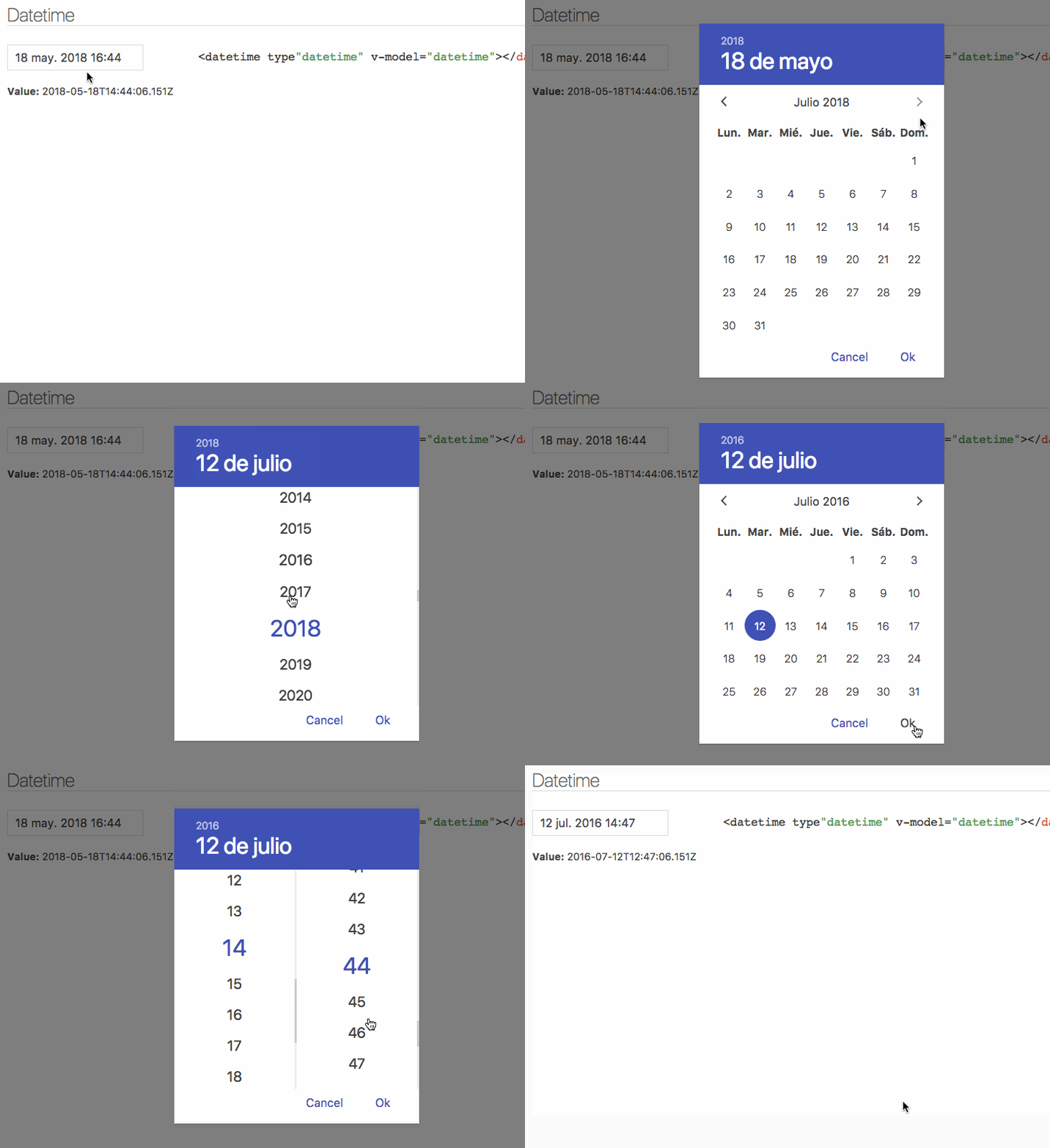
TODO
v1.x currently support most of v0.x functionality but it's still behind.
Old features not yet implemented:
- Disabled dates
- Time picker (Not sure if it will be implemented)
Installation
Bundler (Webpack, Rollup...)
yarn add luxon vue-datetime weekstart
Or
npm install --save luxon vue-datetime weekstart
weekstart is optional, is used to get the first day of the week.
Register
import Vue from 'vue'
import Datetime from 'vue-datetime'
import 'vue-datetime/dist/vue-datetime.css'
Vue.use(Datetime)
Register manually
Global
import { Datetime } from 'vue-datetime';

Vue.component('datetime', Datetime);
Local
import { Datetime } from 'vue-datetime';

Vue.extend({
  template: '...',
  components: {
    datetime: Datetime
  }
});
Browser
Download vue, luxon, weekstart and vue-datetime or use a CDN like unpkg.
<link rel="stylesheet" href="vue-datetime.css"></link>
<script src="vue.js"></script>
<script src="luxon.js"></script>
<script src="weekstart.js"></script>
<script src="vue-datetime.js"></script>
weekstart is optional, is used to get the first day of the week.
Usage
Minimal
<datetime v-model="date"></datetime>
Setup
Parameters
| v-model (required) | ISO 8601 String | - | Datetime. |
| type | String | date | Picker type. date or datetime. |
| input-id | String | '' | Id for the input. |
| input-class | String | '' | Class for the input. |
| hidden-name | String | null | Name for hidden input with raw value. See #51. |
| value-zone | String | UTC | Time zone for the value. |
| zone | String | local | Time zone for the picker. |
| format | Object or String | DateTime.DATE_MED or DateTime.DATETIME_MED | Input date format. Luxon presents or tokens. |
| phrases | Object | {ok: 'Ok', cancel: 'Cancel'} | Phrases. |
| use12-hour | Boolean | false | Display 12 hour (AM/PM) mode |
| hour-step | Number | 1 | Hour step. |
| minute-step | Number | 1 | Minute step. |
| min-datetime | ISO 8601 String | null | Minimum datetime. |
| max-datetime | ISO 8601 String | null | Maximum datetime. |
| auto | Boolean | false | Auto continue/close on select. |
| week-start | Number | auto from locale if weekstart is available or 1 | First day of the week. 1 is Monday and 7 is Sunday. |
Input inherits all props not defined above but style and class will be inherited by root element.
The component is based on Luxon, check out documentation to set time zones and format.
Internationalization
Date internationalization depends on luxon. Set the default locale.
import { Settings } from 'luxon'

Settings.defaultLocale = 'es'
Events
Component emits the input event to work with v-model. More info.
close event is emitted when the popup closes.
Also, input text inherits all component events.
Theming
Theming is supported by overwriting CSS classes.
Development
Launch lint and tests
yarn test
Launch visual tests
yarn dev
Build
Bundle the js and css to the dist folder:
yarn build
License
The MIT License





