ng-otp-input
A fully customizable, one-time password input component for the web built with Angular.
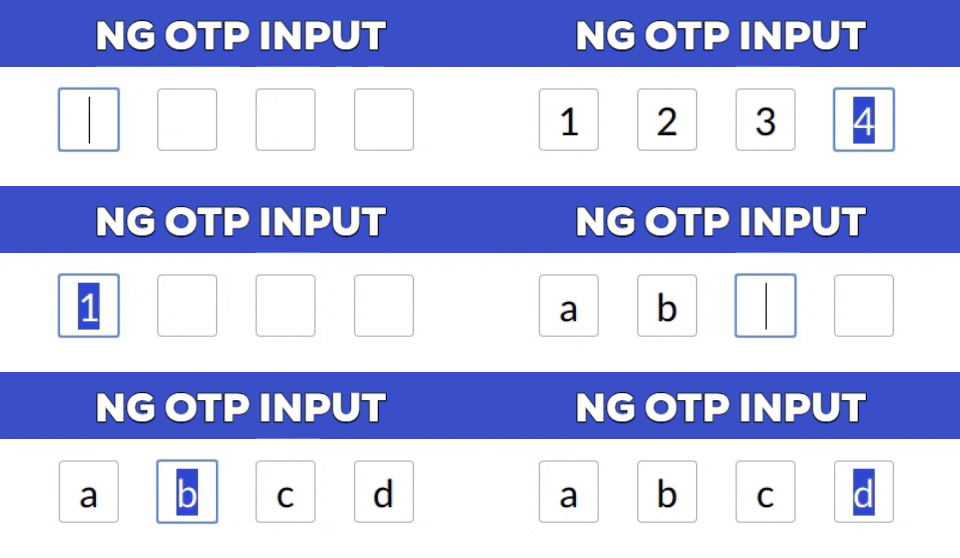
Stackbliz Demo
Installation
npm install --save ng-otp-input
Usage
Add NgOtpInputModule to imports app.module.ts something like
import { BrowserModule } from  '@angular/platform-browser';
import { NgModule } from  '@angular/core';
import { AppComponent } from  './app.component';
import { NgOtpInputModule } from  'ng-otp-input';

    @NgModule({
    declarations: [AppComponent],
    imports: [ BrowserModule,
    NgOtpInputModule],
    bootstrap: [AppComponent]
    })
Add component to your page:
<ng-otp-input (onInputChange)="onOtpChange($event)" [config]="{length:5}"></ng-otp-input>
API
| Name | Type | Required | default | Description |
|---|
| config | object | true | {length:4} | Various configuration options to customize the component |
| onOtpChange | function | true | -- | Function that will receive the otp |
| setValue | function | false | -- | Call setValue method of component to update component value. See example below |
Config options
| Name | Type | Required | default | Description |
|---|
| length | number | true | 4 | Number of OTP inputs to be rendered. |
| inputStyles | object | false | -- | Style applied to each input.Check [ngStyles](https://angular.io/api/common/NgStyle) for more info. |
| inputClass | string | false | -- | Class applied to each input. |
| containerClass | string | false | -- | Class applied to container element. |
| containerStyles | object | false | -- | Style applied to container element.Check [ngStyles](https://angular.io/api/common/NgStyle) for more info. |
|
| allowNumbersOnly | bool | false | -- | set true to allow only numbers as input |
| allowKeyCodes | string[] | false | -- | By default numbers alphabets and _ - are allowed.Y
ou can define other key codes if needed. |
| isPasswordInput | bool | false | -- | set true for password type input |
| disableAutoFocus | bool | false | -- | First input will be auto focused on component load and Next empty `setValue` excecution enable this flag to prevent this behaviour |
| placeholder | string | false | -- | input placeholder |
Updating component value using setValue method
Component value can be updated using setValue method of the component example:-
<ng-otp-input #ngOtpInput ></ng-otp-input> //add hash to ng-otp-input component
then in your component reference using @ViewChild and call setValue method when you want to set the value of component like
@ViewChild('ngOtpInput') ngOtpInputRef:any;//Get reference using ViewChild and the specified hash
yourMethod(){
  this.ngOtpInputRef.setValue(yourValue);//yourvalue can be any string or number eg. 1234 or '1234'
}
Disable inputs
Inputs can be disabled by getting the otp form instance of the component and calling disable method
1.Get the component ref in the same way as done in SetValue method above
2.Call disable method of otpForm as follow
this.ngOtpInputRef.otpForm.disable();
Contributing
Add a star to show your support and feel free to open issues and pull requests!
License
MIT





