主要解决的问题
大屏适配主要是解决屏幕尺寸比和设计稿尺寸比不一致的问题,采用的方法是:scale
虽然这种方案并不完美,但也是目前比较好的解决方案
比如在 pc 上就不是特别完美,特别是老型号 windows 机器,分辨率各种各样
但在大屏上看就会很完美,因为大屏的分辨率一般都是 16:9 的,而设计稿一般都是 1920*1080
然后在使用 scale 缩放时,主要有 3 个问题
- 地图上的点位会出现偏移/点击位置不准
- 使用到
overflow: scroll 的地方,文本可能会出现模糊
- 在使用第三方组件时,比如下拉框等不会缩放
开发这个组件就是为了解决这 3 个问题
使用
npm i adaptorjs
yarn add adaptorjs
pnpm i adaptorjs
import Adaptor from "adaptorjs";
const adaptor = new Adaptor({
  designHeight: 1080,
  designWidth: 1920,
  querySelector: "#app",
  extraSelectors: [".xxx"],
});
注意事项
要在 dom 加载完成后再初始化
useEffect(() => {
  const adaptor = new Adaptor({
    designHeight: 1080,
    designWidth: 1920,
    querySelector: "#app",
    extraSelectors: [".xxx"],
  });
  return () => {
    adaptor.destroy();
  };
}, []);
let adaptor;
onMounted(() => {
  adaptor = new Adaptor({
    designHeight: 1080,
    designWidth: 1920,
    querySelector: "#app",
    extraSelectors: [".xxx"],
  });
});

onUnmounted(() => {
  adaptor.destroy();
});
querySelector: string
extraQuerySelectors?: string[];
designWidth?: number;
designHeight?: number;
type?: ScaleType;
最终实现效果
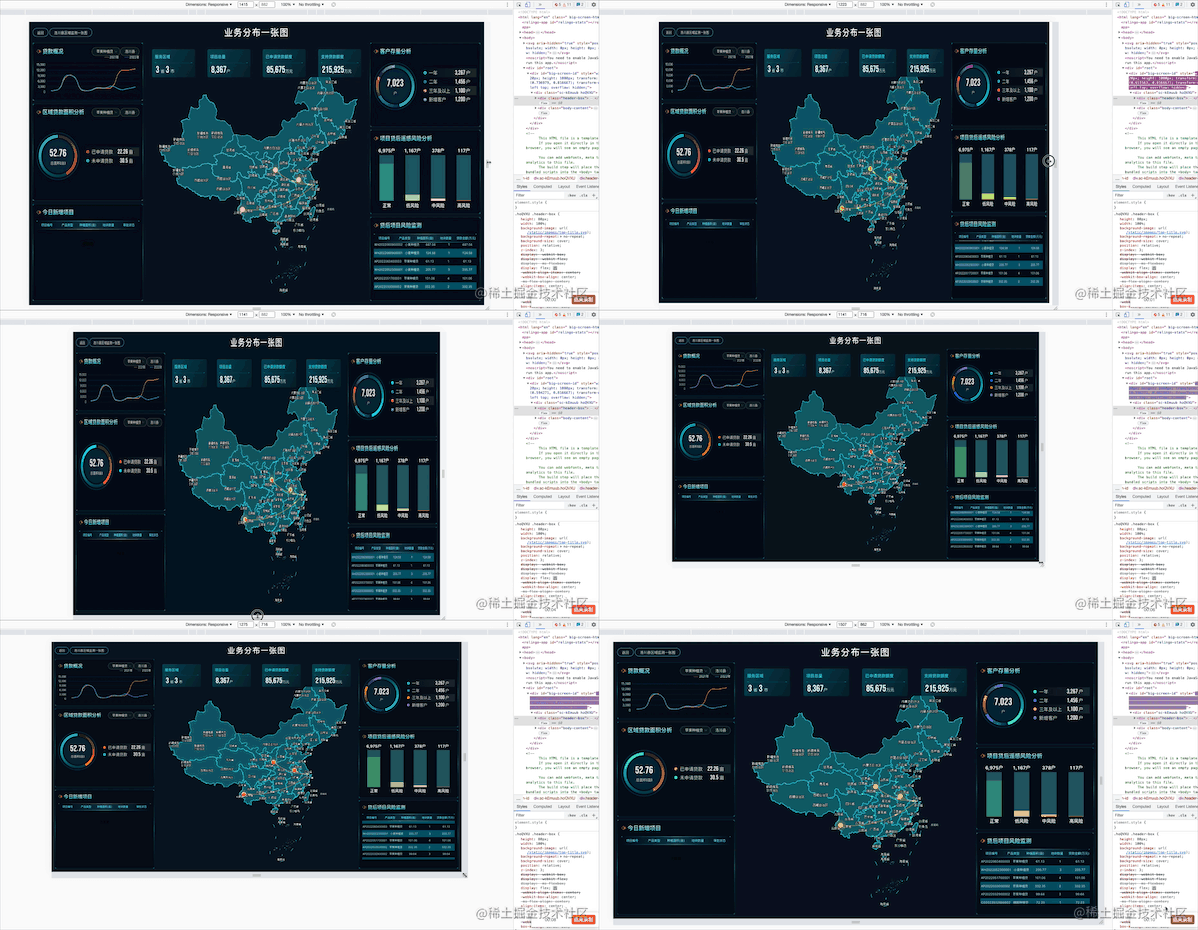
demo
git clone https://github.com/astak16/adaptorjs.git

cd adaptorjs

pnpm i

pnpm dev





