Made in Barcelona with Love and Code
Cordova AdMob plugin



It simply works :)
Monetize your Cordova/Phonegap/XDK HTML5 hybrid apps and games with AdMob ads, using latest Google AdMob SDK.
- Now available with Ionic Native too
- Supports banner, interstitials and rewarded
- Optional Tappx backfill
With this Cordova/Phonegap/XDK plugin you can show AdMob ads as easy as:
admob.createBannerView({publisherId: "ca-app-pub-XXXXXXXXXXXXXXXX/BBBBBBBBBB"});

Plugin update (phonegap/cordova cli)
cordova-admob~4.1.15 and later are now updated to latest SDK's (ios 7.13.1 and later, android managed by gradle)
To update the plugin you should remove the plugin and add it again:
$ cordova plugin rm cordova-admob
$ npm cache clear
$ cordova plugin add cordova-admob
Sometimes removing the plugin causes an error (it's been reported to cordova https://issues.apache.org/jira/browse/CB-12083). If that happens, remove first cordova-libgoogleadmobads manually:
$ rm plugins/cordova-libgoogleadmobads/ -rf
$ cordova plugin rm cordova-admob
$ npm cache clear
$ cordova plugin add cordova-admob
Testimonials
It was really easy to integrate, thanks.
It works like a charm. Test ads and real ads show up. Thanks so much for following up, awesome support.
Place your testimonial here
Platform SDK supported
- iOS, using AdMob SDK for iOS, v7.13.1
- Android, using latest Google Play Services for Android (managed by gradle)
Demo projects:
Quick start
To install this plugin, follow the Command-line Interface Guide. You can use one of the following command lines:
cordova plugin add cordova-admobcordova plugin add https://github.com/appfeel/admob-google-cordova.git
To use in Phonegap Build, place the following tag in your config.xml file:
<gap:plugin name="phonegap-admob" source="npm"/>
To start showing ads, place the following code in your onDeviceReady callback. Replace corresponding id's with yours:
Note: ensure you have a proper AdMob and tappx accounts and get your publisher id's.
function onDeviceReady() {
document.removeEventListener('deviceready', onDeviceReady, false);
admob.setOptions({
publisherId: "ca-app-pub-XXXXXXXXXXXXXXXX/BBBBBBBBBB",
interstitialAdId: "ca-app-pub-XXXXXXXXXXXXXXXX/IIIIIIIIII",
autoShowBanner: true,
autoShowRInterstitial: false,
autoShowRewarded: false,
tappxIdiOS: "/XXXXXXXXX/Pub-XXXX-iOS-IIII",
tappxIdAndroid: "/XXXXXXXXX/Pub-XXXX-Android-AAAA",
tappxShare: 0.5
});
admob.createBannerView();
admob.requestInterstitialAd();
admob.requestRewardedAd();
}
document.addEventListener("deviceready", onDeviceReady, false);
If you don't specify tappxId, no tappx requests will be placed (even if you specify a tappxShare). See Tappx configuration for more detailed info.
:warning: Be sure to start ads on "deviceready" event otherwise, the plugin would not work.
Full documentation
Visit the wiki of Google AdMob Cordova plugin. Table of contents:
Complete example code
Note that the admob ads are configured inside onDeviceReady(). This is because only after device ready the AdMob Cordova plugin will be working.
var isAppForeground = true;
function initAds() {
if (admob) {
var adPublisherIds = {
ios : {
banner : "ca-app-pub-XXXXXXXXXXXXXXXX/BBBBBBBBBB",
interstitial : "ca-app-pub-XXXXXXXXXXXXXXXX/IIIIIIIIII"
},
android : {
banner : "ca-app-pub-XXXXXXXXXXXXXXXX/BBBBBBBBBB",
interstitial : "ca-app-pub-XXXXXXXXXXXXXXXX/IIIIIIIIII"
}
};
var admobid = (/(android)/i.test(navigator.userAgent)) ? adPublisherIds.android : adPublisherIds.ios;
admob.setOptions({
publisherId: admobid.banner,
interstitialAdId: admobid.interstitial,
autoShowBanner: true,
autoShowInterstitial: false,
autoShowRewarded: false,
tappxIdiOS: "/XXXXXXXXX/Pub-XXXX-iOS-IIII",
tappxIdAndroid: "/XXXXXXXXX/Pub-XXXX-Android-AAAA",
tappxShare: 0.5,
});
registerAdEvents();
} else {
alert('AdMobAds plugin not ready');
}
}
function onAdLoaded(e) {
if (isAppForeground) {
if (e.adType === admob.AD_TYPE.AD_TYPE_BANNER) {
console.log("New banner received");
} else if (e.adType === admob.INTERSTITIAL) {
console.log("An interstitial has been loaded and autoshown. If you want to automatically show the interstitial ad, set 'autoShowInterstitial: true' in admob.setOptions() or remove it");
admob.showInterstitialAd();
} else if (e.adType === admob.AD_TYPE_REWARDED) {
console.log("New rewarded ad received");
admob.showRewardedAd();
}
}
}
function onPause() {
if (isAppForeground) {
admob.destroyBannerView();
isAppForeground = false;
}
}
function onResume() {
if (!isAppForeground) {
setTimeout(admob.createBannerView, 1);
setTimeout(admob.requestInterstitialAd, 1);
isAppForeground = true;
}
}
function registerAdEvents() {
document.addEventListener(admob.events.onAdLoaded, onAdLoaded);
document.addEventListener(admob.events.onAdFailedToLoad, function (e) {});
document.addEventListener(admob.events.onAdOpened, function (e) {});
document.addEventListener(admob.events.onAdClosed, function (e) {});
document.addEventListener(admob.events.onAdLeftApplication, function (e) {});
document.addEventListener("pause", onPause, false);
document.addEventListener("resume", onResume, false);
}
function onDeviceReady() {
document.removeEventListener('deviceready', onDeviceReady, false);
initAds();
admob.createBannerView();
admob.requestInterstitialAd();
admob.requestRewardedAd();
}
document.addEventListener("deviceready", onDeviceReady, false);
Contributing
You can use this cordova plugin for free. You can contribute to this project in many ways:
You can also support this project by sharing 2% Ad traffic (it's not mandatory: if you are unwilling to share, please fork and remove the donation code).
Love the project? Wanna buy me a coffee (or a beer :D)? Click here
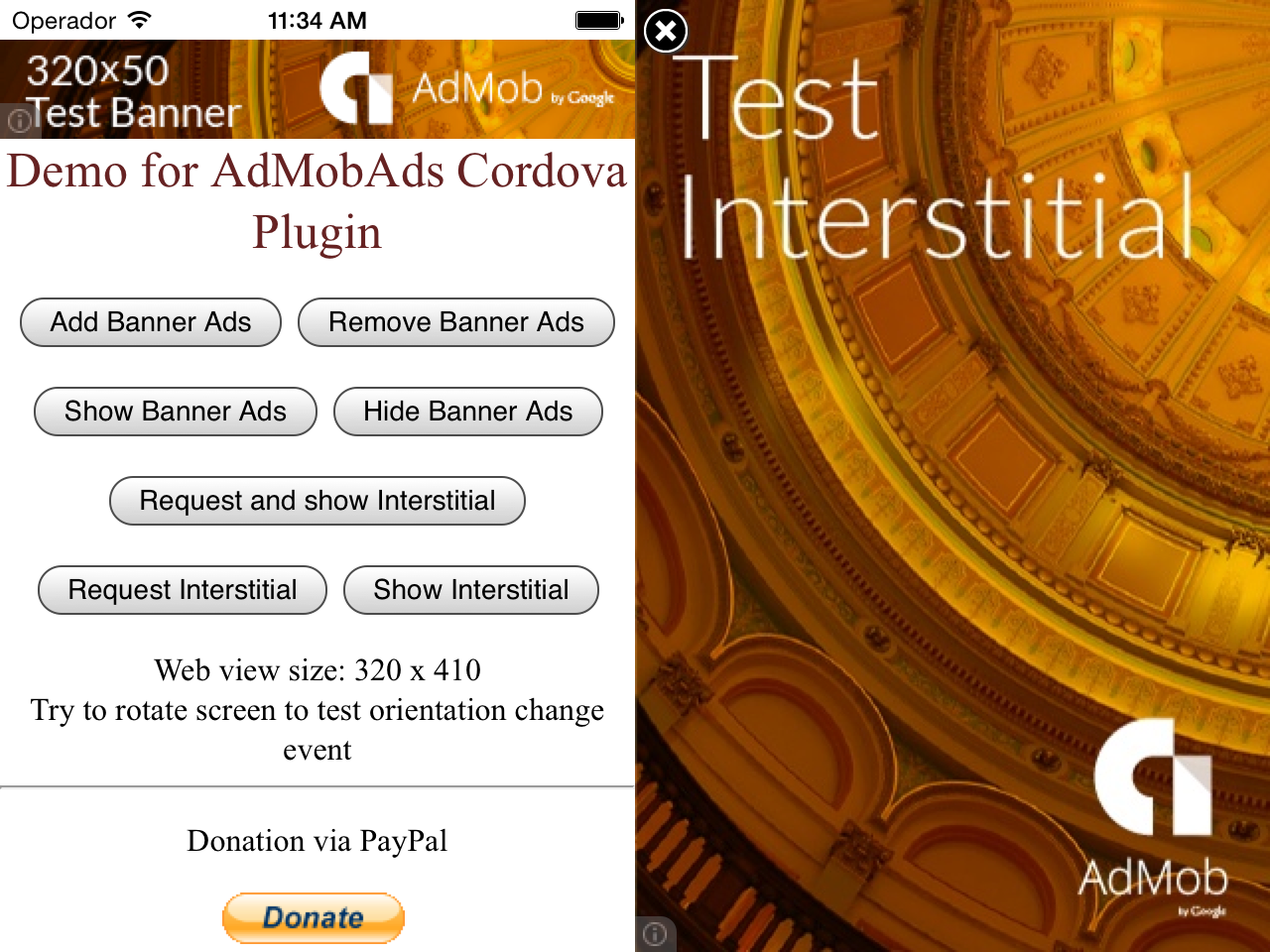
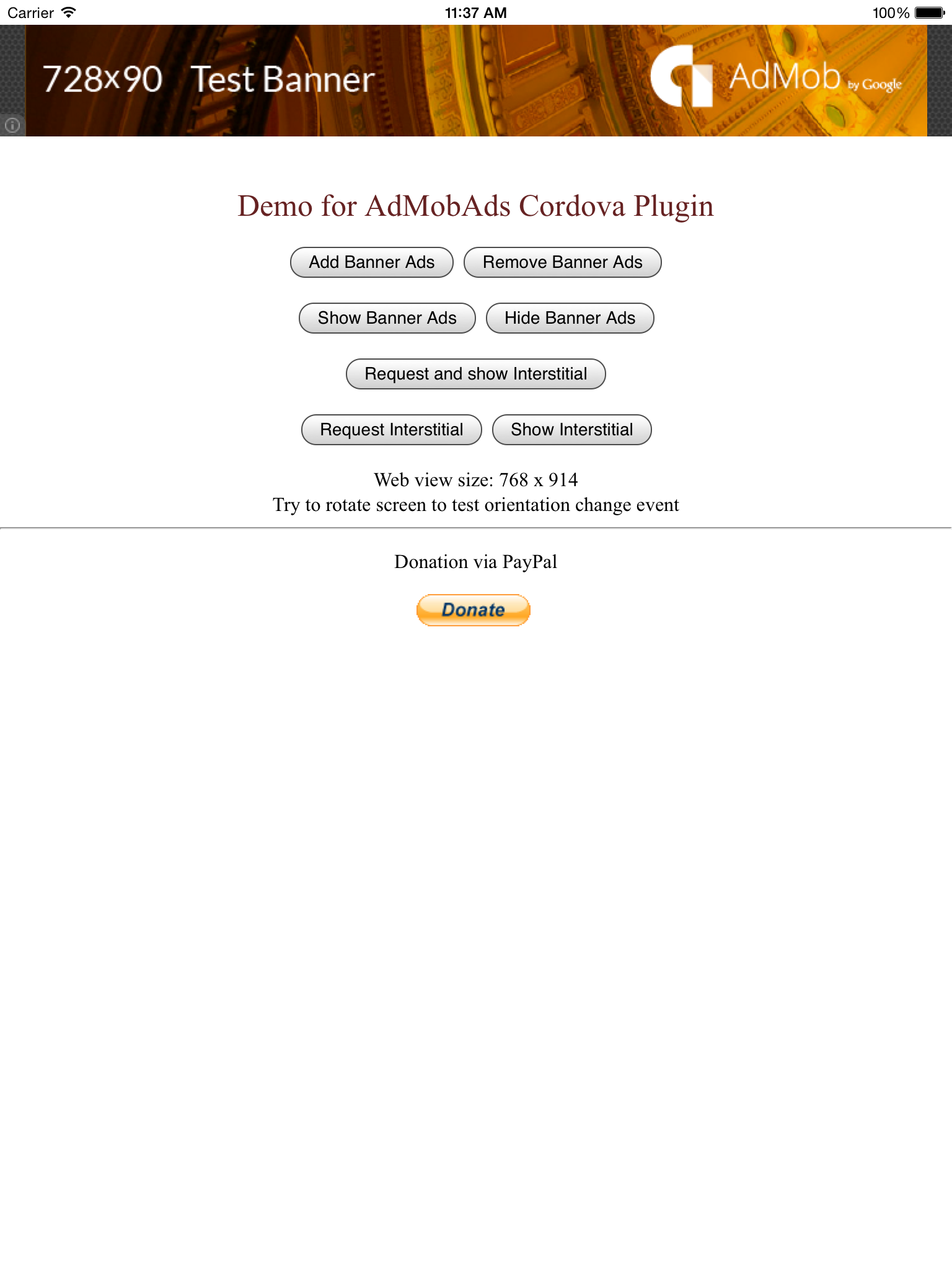
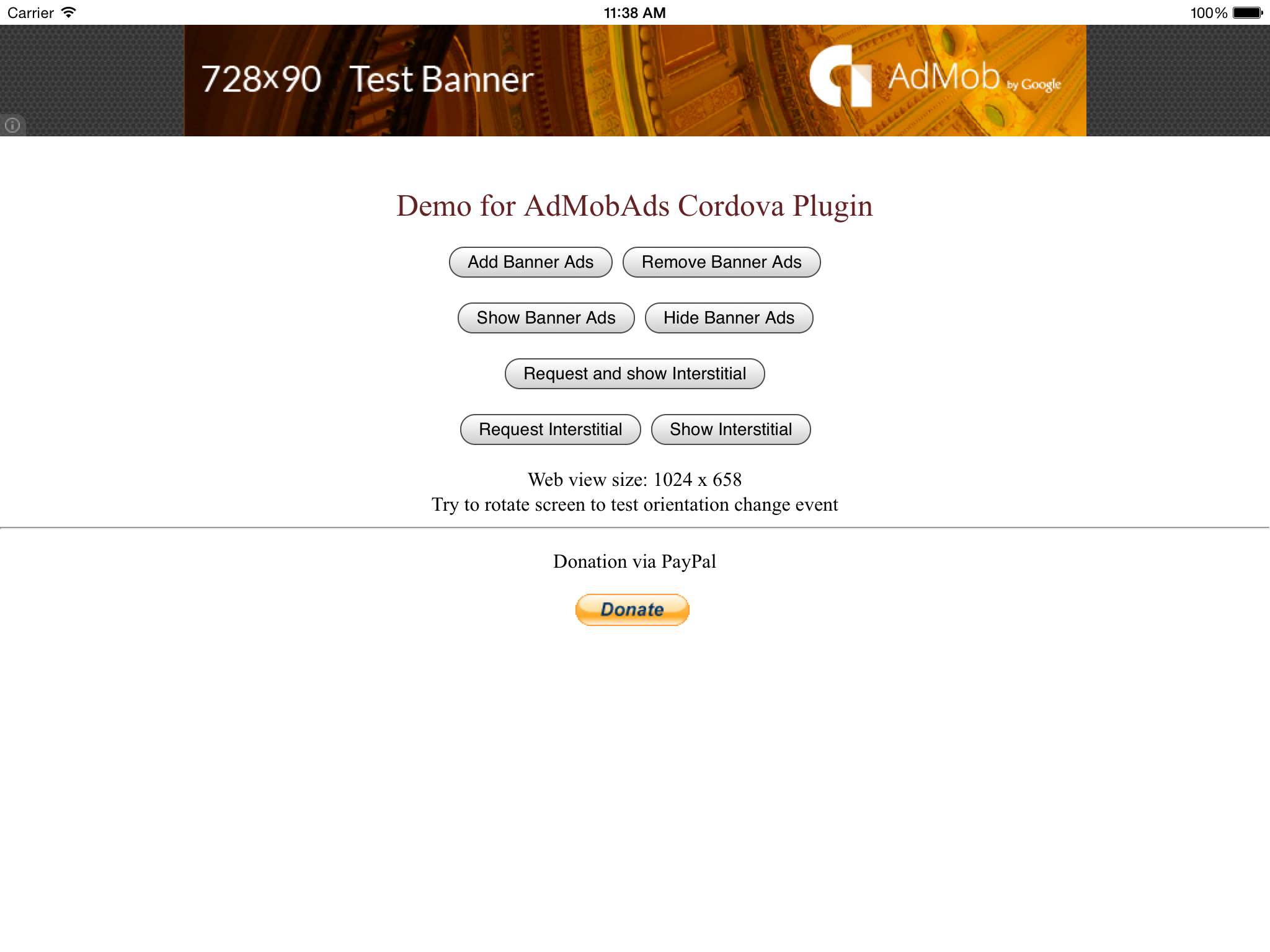
Screenshots
iPhone:
iPad Banner Portrait:
iPad Banner Landscape:
License
The MIT License

Copyright (c) 2014 AppFeel

Permission is hereby granted, free of charge, to any person obtaining a copy of
this software and associated documentation files (the "Software"), to deal in
the Software without restriction, including without limitation the rights to
use, copy, modify, merge, publish, distribute, sublicense, and/or sell copies
of the Software, and to permit persons to whom the Software is furnished to do
so, subject to the following conditions:

The above copyright notice and this permission notice shall be included in all
copies or substantial portions of the Software.

THE SOFTWARE IS PROVIDED "AS IS", WITHOUT WARRANTY OF ANY KIND, EXPRESS OR
IMPLIED, INCLUDING BUT NOT LIMITED TO THE WARRANTIES OF MERCHANTABILITY,
FITNESS FOR A PARTICULAR PURPOSE AND NONINFRINGEMENT. IN NO EVENT SHALL THE
AUTHORS OR COPYRIGHT HOLDERS BE LIABLE FOR ANY CLAIM, DAMAGES OR OTHER
LIABILITY, WHETHER IN AN ACTION OF CONTRACT, TORT OR OTHERWISE, ARISING FROM,
OUT OF OR IN CONNECTION WITH THE SOFTWARE OR THE USE OR OTHER DEALINGS IN THE
SOFTWARE.
Credits





