


Security News
CVE Volume Surges Past 48,000 in 2025 as WordPress Plugin Ecosystem Drives Growth
CVE disclosures hit a record 48,185 in 2025, driven largely by vulnerabilities in third-party WordPress plugins.
By Sarah Gooding - Jan 09, 2026
ah-resque-ui
Advanced tools
A resque administration website for actionhero


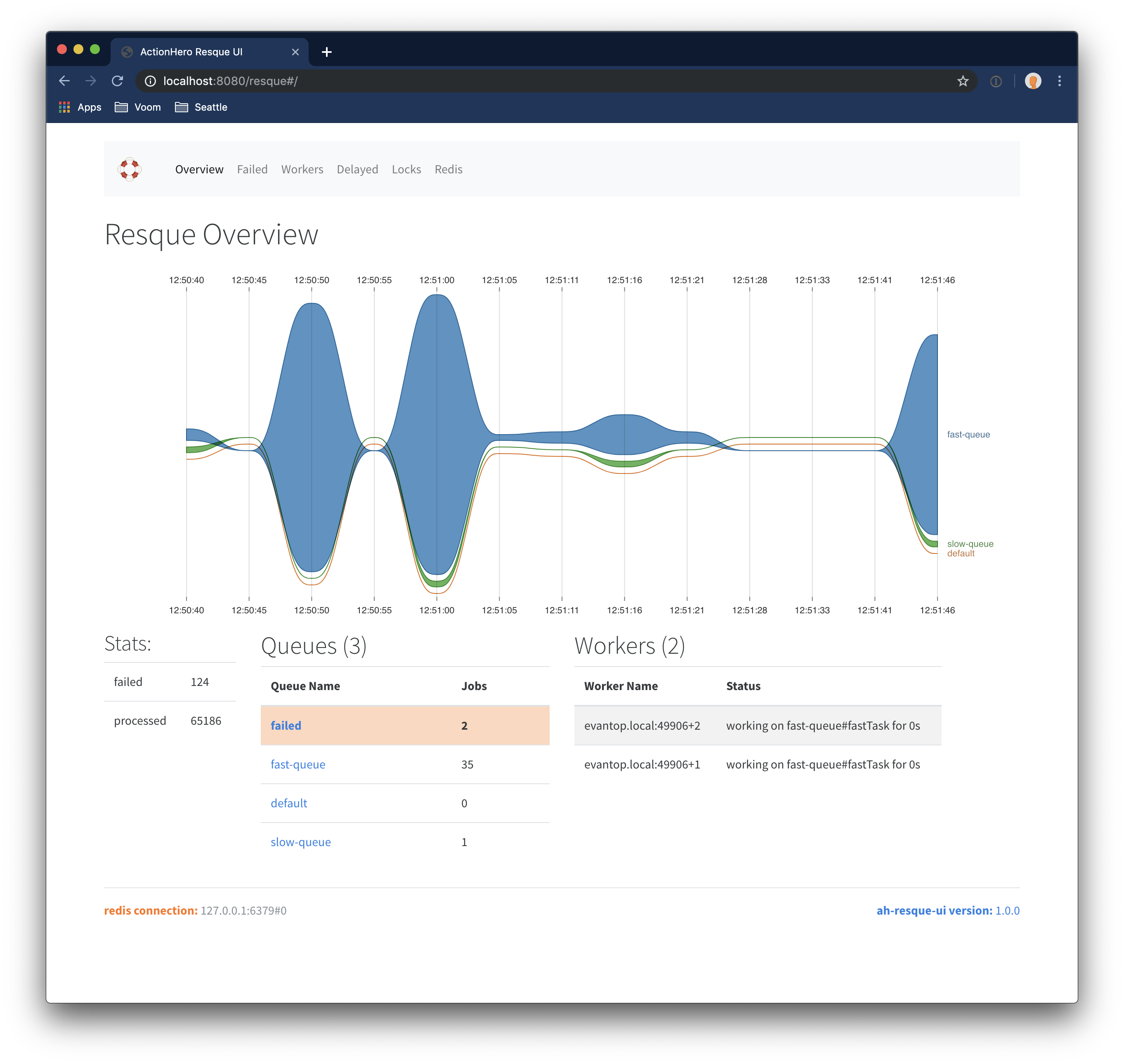
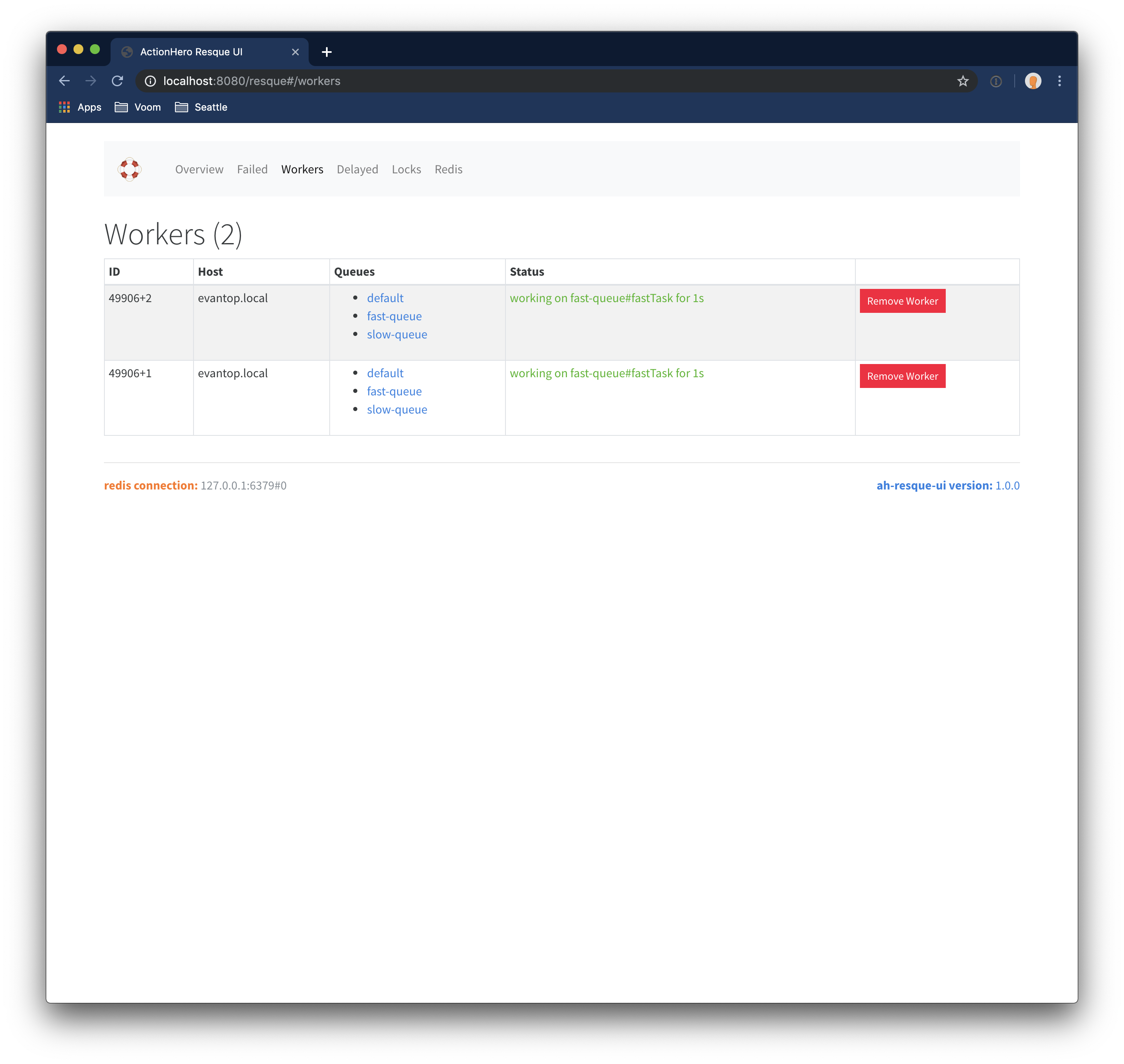
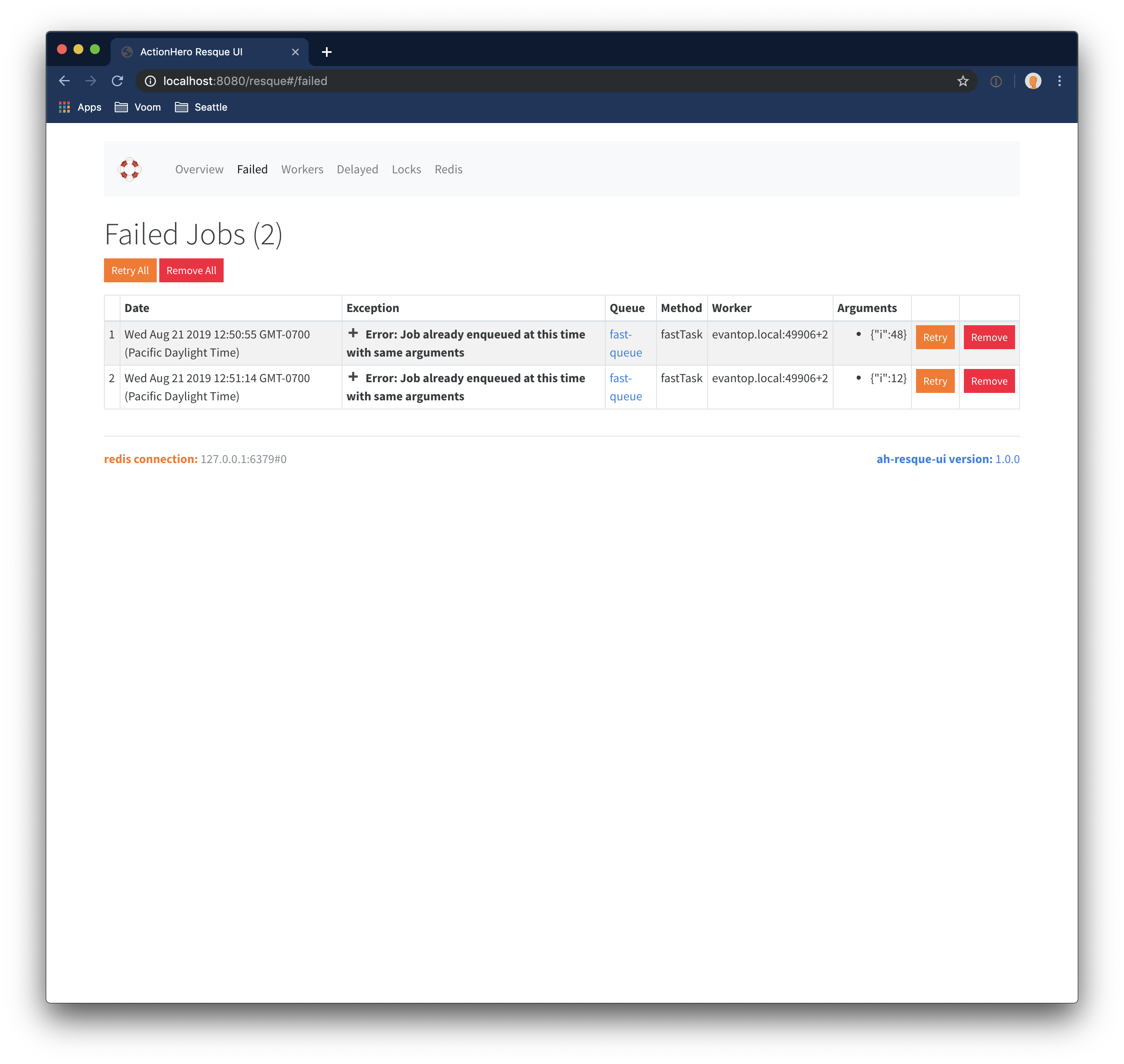
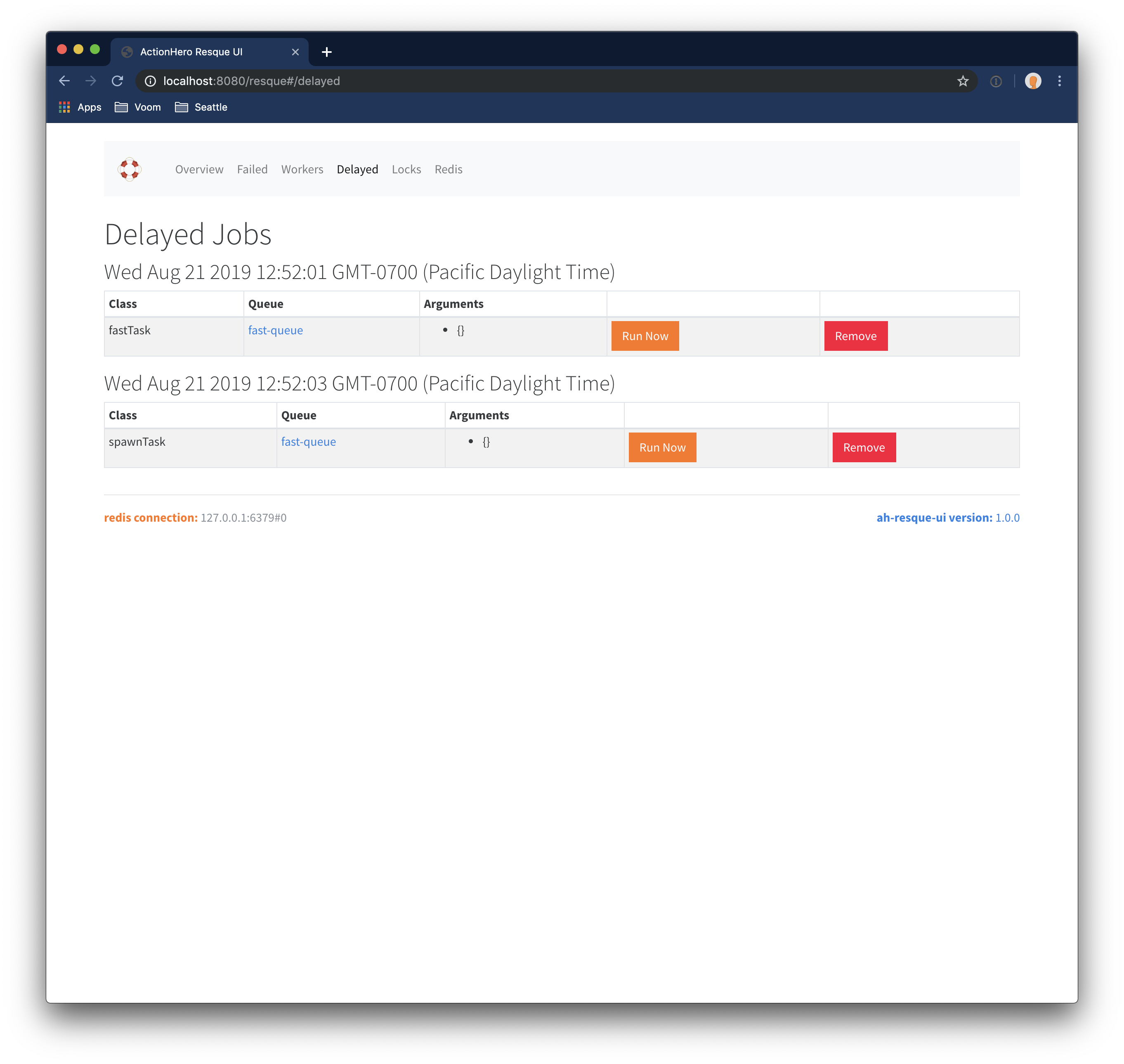
npm install --save ah-resque-ui
./config/plugins.tsexport const DEFAULT = {
plugins: () => {
return {
"ah-resque-ui": { path: __dirname + "/../../node_modules/ah-resque-ui" },
};
},
};
./src/config/ah-resque-ui.tsconst namespace = "ah-resque-ui";
declare module "actionhero" {
export interface ActionheroConfigInterface {
[namespace]: ReturnType<typeof DEFAULT[typeof namespace]>;
}
}
export const DEFAULT = {
[namespace]: () => {
return {
// the name of the middleware(s) which will protect all actions in this plugin
// ie middleware: ['logged-in-session', 'role-admin']
middleware: [] as string[],
};
},
};
http://localhost:8080/resqueThis plugin will inject routes into your application. The routes are equivalent to:
get: [
  { path: '/resque/packageDetails',       action: 'resque:packageDetails'    },
  { path: '/resque/redisInfo',            action: 'resque:redisInfo'         },
  { path: '/resque/resqueDetails',        action: 'resque:resqueDetails'     },
  { path: '/resque/queued',               action: 'resque:queued'            },
  { path: '/resque/loadWorkerQueues',     action: 'resque:loadWorkerQueues'  },
  { path: '/resque/resqueFailedCount',    action: 'resque:resqueFailedCount' },
  { path: '/resque/resqueFailed',         action: 'resque:resqueFailed'      },
  { path: '/resque/delayedjobs',          action: 'resque:delayedjobs'       },
],

post: [
  { path: '/resque/removeFailed',            action: 'resque:removeFailed'            },
  { path: '/resque/retryAndRemoveFailed',    action: 'resque:retryAndRemoveFailed'    },
  { path: '/resque/removeAllFailed',         action: 'resque:removeAllFailed'         },
  { path: '/resque/retryAndRemoveAllFailed', action: 'resque:retryAndRemoveAllFailed' },
  { path: '/resque/forceCleanWorker',        action: 'resque:forceCleanWorker'        },
  { path: '/resque/delQueue',                action: 'resque:delQueue'                },
  { path: '/resque/delDelayed',              action: 'resque:delDelayed'              },
  { path: '/resque/runDelayed',              action: 'resque:runDelayed'              },
]
This package exposes some potentially dangerous actions which would allow folks to see user data (if you keep such in your task params), and modify your task queues. To protect these actions, you should configure this package to use action middleware which would restrict these actions to only certain clients.
The most basic middleware would be one to enforce a Basic Auth Password:
npm install basic-auth --save
// File: src/initializers/basic-auth-middleware.js
import { Initializer, api, action } from "actionhero";
import auth from "basic-auth";

export class BasicAuthInitializer extends Initializer {
  constructor() {
    super();
    this.name = "basic-auth";
  }

  async initialize() {
    const correctPassword = process.env.BASIC_AUTH_PASSWORD;
    const middleware = {
      name: "basic-auth",
      global: false,
      priority: 1000,
      preProcessor: (data) => {
        if (!correctPassword) {
          throw "basic auth password not set up in BASIC_AUTH_PASSWORD env";
        }
        const { res, req } = connection.rawConnection;
        const credentials = auth(req);
        if (!credentials || credentials.pass !== correctPassword) {
          res.statusCode = 401;
          res.setHeader("WWW-Authenticate", 'Basic realm="Admin Access"');
          res.end("Access denied");
          data.toRender = false;
        }
      },
    };

    action.addMiddleware(middleware);
  }
}
Now you can apply the basic-auth middleware to your actions to protect them.
To inform ah-resque-ui to use a middleware determined elsewhere like this, set api.config.ah-resque-ui.middleware = ['basic-auth'] in the provided configuration file.
You will need 2 terminals:
npm run devnpm run ui:watchNow visit http://localhost:8080/resque in your browser
FAQs
A resque administration website for actionhero
The npm package ah-resque-ui receives a total of 55 weekly downloads. As such, ah-resque-ui popularity was classified as not popular.
We found that ah-resque-ui demonstrated a not healthy version release cadence and project activity because the last version was released a year ago. It has 1 open source maintainer collaborating on the project.
Did you know?

Socket for GitHub automatically highlights issues in each pull request and monitors the health of all your open source dependencies. Discover the contents of your packages and block harmful activity before you install or update your dependencies.
Security News
CVE disclosures hit a record 48,185 in 2025, driven largely by vulnerabilities in third-party WordPress plugins.

Security News
Socket CEO Feross Aboukhadijeh joins Insecure Agents to discuss CVE remediation and why supply chain attacks require a different security approach.

Security News
Tailwind Labs laid off 75% of its engineering team after revenue dropped 80%, as LLMs redirect traffic away from documentation where developers discover paid products.