

Security News
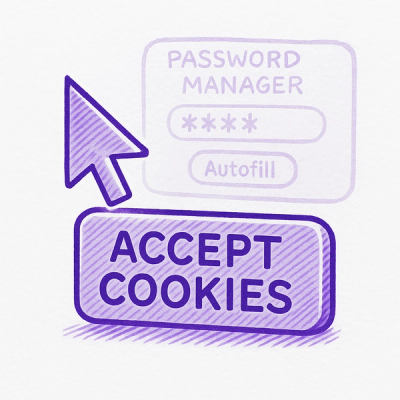
Researcher Exposes Zero-Day Clickjacking Vulnerabilities in Major Password Managers
Hacker Demonstrates How Easy It Is To Steal Data From Popular Password Managers
By Jonathan Leitschuh - Aug 19, 2025
A project to directly embed an Algorand React app in standard html via `<script>` tag.
A project to directly embed an Algorand React app in standard html via <script> tag.
    <noscript>You need to enable JavaScript to run this app.</noscript>
    <link href="https://unpkg.com/algo-pay@0.1.5/build/static/css/algopay.css" rel="stylesheet">
    <div id="root"></div>
    <script>
        window.details = {
            amount: 1, // in smallest unit (i.e. microAlgos)
            note: "Hello World!",
            index: 0, // Asset index number, otherwise, enter 0 for Algorand
            recipient: "LMKFQIPL3VQCZGGFK4WZ7FPCQWLNBTJQ3UWSTA7D7QZSPJTZQKTDVT7WG4"
        }
    </script>
    <script src="https://unpkg.com/algo-pay@0.1.5/build/static/algopay.js"></script>
NOTE: Ensure that the version codes in the CSS and JavaScript src= urls match the latest version code of this project.
cd algo-pay
npm install
npm run start
npm run build
After building the app, navigate to the build/static/css folder and remove the css filename hashes if desired. Upload the build folder to your site and edit the src and href base urls for the JavaScript and CSS to point to your site.
After building the app, navigate to build/index.html. In your code editor, select and format the html for ease of editing. Above the <script> tag for the algopay.js file, add the following lines:
    <script>
        window.details = {
            amount: 1, // in smallest unit (i.e. microAlgos)
            note: "Hello World!",
            index: 0, // Asset index number, otherwise, enter 0 for Algorand
            recipient: "LMKFQIPL3VQCZGGFK4WZ7FPCQWLNBTJQ3UWSTA7D7QZSPJTZQKTDVT7WG4"
        }
    </script>
Change the variables of the window object details to customize your test widget. After saving changes, from the root of the algo-pay folder, run:
serve build
FAQs
A project to directly embed an Algorand React app in standard html via `<script>` tag.
We found that algo-pay demonstrated a not healthy version release cadence and project activity because the last version was released a year ago. It has 1 open source maintainer collaborating on the project.
Did you know?

Socket for GitHub automatically highlights issues in each pull request and monitors the health of all your open source dependencies. Discover the contents of your packages and block harmful activity before you install or update your dependencies.
Security News
Hacker Demonstrates How Easy It Is To Steal Data From Popular Password Managers

Security News
Oxlint’s new preview brings type-aware linting powered by typescript-go, combining advanced TypeScript rules with native-speed performance.
Security News
A new site reviews software projects to reveal if they’re truly FOSS, making complex licensing and distribution models easy to understand.