🚀 Apex Utils CLI
A powerful Node.js CLI tool for Salesforce Apex developers that leverages AI to generate inline documentation and comprehensive test classes for your Apex code.



✨ Features
- 🤖 Multiple AI Providers: Support for Ollama, OpenAI, Anthropic, and Groq
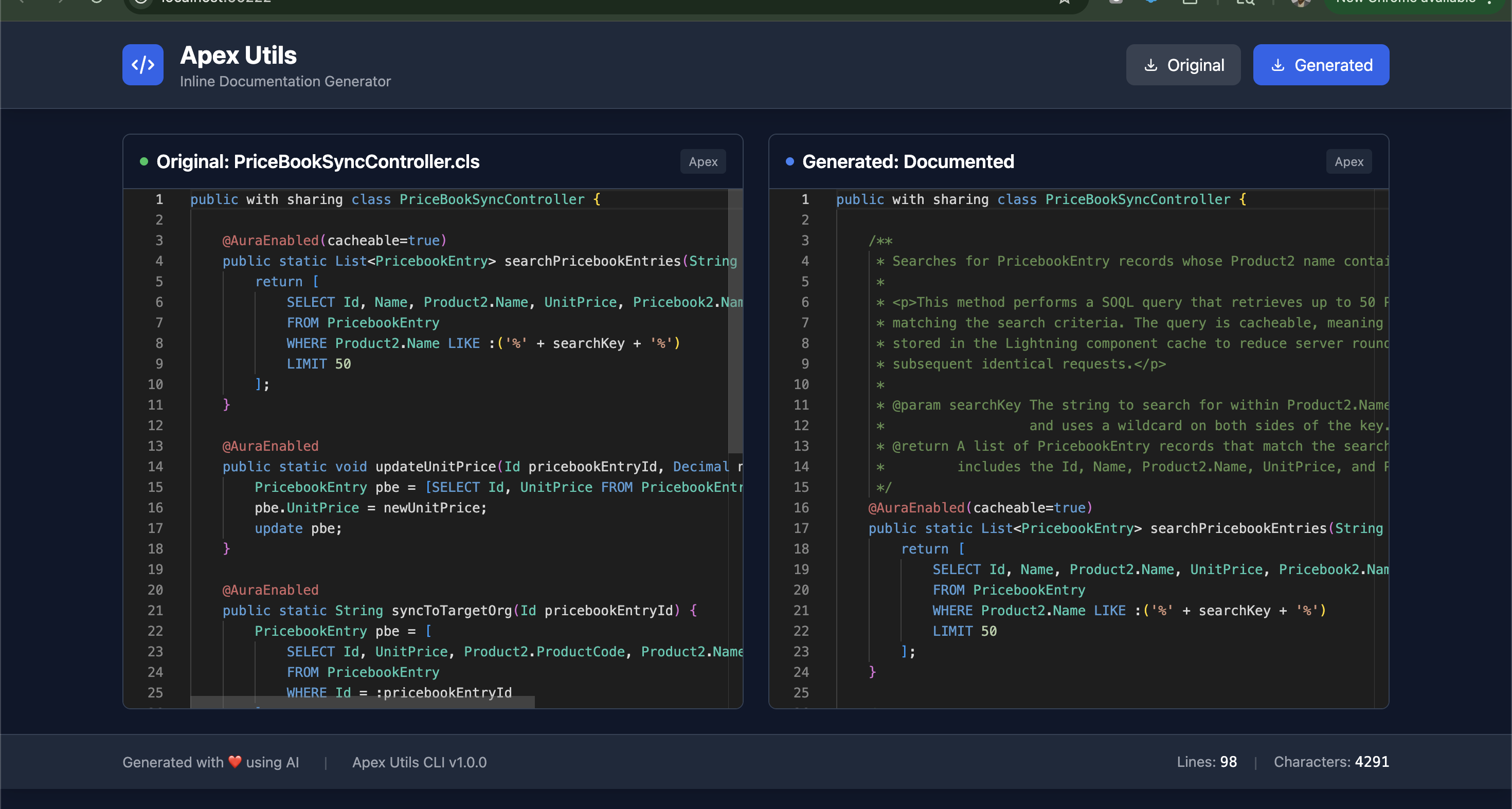
- 📝 Inline Documentation: Automatically generate comprehensive JavaDoc comments
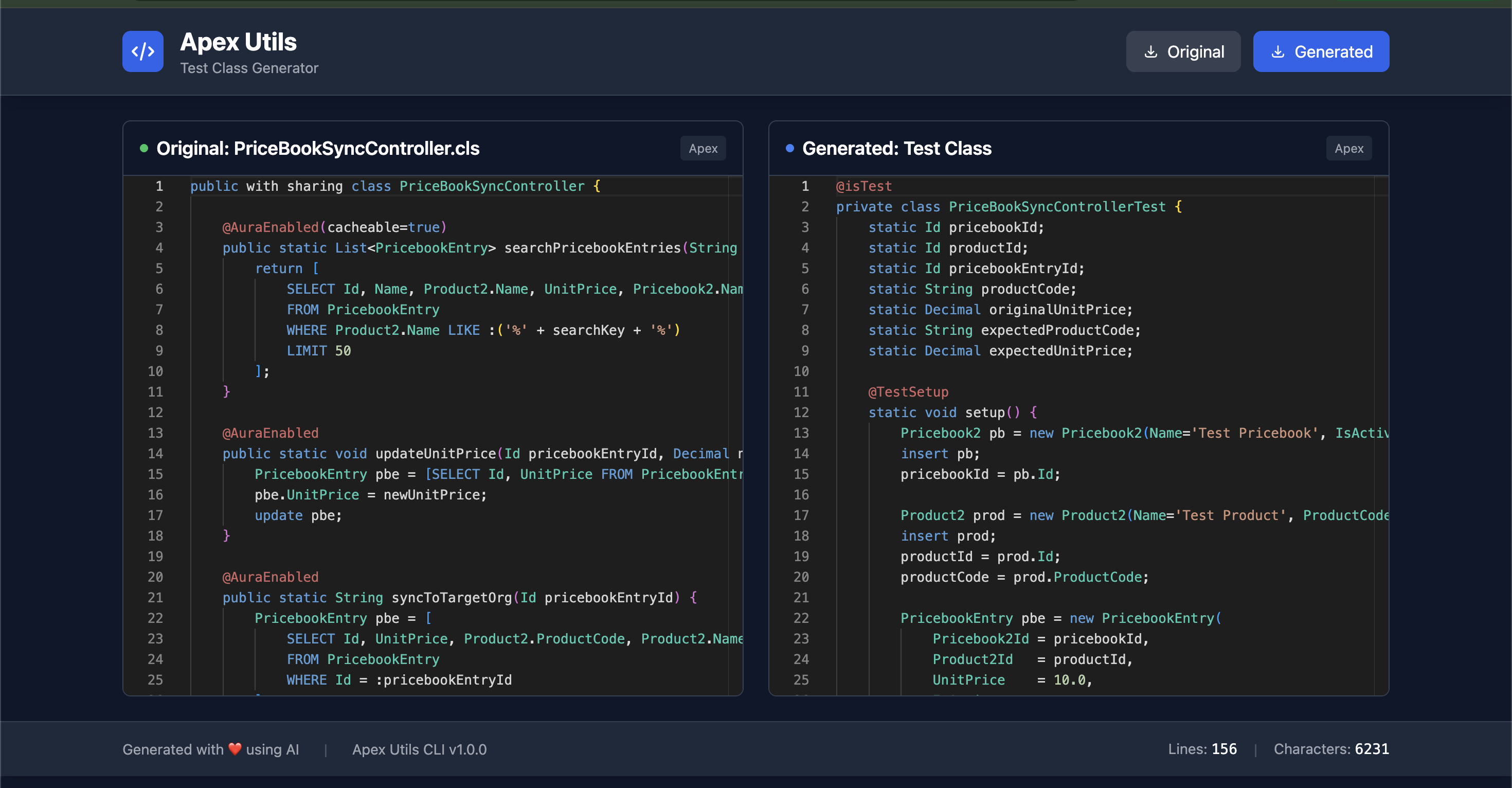
- 🧪 Test Class Generation: Create thorough test classes following Salesforce best practices
- 🎨 Beautiful UI: Side-by-side Monaco editor with dark theme
- 💾 Download Options: Export both original and generated code
- 🔄 Live Editing: Edit generated code in the browser before downloading
- 📊 Statistics: Real-time line and character counts
📦 Installation
npm install -g apex-utils-cli
🎯 Usage
Generate Inline Documentation
Using Ollama (Local, No API Key Required):
apex-utils inlinedoc \
  -a MyApexClass.cls \
  -m ollama \
  --model-name llama3.2
Using OpenAI:
apex-utils inlinedoc \
  -a MyApexClass.cls \
  -m openai \
  --api-key sk-your-openai-key \
  --model-name gpt-4
Using Anthropic:
apex-utils inlinedoc \
  -a MyApexClass.cls \
  -m anthropic \
  --api-key sk-ant-your-key \
  --model-name claude-sonnet-4.5-20250929
Using Groq:
apex-utils inlinedoc \
  -a MyApexClass.cls \
  -m groq \
  --api-key gsk-your-groq-key \
  --model-name mixtral-8x7b-32768
Generate Test Class
Using Ollama:
apex-utils test-class \
  -a MyApexClass.cls \
  -m ollama
apex-utils test-class -m ollama --model-name llama3.2:latest -a ~/pricesync2/force-app/main/default/classes/PriceBookSyncController.cls
Using OpenAI:
apex-utils test-class \
  -a MyApexClass.cls \
  -m openai \
  --api-key sk-your-openai-key \
  --model-name gpt-4-turbo
Using Groq
apex-utils test-class -m groq --model-name openai/gpt-oss-20b --api-key key -a ~/pricesync2/force-app/main/default/classes/PriceBookSyncController.cls
📋 Command Reference
Global Options
--apex <file> | -a | Path to Apex class file | ✅ |
--model <provider> | -m | AI provider (ollama, openai, anthropic, groq) | ✅ |
--api-key <key> | | API key (not needed for Ollama) | ⚠️ |
--model-name <name> | | Specific model name | ❌ |
--ollama-url <url> | | Ollama server URL (default: http://localhost:11434) | ❌ |
Commands
inlinedoc
Generates comprehensive inline documentation with JavaDoc comments for classes, methods, and important code blocks.
test-class
Generates a complete test class with:
- Positive and negative test scenarios
- Bulk test cases
- Proper test data setup
- Comprehensive assertions
- High code coverage focus
🤖 Supported AI Models
Ollama (Local - Free)
- Default:
llama3.2
- Others:
codellama, llama2, mistral, etc.
- Setup: Install Ollama from ollama.ai
OpenAI
Anthropic
- Recommended:
claude-sonnet-4.5-20250929
- Others:
claude-opus-4.1, claude-sonnet-4
- API Key: Get from console.anthropic.com
Groq
- Recommended:
mixtral-8x7b-32768
- Others:
llama2-70b-4096, gemma-7b-it
- API Key: Get from console.groq.com
🖥️ HTML Viewer Features
The tool automatically opens a beautiful web interface with:
- Dual Monaco Editors: Side-by-side comparison
- Dark Theme: Easy on the eyes
- Synchronized Scrolling: Navigate both files together
- Syntax Highlighting: Full Apex language support
- Editable Output: Modify generated code before downloading
- Statistics: Live line and character counts
- Download Buttons: Export original or generated code
- Responsive Design: Works on any screen size
📝 Example Workflow
- Start with an Apex class:
public class AccountController {
    public static List<Account> getAccounts() {
        return [SELECT Id, Name FROM Account LIMIT 10];
    }
}
apex-utils inlinedoc -a AccountController.cls -m ollama
apex-utils test-class -a AccountController.cls -m ollama
- Download test class - Get
AccountControllerTest.cls
🔒 Security Notes
- API keys are passed via command line (use environment variables in production)
- Never commit API keys to version control
- Use
.env files for sensitive data (not included in this basic version)
- Ollama runs locally, keeping your code private
📄 License
MIT License - feel free to use this tool in your projects!
Happy Coding! 🎉 If you find this tool helpful, let the author knows about it!





