


Product
Socket for Jira Is Now Available
Socket for Jira lets teams turn alerts into Jira tickets with manual creation, automated ticketing rules, and two-way sync.
By Jeppe Hasseriis - Apr 20, 2026
apexcharts
Advanced tools






A modern JavaScript charting library that allows you to build interactive data visualizations with simple API and 100+ ready-to-use samples. Packed with the features that you expect, ApexCharts includes over a dozen chart types that deliver beautiful, responsive visualizations in your apps and dashboards.
npm install apexcharts --save
<script src="https://cdn.jsdelivr.net/npm/apexcharts"></script>
Integrate easily with 3rd party frameworks
Useful links to wrappers other than the popular frameworks mentioned above
import ApexCharts from 'apexcharts'
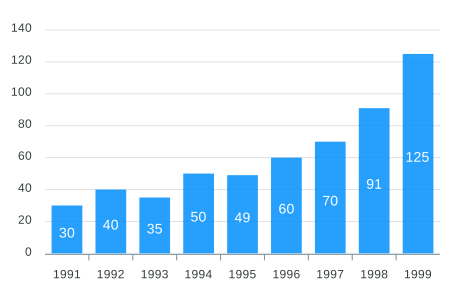
To create a basic bar chart with minimal configuration, write as follows:
var options = {
  chart: {
    type: 'bar'
  },
  series: [
    {
      name: 'sales',
      data: [30, 40, 35, 50, 49, 60, 70, 91, 125]
    }
  ],
  xaxis: {
    categories: [1991, 1992, 1993, 1994, 1995, 1996, 1997, 1998, 1999]
  }
}

var chart = new ApexCharts(document.querySelector('#chart'), options)
chart.render()
ApexCharts now supports SSR for Next.js, Nuxt, SvelteKit, Astro, and other meta-frameworks:
import ApexCharts from 'apexcharts/ssr'

const chartHTML = await ApexCharts.renderToHTML({
  series: [{ data: [30, 40, 35, 50, 49, 60, 70, 91, 125] }],
  chart: { type: 'bar' },
  xaxis: {
    categories: [1991, 1992, 1993, 1994, 1995, 1996, 1997, 1998, 1999]
  }
}, {
  width: 500,
  height: 300
})

// Returns hydration-ready HTML with embedded SVG
// Client-side hydration (makes chart interactive)
import ApexCharts from 'apexcharts/client'

// Hydrate specific chart
ApexCharts.hydrate(document.getElementById('my-chart'))

// Or hydrate all charts on the page
ApexCharts.hydrateAll()
This will render the following chart
By default import ApexCharts from 'apexcharts' includes everything. If you want a smaller bundle, import from apexcharts/core and add only the chart types and features you need:
import ApexCharts from 'apexcharts/core'   // bare class — no chart types, no features

// Import by the exact chart type name you use in { chart: { type: '...' } }
import 'apexcharts/line'
import 'apexcharts/bar'
// import 'apexcharts/area'
// import 'apexcharts/scatter'

// Optional features
import 'apexcharts/features/legend'
import 'apexcharts/features/toolbar'      // zoom/pan toolbar
// import 'apexcharts/features/exports'      // SVG/PNG/CSV download
// import 'apexcharts/features/annotations'
// import 'apexcharts/features/keyboard'     // keyboard navigation
Vite users: Vite's dependency pre-bundler can create two separate copies of ApexCharts, causing "chart type X is not registered" errors even when the import is present. Fix this by listing all apexcharts sub-entries in optimizeDeps.include:
// vite.config.js
export default {
  optimizeDeps: {
    include: [
      'apexcharts/core',
      'apexcharts/line',   // add only the ones you import
      'apexcharts/bar',
      'apexcharts/features/legend',
      'apexcharts/features/toolbar',
      // ...
    ],
  },
}
See tree-shaking for the full guide.
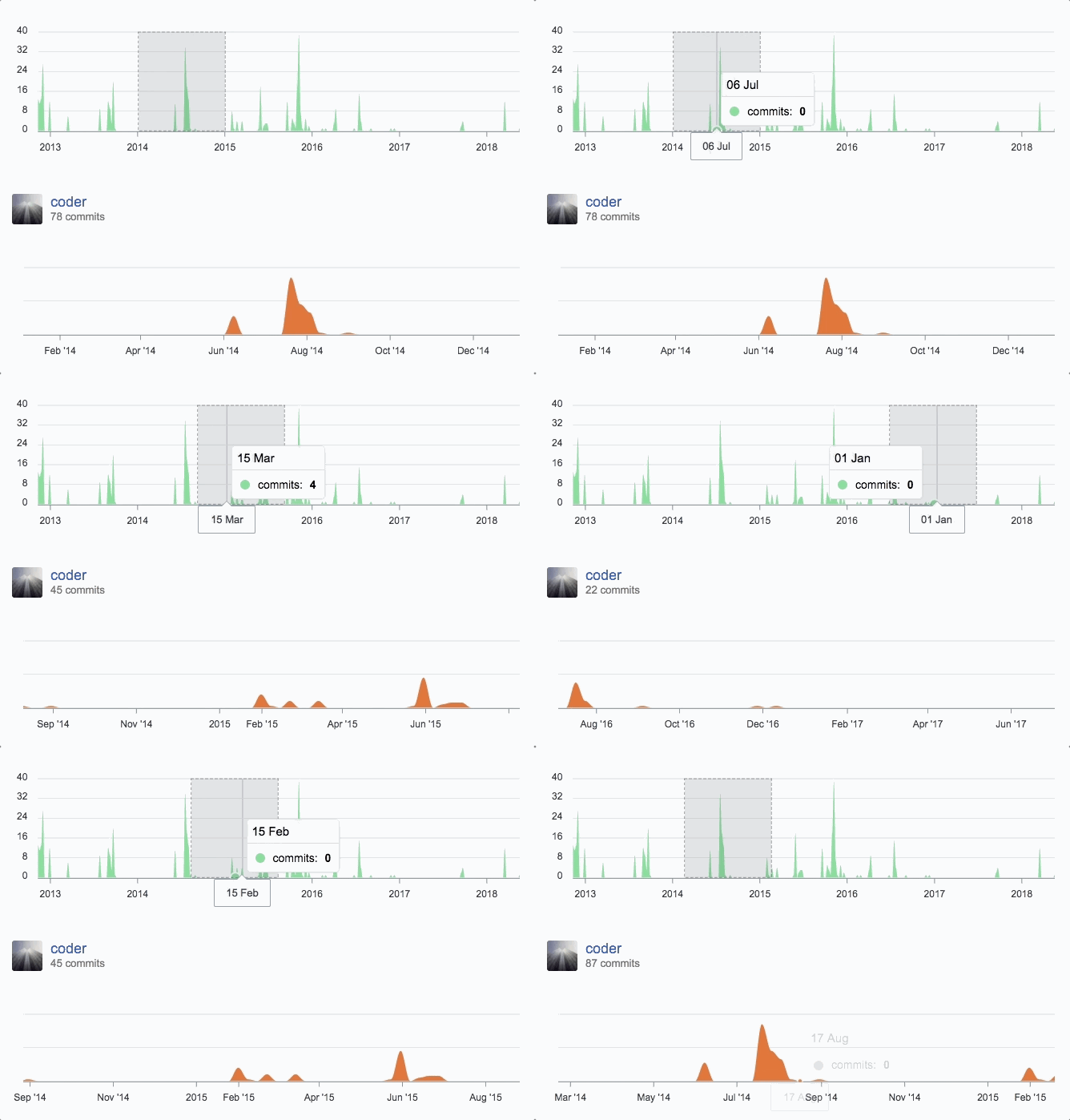
You can create a combination of different charts, sync them and give your desired look with unlimited possibilities. Below is an example of synchronized charts with github style.
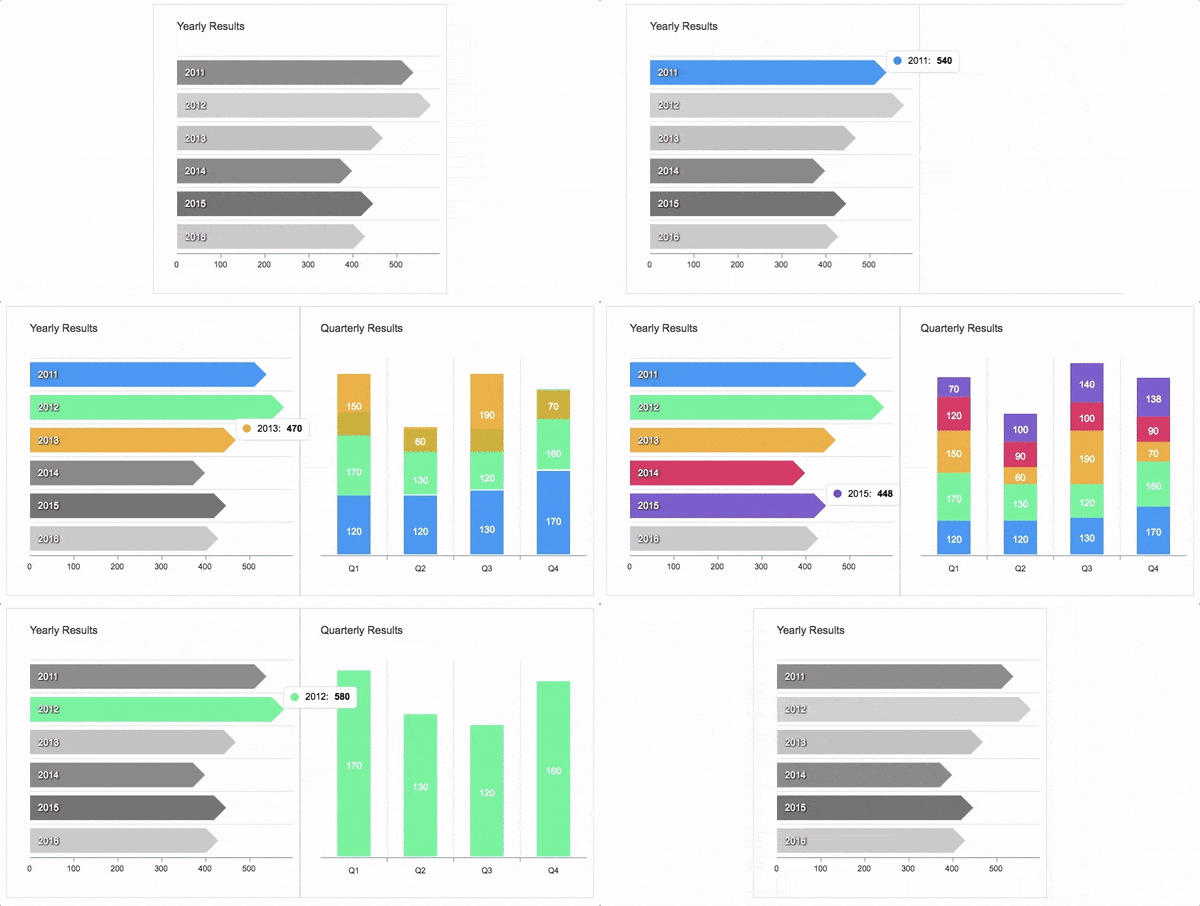
Zoom, Pan, and Scroll through data. Make selections and load other charts using those selections. An example showing some interactivity
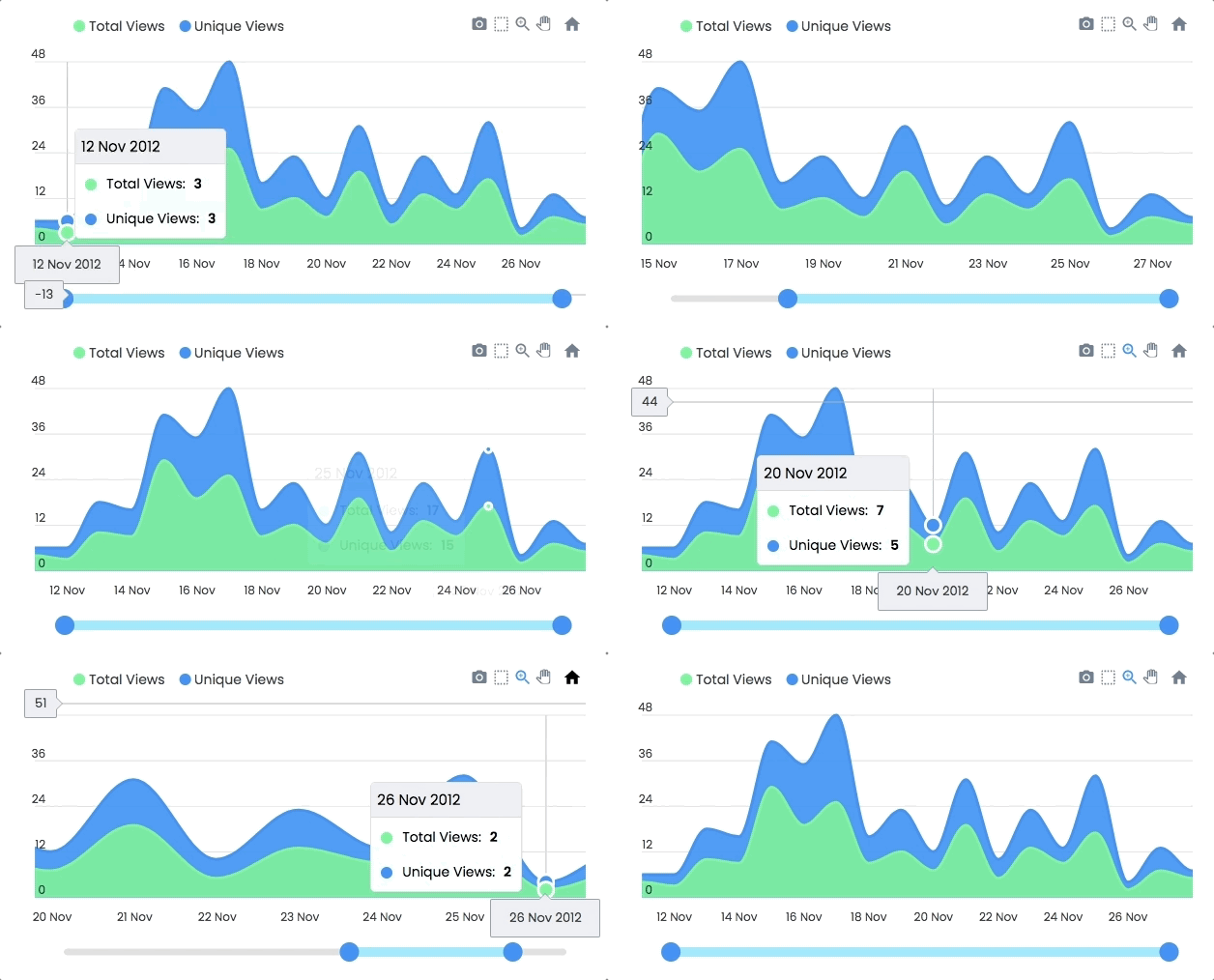
Another approach is to Drill down charts where one selection updates the data of other charts. An example of loading dynamic series into charts is shown below
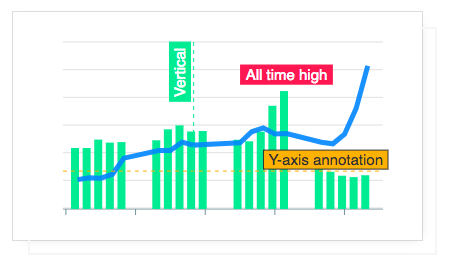
Annotations allow you to write custom text on specific values or on axes values. Valuable to expand the visual appeal of your chart and make it more informative.
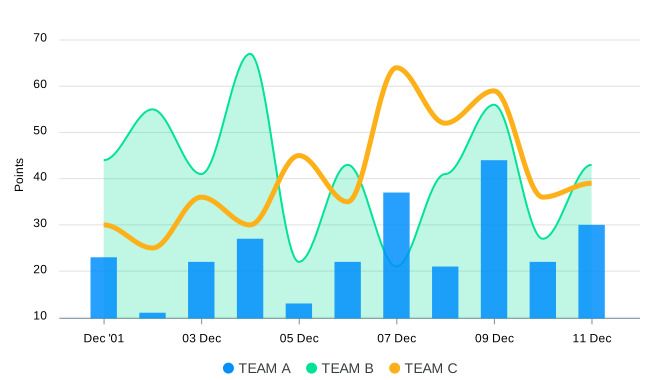
You can combine more than one chart type to create a combo/mixed chart. Possible combinations can be line/area/column together in a single chart. Each chart type can have its own y-axis.
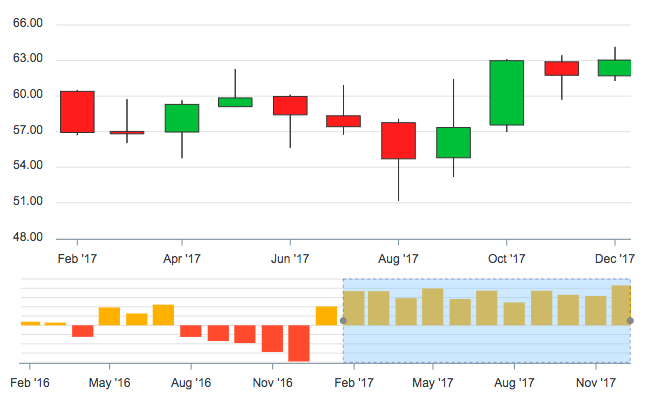
Use a candlestick chart (a common financial chart) to describe price changes of a security, derivative, or currency. The below image shows how you can use another chart as a brush/preview pane which acts as a handle to browse the main candlestick chart.
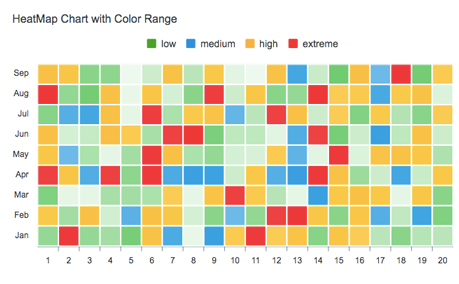
Use Heatmaps to represent data through colors and shades. Frequently used with bigger data collections, they are valuable for recognizing patterns and areas of focus.
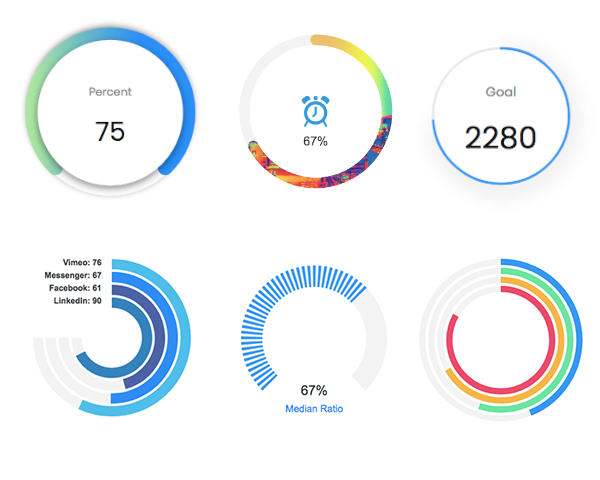
The tiny gauges are an important part of a dashboard and are useful in displaying single-series data. A demo of these gauges:
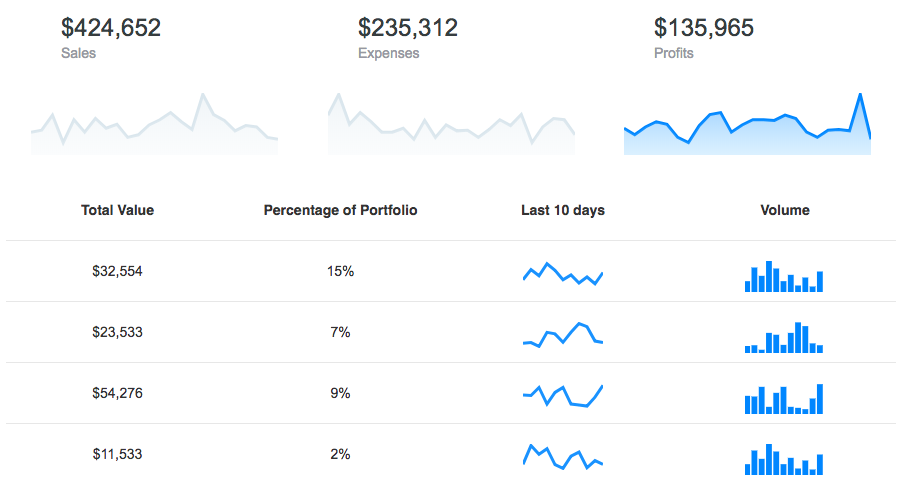
Utilize sparklines to indicate trends in data, for example, occasional increments or declines, monetary cycles, or to feature the most extreme and least values:
We partnered with Infragistics, creators of the fastest data grids on the planet! Ignite UI Grids can handle unlimited rows and columns of data while providing access to custom templates and real-time data updates.
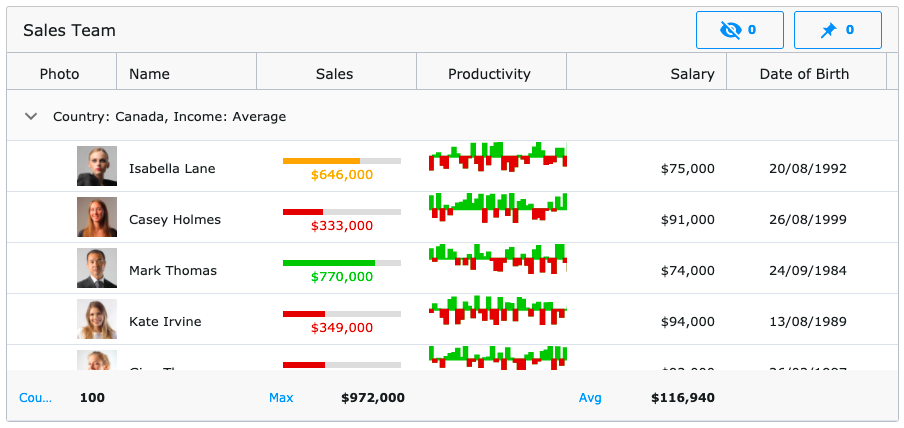
Featuring an intuitive API for easy theming and branding, you can quickly bind to data with minimal hand-on coding. The grid is available in most of your favorite frameworks:
Angular Data Grid | React Data Grid | Blazor Data Grid | Web Components DataGrid | jQuery Data Grid
The download bundle includes the following files and directories providing a minified single file in the dist folder. Every asset including icon/css is bundled in the js itself to avoid loading multiple files.
apexcharts/
├── dist/
│   └── apexcharts.min.js
├── src/
│   ├── assets/
│   ├── charts/
│   ├── modules/
│   ├── utils/
│   └── apexcharts.js
└── samples/
npm install
npm run dev
This will start the webpack watch and any changes you make to src folder will auto-compile and output will be produced in the dist folder.
More details in Contributing Guidelines.
npm run build
Head over to the documentation section to read more about how to use different kinds of charts and explore all options.
Email: info@apexcharts.com
Twitter: @apexcharts
Facebook: fb.com/apexcharts
ApexCharts is offered under a dual-license model to support individuals, startups, and commercial products of all sizes. Read full license agreements here: https://apexcharts.com/license
Chart.js is a popular open-source library for creating simple yet flexible charts. It supports a variety of chart types and is known for its ease of use and integration. Compared to ApexCharts, Chart.js offers a more straightforward API but may lack some of the advanced customization options.
Highcharts is a powerful charting library that provides a wide range of chart types and extensive customization options. It is suitable for complex data visualization needs and offers features like exporting and accessibility support. Highcharts is more feature-rich compared to ApexCharts but comes with a steeper learning curve.
D3.js is a highly flexible and powerful library for creating data-driven visualizations. It allows for fine-grained control over every aspect of the chart, making it suitable for custom and complex visualizations. However, D3.js has a steeper learning curve and requires more effort to create basic charts compared to ApexCharts.
Plotly.js is a versatile charting library that supports a wide range of chart types and interactive features. It is known for its high-quality visualizations and ease of use. Plotly.js offers more advanced interactivity and data exploration features compared to ApexCharts.
FAQs
A JavaScript Chart Library
The npm package apexcharts receives a total of 1,150,941 weekly downloads. As such, apexcharts popularity was classified as popular.
We found that apexcharts demonstrated a healthy version release cadence and project activity because the last version was released less than a year ago. It has 2 open source maintainers collaborating on the project.
Did you know?

Socket for GitHub automatically highlights issues in each pull request and monitors the health of all your open source dependencies. Discover the contents of your packages and block harmful activity before you install or update your dependencies.
Product
Socket for Jira lets teams turn alerts into Jira tickets with manual creation, automated ticketing rules, and two-way sync.

Company News
Socket won two 2026 Reppy Awards from RepVue, ranking in the top 5% of all sales orgs. AE Alexandra Lister shares what it's like to grow a sales career here.

Security News
NIST will stop enriching most CVEs under a new risk-based model, narrowing the NVD's scope as vulnerability submissions continue to surge.