
View Control for Command Line Interface
When we build a CLI (Command Line Interface) we can find some troubles. While the software stays small it's easy to mantain and work with it. But as much a it grows... It could be a work for something out of space.
Click this link if you'r interested in the MVC architecture style that Audrey want to apply.
Specifications
This code try to complement other CLI tools like commander, etc., to implement the MVC over terminal apps.
If you bind Audrey with this tools you can get a complete functional controller.
Commander and others update the model. Audrey give you the power of update view/s in several ways..
Audrey it's build as a nodeJS module, precisely as an clousure object factory. In that way, Audrey doesn't inffer in the code of your app.
Version 1 is now deprecated.
Version two of Audrey introduce the concepts of seed and scions. In that way, now audrey-two is more flexible and customizable.
What it does?
Feed Audrey with object errors and data extracted from your command actions. This carnivorous plant get charge of the output console display and give to your users a little of sugar rather than only an ugly output option.
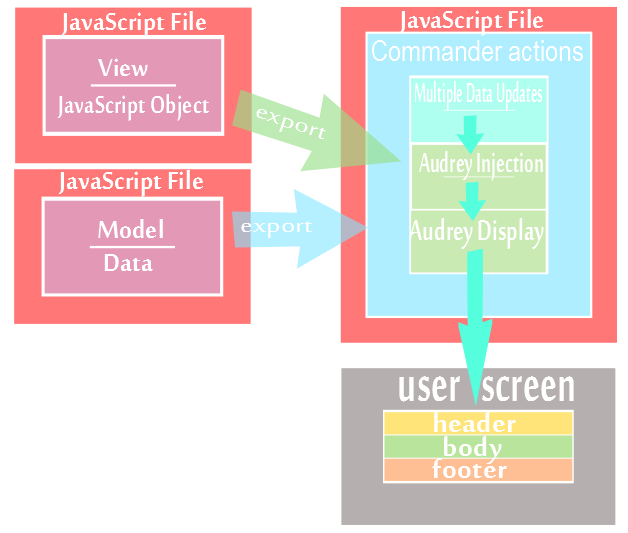
You can combine lots of views by passing them to audrey. So you get more control of what you display and the way you do. Of course, using audrey, you don't need to think so much about code-flow.
If you feed Audrey with a header, body, footer & data for displaying...
It'll grow big and strong!
Install v2.0
Example
$ npm install --save audrey-two
Usage
Example
var audrey2= require('audrey-two');
var audrey= audrey2('nameOfView', myTerminalDisplay);
audrey.feed("viewName", objectView);
audrey.err("E02", "You'll be a deeeentist...");
audrey.err("W01", "A plant from out Space!");
audrey.err("S001", "I'm Alive!");
adrey.err("S002", "This is a new kind of plant!", objectView.advise);
audrey.encore();
Debugger
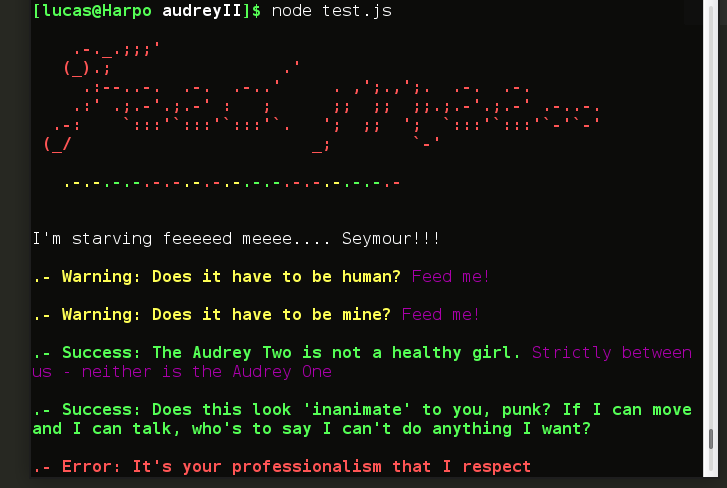
Audrey-two debugger treat the erros as strings, never break the flow of your program. Is builded to guide your users throught the use of your program. You can pass two simple strings or two strings and an auxiliar object that will be printed on the console.
Printing
With Audrey you can print in different ways.
You can print all the view, as if you click on a link. The browser load the web-page at once.
Example
var audrey2= require('audrey-two');
var audrey= audrey2('nameOfView', myTerminalDisplay);
audrey.feed('FeedMe', objectViewFeed);
audrey.feed('Seymour', objectVSeymour);
audrey.encore();
audrey.sing("FeedMe");
Audrey doesn't print nothing untill "adrey.encore()" or "sing()" method is called. And then everything it's printed with the custom choices you added into the views.
Data injection
Audrey also has methods to inject directly data to the views.
In the current view
Example
audrey.write(data);
audrey.writeLine(data);
audrey.fertilise("nameOfproperty","value","color", "blockStructure");
audrey.fertilize(object, "blockStructure");
object{name:"??audreyInformation",
value: "this is a CLI view controller",
color:"yellow" };
Into one particular view
Example
audrey.fertzView(object, "blockStructure", viewName);
Debug mode... turn off!
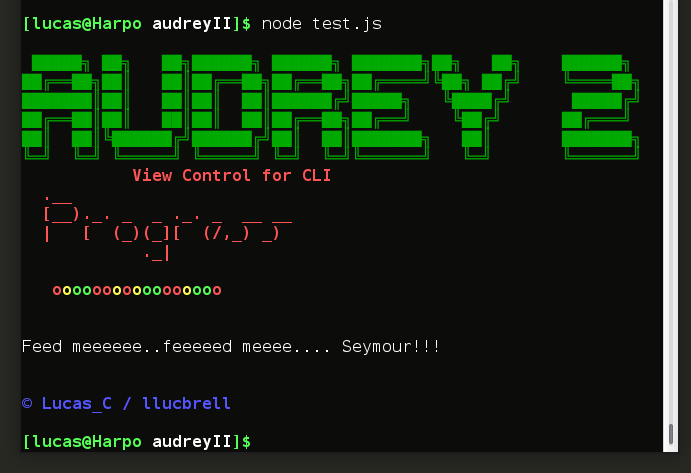
You can not execute the error debugger by passing a boolean false to the method. By this method, audrey only print the header, the body and the footer if you include some. It xcludes the execution of error list. This option is good for make --verbose cli option for your apps.
Example
audrey.debug(false);
Custom Object
This is the view of the MVC. You can customize almoust everything in Audrey View. The view is divided, as a basic HTML does.
Header
Body
Footer
You must use this parts to organize your view. Include name components inside this arrays and define them outside using their name without the taggy.
Look at this terminal options defined before send it to Audrey.
Example
var terminal-view={
          header: [ ">>Title" , "%%symbol"],
          Title: "this is Audrey2",
          symbol: "o",
          colors:{
           Title: "red",
           symbol: chalk.blue}
        };
}
View Components
The view components, are replaced in version 2 by seeds. This seeds are node modules ready to do some common view tasks. For example, write tables or write strings that change with the errors you passed to audrey.
To use them you have to install the custom you want, and then bound it to audrey with a custom symbol.
example seed installation
$ npm --save install audrey-sewcolor
You must to bind the seeds before console printing command (encore/sing) of course, if the view is going to include this component.
example binding
audrey.seed(["audrey-sewcolor-&0"]);
Every component is more or less as if it was an html tag. They have two characthers (taggy) you put at the beggining of the name. You have to include this taggies only into the header, body and footer's array or audrey that's where audrey will look and if they arn't audrey not see your components.
Example
var view=
{header:["&0brand","&0brand2",">>advise"]
 body:["%errorsBar"],
 footer:["&mycopyright"]}
caveat the only tag reserved is ">>" is the two charcther taggy you can't associate with a seed. It's included in audrey by default for printing strings, as you can include it into your views.
Seeds
Here you have a short list of components you can find in npm. Of course you can write your own components, look at this link.
If you want to search for audrey-seeds just look for in npm
- audrey-copyright: "string" | get two or more words. First, license's name and then the author, add the copyright symbol
- adrey-sewcolor: "string" | change color of the string with the errors
- audrey-errsign: "string" | change color symbol with errors you can use it as jasmine/mocha error checker. Write one symbol for each error, using 3 different colors.
- audrey-sewcolor-text: ["three","srting","array"] | three strings that change if there are errors or not. If it's not a color defined uses the success, warning, error colors.
- audrey-tables: {array:[["array","of", "arrays"]["each", "array", "for"]["each", "line.", "Colors"]["only", "with", "chalk"]], align: ["letter", "for", "column"]}
You'll find more info and examples, in the readme of every audrey-seed.
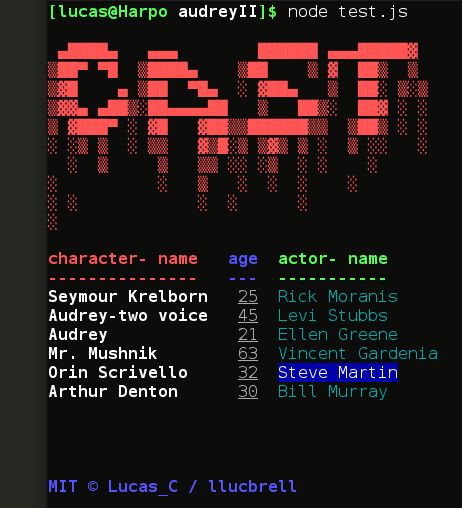
Take a look at adrey-two with audrey-tables and audrey-copyright
Scions
The scions are seeds that require a little more power for running. For example, interactive CLI ask, response.. animations etc,. Audrey opens a forked_process_child and when the scion closes this process, audrey-two recuperates the control.
You only have to attach the scion as if it would be a seed but the first character of the taggy must be an "x".
Look at this examples..
Colors
If you want to add colors to your view, you only have to add a property colors with an object of whatever component you want to color.
Example
  var view=
 {header:[">>brand","?&brand2","%%advise"]
  body:["%%errorsBar"],
  footer:["?&mycopyright"],
  colors:{
  brand: "red",
  advise: "green",
  mycopyright:"blue"
  }}
Example
var red= "red";
view.colors.advise= red;
Audrey also gives you chalk suport colors. But you have to install this module or node will bring you an error.
Example
  var chalk= require('chalk');
  var red= chalk.red.bold.underline;
  view.colors.advise= red;
More usefull methods
- replant('nameOfView') --> sets a view ready for print with encore
- getErrors() --> return an array with the errors injected to audrey
- getViews() --> return the views which whom you feed audrey
- getTaggies() --> return the taggies that audrey have associated
Dependencies
Audrey-two make use of...
- chalk module for the color display.
People and plants really appreciate your great code!
Contribute
Help Audrey to grow with human blood!!
Write your own seed or scion, share it in npm and.. you will never be a dentist!
License
MIT © Lucas_C/llucbrell





