
BugSplat
Crash and error reporting built for busy developers.
👋 Introduction
BugSplat-node is a JavaScript error reporting system for Node.js and Electron applications. Before continuing with the tutorial please make sure you have completed the following checklist:
⚙️ Configuration
To add the bugsplat package to your application, run the following shell command at the root of your project’s directory:
npm install --save bugsplat-node
Require the bugsplat module at the entry point of your application.
const { BugSplatNode } = require("bugsplat-node");
Create a new instance of the BugSplat class with the name of your BugSplat database, the name of your application and the version of your application:
const bugsplat = new BugSplatNode("DatabaseName", "AppName", "1.0.0.0");
Set the bugsplat.post function as an event handler for uncaught exceptions:
process.on("uncaughtException", bugsplat.postAndExit);
If your application uses promises you will also want to listen for unhandled promise rejections. Please note that this will only work for native promises:
process.on("unhandledRejection", bugsplat.postAndExit);
Throw an exception after the event handler has been added.
throw new Error("BugSplat!");
You can also use bugsplat-node to post errors from non-fatal promise rejections and errors that originate inside of try-catch blocks:
Promise.reject(new Error("BugSplat!")).catch(error => bugsplat.post(error, {}));
try {
    throw new Error("BugSplat");
} catch(error) {
    await bugsplat.post(error, {});
}
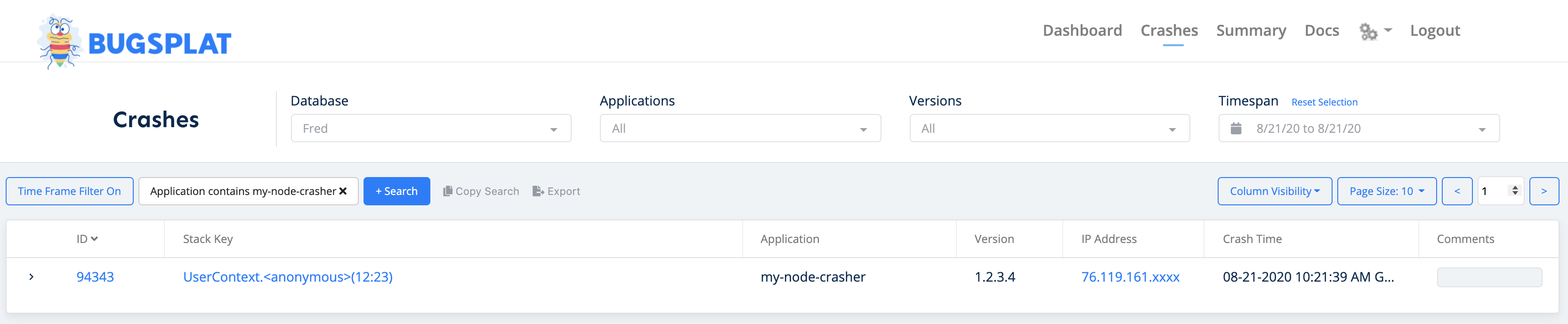
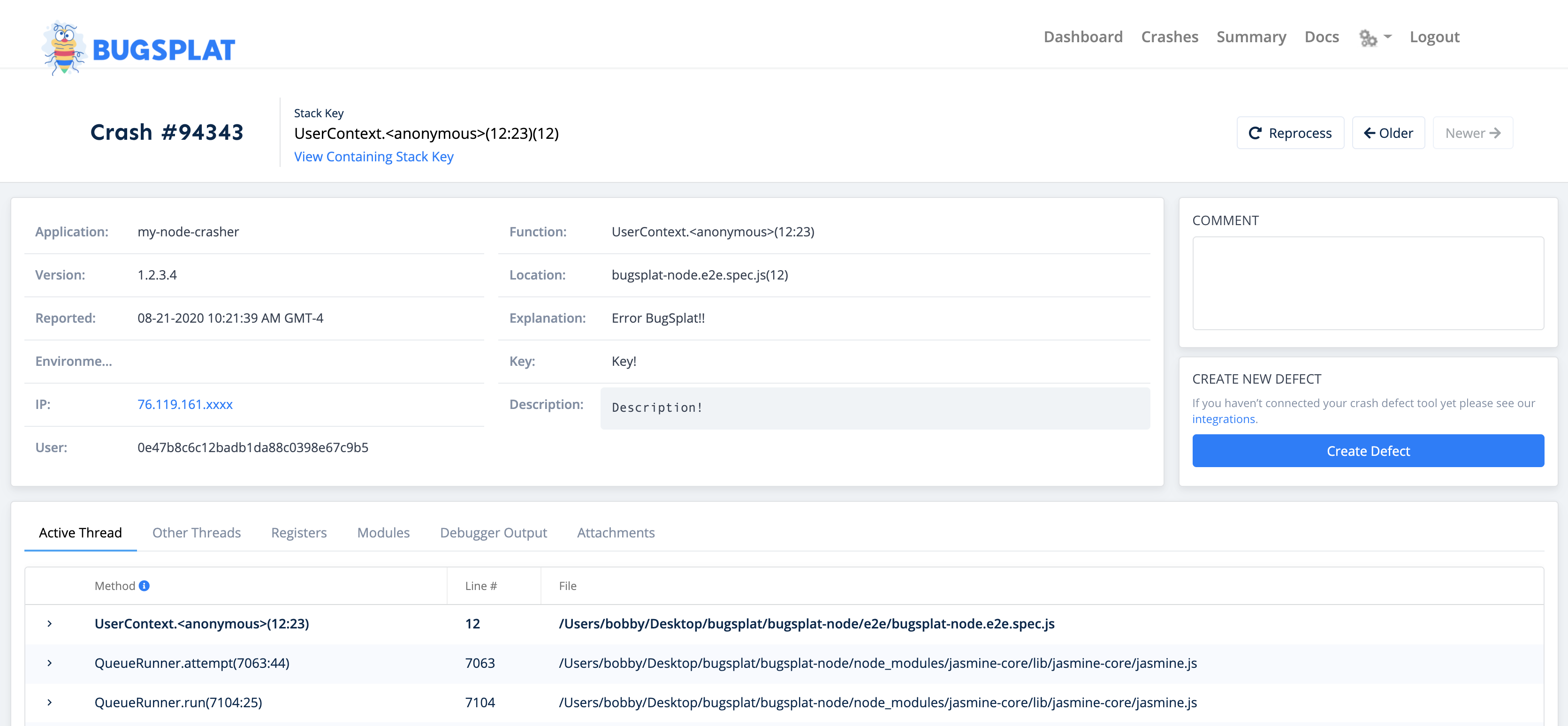
After posting an error with bugsplat-node, navigate to the Crashes page. You should see a new crash report for the application you just configured. Click the link in the ID column to see details about your crash on the Crash page:
That’s it! Your application is now configured to post crash reports to BugSplat.
🧩 API
In addition to the configuration demonstrated above, there are a few public methods that can be used to customize your BugSplat integration:
bugsplat.setDefaultAppKey(appKey);
bugsplat.setDefaultUser(user);
bugsplat.setDefaultEmail(email);
bugsplat.setDefaultDescription(description);
bugsplat.setDefaultAdditionalFilePaths(paths);
bugsplat.postAndExit(error);
bugsplat.post(error, options);
🤔 Additional Considerations
It is recommended that you exit and restart your application after an uncaughtException or unhandledRejection occurs. Packages such as pm2 and forever can be configured to restart your application.
Additionally you can use domains to handle errors differently across various parts of your application. Domains are pending deprecation according the the Node.js documentation, however a suitable replacement has not been added yet.
More information regarding domain deprecation can be found here.
🧑💻 Contributing
BugSplat loves open source software! Please check out our project on GitHub and send us a pull request. Found an bug or have a feature request? Open an issue and we'll address it.







