ComboBoxComponent

Description
ComboBoxComponent is a very lightweight (just over 7KB) and dependency-free web component written in pure JavaScript.
See the online demo.
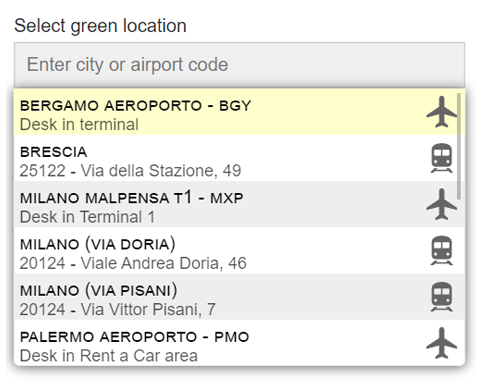
Motivation
The same motivation as always: I needed a component that didn't require any heavy dependencies. I didn't find anything that met all my needs, so I developed mine.
Compatibility
All desktop/mobile recent browsers.
Build
To compile ComboBoxComponent by yourself, make sure that you have Node.js installed, then:
- Fork and clone the GitHub repository.
- From the command line go to the local ComboBoxComponent folder.
- Run
npm install and wait for the necessary modules installation. Webpack will be installed, look at the other dev dependencies in the package.json file.
- The
npm run dev command opens a new browser window for developing purposes, npm run build compiles in dist folder.
- The
npm run jsdoc command generates the code documentation in docs folder.
That's it!
Do you use ComboBoxComponent?
Let me know with a link if you've used ComboBoxComponent in some interesting way, or on a popular site.
Links





