Console++ - enhance your console
Console++ makes your console awesomeR. Colours, logging level and shit
like that.
And it works with both PhantomJS and
NodeJS (and pretty much any proper JavaScript runtime).
NPM one-liner?
npm install consoleplusplus
How does it make it awesomeR?
Like this:
require("consoleplusplus");
require("./console++.js");
Console++ adds a bit of sparkling power to your shy little console.
It's not a fancy logging library with all the bells and whistles - it's a
"poor man" logger that you can drop in your code without having to rewrite it.
Here is for the lazy developer!
How do I use it?
Ehm, like a console genius! Just type stuff like:
console.log("A (boring) console.log message");

console.debug("An (irrelevant) console.debug message");

console.info("A (somewhat important) console.info message");

console.warn("A (quite important) console.warning message");

console.error("A (critical!) console.error message");
and you get:

No really, how?
Yes, it manipulates the console object (oh, the horror!) so that you can
have some fancy colours, timestamped messages and a bit more. Output looks like:
[LEVEL - TIMESTAMP] THE_MESSAGE
Not all messages are printed. It introduces the concept of level (set via
console.setLevel(level)): as you would expect, it goes from DEBUG (lowest,
that corresponds to print all the things) to ERROR (highest, that
corresponds to print only the errors).
By default the LEVEL portion of the message is coloured (see below how
to disable this). Also, you can enable matching colouring for THE_MESSAGE
(see methods listing below).
One nifty feature (I think) it's that you have fine-grained control over
THE_MESSAGE. You can wrap text within #COLOR{TEXT_TO_COLOR} like:
var message = "#red{this} is #cyan{a} #yellow{nice} message";
console.debug(message);
to print something like:

PLEASE, do read the code to learn more.
How do I configure it?
Console++ adds some few little methods to the console so you can tune
it a bit, based on your taste.
I'd like to be very lazy and say "go read the code", but I guess I can list
here those methods.
console.LEVELS = _LEVELS;
console.setLevel(level);
console.getLevel();
console.getLevelName(level);
console.getLevelColor(level);
console.isLevelVisible(levelToCompare);
console.enableColor();
console.disableColor();
console.isColored();
console.enableMessageColor();
console.disableMessageColor();
console.isMessageColored();
console.enableTimestamp();
console.disableTimestamp();
console.isTimestamped();
console.enableEqualSpacing();
console.disableEqualSpacing();
console.isEqualSpaced();
console.onOutput(callback);
Limitations
- Characters
{ and } are reserved: using those will produce an undefined result
Links
Keep calm and make awesome.
License
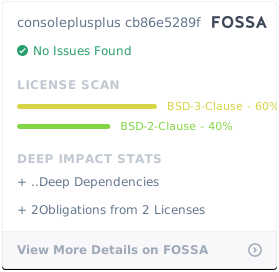
This project is licensed under BSD 3-Clause "New" or "Revised" License.