create-make


An advanced CLI tool for creating projects from GitHub repositories or custom templates with lightning-fast setup.
🎥 Video Demo
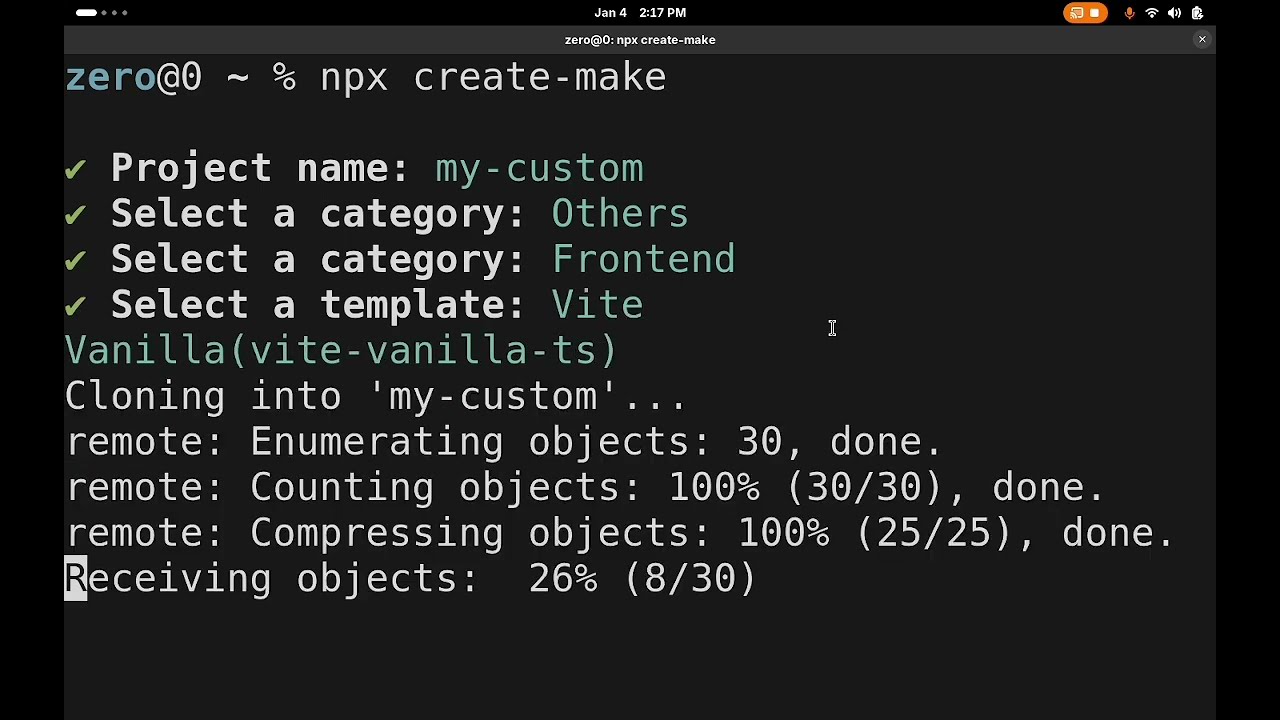
✨ Features
-
⚡ Blazing Fast: Clone templates directly from GitHub or local configs
-
🎯 Interactive TUI: Beautiful terminal interface for guided project setup
-
🔧 Custom Templates: Extend with your own templates via config file
-
🚀 Quick Mode: Skip prompts with direct CLI arguments
-
📁 Multi-Platform: Works on Windows, macOS, and Linux
-
🏗️ Template Variables: Automatic project name replacement in templates
📦 Installation
Quick Use (No Installation Required)
yarn
yarn create make
npx
npx create-make
Global Installation
yarn
yarn global add create-make
npm
npm install -g create-make
🚀 Quick Start
Interactive Mode (Guided Setup)
Simply run:
yarn create make
You'll be guided through:
-
Project name (if not provided)
-
Category selection (Built-in types or custom)
-
Template selection from the chosen category
Quick Mode (Skip Prompts)
Create a project with a built-in template:
yarn create make my-project --template vite-vanilla-ts
Create a project with a custom template:
yarn create make my-project --other-template my-custom-template
📖 CLI Reference
Syntax
yarn create make <projectName> [options]
Arguments
| projectName | Optional* | Name of your new project |
- Note: When using --template or --other-template, projectName is mandatory
Options
| --template | -t | Use a built-in template (skips prompts) | Yes |
| --other-template | -o | Use a custom template from config (skips to custom selection) | Yes |
| --version | -v | Show version number | No |
| --help | -h | Show help information | No |
Examples
yarn create make
yarn create my-awesome-project
- Quick Creation with Built-in Template
yarn create my-app --template vite-node-ts
- Quick Creation with Custom Template
yarn create make my-project --other-template my-own-custom-template
yarn create make --help
🎯 Available Templates
Built-in Templates (TypeScript Category)
| vite-vanilla-ts | Vanilla TypeScript with Vite | Vite + TypeScript |
| vite-phaser-ts | Game development with Phaser | Vite + Phaser + TypeScript |
| vite-node-ts | Node.js backend with Vite | Vite + Node.js + TypeScript |
| vite-monorepo-ts | Monorepo setup with Vite | Vite + Monorepo + TypeScript |
| vite-lib-ts | TypeScript Library with Vite | Vite + TypeScript Library |
| vite-cli-ts | TypeScript Cli with Vite | Vite + TypeScript Library |
Pro Tip: Create an alias for even faster usage! Add this to your shell config:
alias cm="yarn create make"
Then use:
cm my-project -t vite-node-ts
⚙️ Configuration
Custom Templates
Add your own templates via configuration file. Custom templates appear in the "Others" category during interactive selection.
Linux:
/home/[USER]/.local/share/create-make/config.json
MacOS:
/Users/[USER]/Library/Preferences/create-make/config.json
Windows:
C:\Users\[USER]\AppData\Roaming\create-make\config.json
Config File Format
Create a config.json file to add your custom templates:
{
  "$schema": "./schema.json",
  "categories": {
    "Backend": {
      "vite-node-ts": {
        "name": "Vite Node",
        "repo": "https://github.com/z-starter/vite-node-ts",
        "args": [
          {
            "str": "vite-node-ts",
            "value": "projectName"
          }
        ]
      }
    },
    "Frontend": {
      "vite-vanilla-ts": {
        "name": "Vite Vanilla",
        "repo": "https://github.com/z-starter/vite-vanilla-ts",
        "args": [
          {
            "str": "vite-vanilla-ts",
            "value": "projectName"
          }
        ]
      }
    }
  }
}
Configuration Schema
| name | string | Name of the Template |
| repo | string | Git repository URL to clone |
| args | array | String replacements in template files |
| args[].str | string | Text in template files to replace |
| args[].value | string | Value to replace with (currently only "projectName" supported) |
🎮 How It Works
graph TD
    A[Start] --> B{Project name provided?}
    B -->|No| C[Prompt for project name]
    B -->|Yes| D[Use provided name]
    C --> D
    D --> E{Template option provided?}
    E -->|--template| F[Use built-in template directly]
    E -->|--other-template| G[Use custom template directly]
    E -->|No| H[Show category selection]
    H --> I{Select category}
    I --> J[Built-in Templates]
    I --> K[Others/Custom]
    J --> L[Show built-in templates]
    K --> M[Show custom categories]
    L --> N[Select template]
    M --> N
    N --> O[Create project]
    F --> O
    G --> O
🐛 Troubleshooting
Common Issues
Q: "Template not found" error
A: Ensure the template name is spelled correctly. Built-in templates are listed above. For custom templates, check your config.json.
Q: "Project name is required" error when using --template
A: When using --template or --other-template, you must provide the project name as the first argument.
Q: Custom templates not appearing
A: Verify your config.json file is in the correct location and contains valid JSON syntax.
Q: Tool won't run
A: Ensure you have Node.js 18+ installed. Check with node --version.
🤝 Contributing
Adding New Built-in Templates
Reporting Issues
Found a bug or have a feature request? Please open an issue on GitHub.





