css-elevation
Object Elevation with Box Shadow
Inspired from Elevation


Installation
npm install css-elevation
or
yarn add css-elevation
DEMO
import elevation, { cssElevation, cssElevationObject } from 'css-elevation'
| elevation | elevation function will just return css value |
| cssElevation | cssElevation function will return css key and value (can be used in libraries like styled-components, styled-jsx) |
| cssElevationObject | cssElevationObject function will return an Object with boxShadow (can be used in-line or with libraries like glamorous) |
Usage
import elevation, { cssElevation, cssElevationObject } from 'css-elevation'
const box = elevation({ z: 4 })
const box = cssElevation({ z: 4 })
const box = cssElevationObject({ z: 4 })
Object Properties
| z | z-space or depth of shadow (0 to 24) | 4 |
| r | Red Value | 0 |
| g | Green Value | 0 |
| b | Blue Value | 0 |
Example with styled-components
import React from 'react'
import styled, { css } from 'styled-components'
import { cssElevation } from 'css-elevation'

const Box = styled.div`
  display: flex;
  align-items: center;
  justify-content: center;
  width: 200px;
  height: 100px;
  margin: 0 60px 80px;
  padding: 10px;
  border-radius: 3px;
  font-size: 0.8em;
  color: #9e9e9e;
  background: white;
  ${props =>
    css`
      ${cssElevation({ ...props })};
    `};
`

export default () => (
  <Fragment>
    <Box z={8} />
    <Box z={24} />
    <Box z={8} r={255} g={60} b={60} />
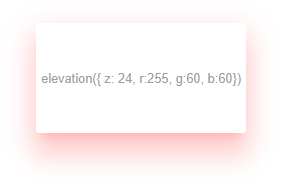
    <Box z={24} r={255} g={60} b={60} />
  </Fragment>
)
Example with glamorous
import React, { Fragment } from 'react'
import glamorous from 'glamorous'
import { cssElevationObject } from 'css-elevation'

const Box = glamorous.div(
  {
    display: 'flex',
    alignItems: 'center',
    justifyContent: 'center',
    width: 200,
    height: 100,
    margin: '0 60px 80px',
    borderRadius: 3,
    fontSize: '.8em',
    color: '#9E9E9E',
    background: 'white'
  },
  props => cssElevationObject({ ...props })
)

export default () => (
  <Fragment>
    <Box z={8} />
    <Box z={24} />
    <Box z={8} r={255} g={60} b={60} />
    <Box z={24} r={255} g={60} b={60} />
  </Fragment>
)
<Box z={8} />
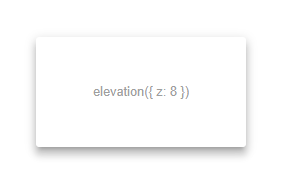
<Box z={24} />
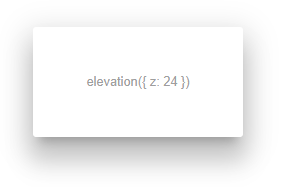
<Box z={8} r={255} g={60} b={60} />
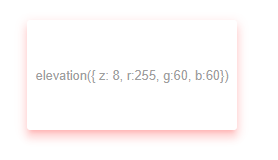
<Box z={24} r={255} g={60} b={60} />