


Security News
Crates.io Users Targeted by Phishing Emails
The Rust Security Response WG is warning of phishing emails from rustfoundation.dev targeting crates.io users.
By Sarah Gooding - Sep 12, 2025
deepick is a tool used to select objects according to the depth of a given pattern.
The data returned by the interface often contains some useless information, sometimes this makes our work a lot of trouble, Especially when using Vue, we should avoid useless data being converted to reactive, at this time you can use deepick.
npm install --save deepick
yarn add deepick
deepick released as a umd module. You can use it in any way for your favorite. You can get global variable deepick by serving as <script> tag.
Suppose we have the following objects:
const source = [
    {
        id: 1,
        name: 'hcy',
        email: 'HcySunYang@outlook.com',
        ctime: 1473675260,
        utime: 1501677125,
        carts: [
            {
                id: 100,
                name: 'Rose',
                price: '$9',
                ctime: 1372674220,
                utime: 1472574020,
            },
            {
                id: 101,
                name: 'Lily',
                price: '$8',
                ctime: 1372674230,
                utime: 1472574030,
            }
        ]
    },
    {
        id: 2,
        name: 'Chun Yang',
        email: 'sunyang121027.me@gmail.com',
        ctime: 1483675260,
        utime: 1521677125,
        carts: [
            {
                id: 200,
                name: 'candy',
                price: '$19',
                ctime: 1332373220,
                utime: 1412571020,
            },
            {
                id: 201,
                name: 'milk',
                price: '$80',
                ctime: 1322474430,
                utime: 1432571130,
            }
        ]
    }
]
For the above object, there are some properties that we do not want.So, we can specify a pattern to tell deepick which attributes are needed:
const partten = [
    {
        id: 'id',
        name: 'name',
        email: 'email',
        carts: [
            {
                name: 'name',
                price: 'price'
            }
        ]
    }
]
Then call the deepick function:
const res = deepick(source, partten)
console.log(res)
You will get a new object:
[
    {
        id: 1,
        name: 'hcy',
        email: 'HcySunYang@outlook.com',
        carts: [
            {
                name: 'Rose',
                price: '$9'
            },
            {
                name: 'Lily',
                price: '$8'
            }
        ]
    },
    {
        id: 2,
        name: 'Chun Yang',
        email: 'sunyang121027.me@gmail.com',
        carts: [
            {
                name: 'candy',
                price: '$19'
            },
            {
                name: 'milk',
                price: '$80'
            }
        ]
    }
]
If the attribute in the partten does not exist in the source object, a new property is automatically added to the new object by default:
source object:
{
    a: 1,
    b: 2
}
partten:
{
    a: 'a',
    // `c` property does not exist in the source object
    c: 'c'
}
Obtain a new object will automatically be added a new property c, the value is undefined:
{
    a: 1,
    c: undefined
}
Sometimes you do not want to use the default behavior, you can provide the third optional arguments deepick:
const res = deepick(source, partten, {
    warn: true
})
console.log(res)
If warn is true, you will get an error warning when the property in the schema do not exist in the source object:
`someProperty` is an undefined property on the source object
Contributions are welcome! Open a pull request to fix a bug, or open an issue to discuss a new feature or change.
Copyright (c) 2017, HcySunYang
FAQs
Pick objects according to the depth of the given pattern
We found that deepick demonstrated a not healthy version release cadence and project activity because the last version was released a year ago. It has 1 open source maintainer collaborating on the project.
Did you know?

Socket for GitHub automatically highlights issues in each pull request and monitors the health of all your open source dependencies. Discover the contents of your packages and block harmful activity before you install or update your dependencies.
Security News
The Rust Security Response WG is warning of phishing emails from rustfoundation.dev targeting crates.io users.
Product
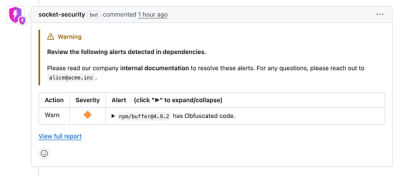
Socket now lets you customize pull request alert headers, helping security teams share clear guidance right in PRs to speed reviews and reduce back-and-forth.
Product
Socket's Rust support is moving to Beta: all users can scan Cargo projects and generate SBOMs, including Cargo.toml-only crates, with Rust-aware supply chain checks.