DEFERIFY



Disclaimer
This is the optimization package. As any optimization, it should be take with care,with measuring results before and after applying.
Idea
If you have Single Page application, you, probably, don't' want to block loading your application with synchronous scripts. To help with this defer and async tags appeared. But what if you use cli for generating output? Right now, no @angular/cli, no react, doesn't support adding asynchronous attributes out of the box. This tiny CLI parse your index.html file and adds defer attribute to your scripts tag
Benefits
Just check lighthouse reports. Left side - before, right - after. All comparisons were done on default applications produced by the corresponding cli without any additional optimization/changes.
@angular/CLI
(v. 7.3.8)
Check these two image from the lighthouse. Nothing was done except deferify. Looks better, yeah?
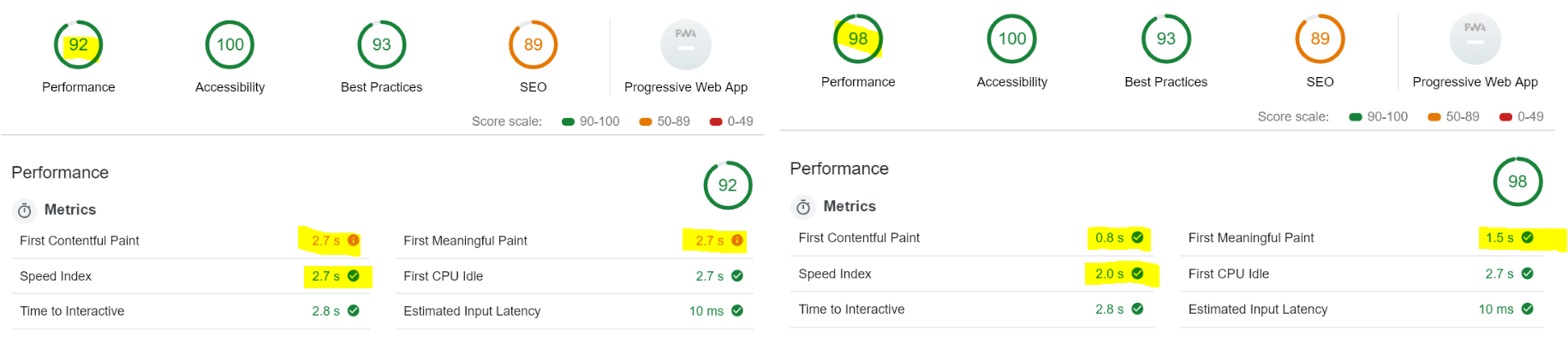
Lighthouse reports: before, after
create-react-app
(v. 16.8.6)
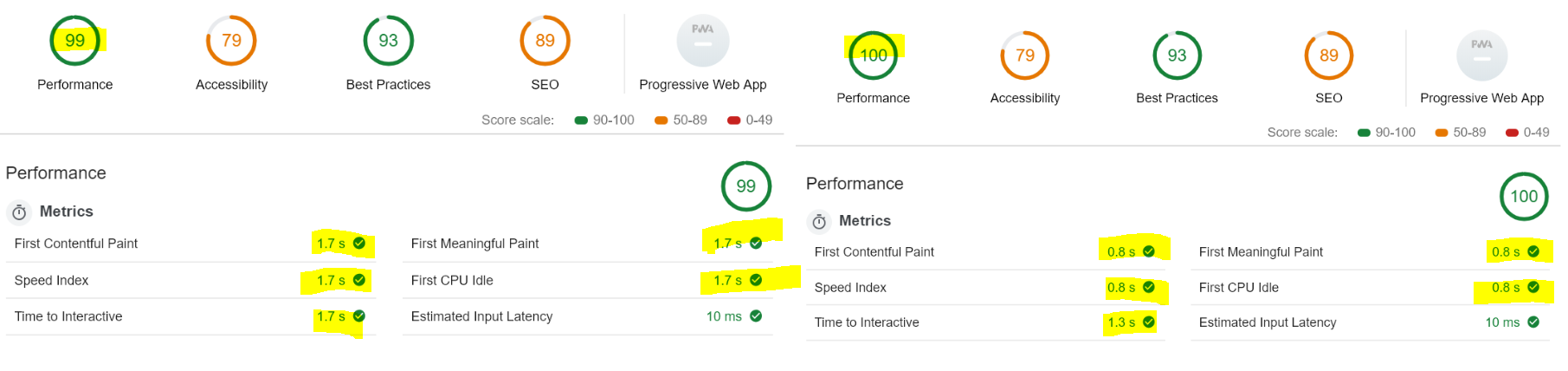
Lighthouse reports: before, after
All comparisons were done 21.04.2019 and may vary depending on your conditions.
What about VUE
Right now, adding defer attribute to the hello-world VUE application demonstrate a slightly negative impact or no impact. This shows that all performance tunings should be carefully measured before going to the prod.
How to use
Install deferify
npm i --save-dev deferify
Add it to your build process:
"build:prod" : "ng build --prod && deferify"
Deferify will scan your dist folder and all it's subfolders for all index.html files and tries to update them. Also you can pass path to another folder:
deferify build/
or just to the single file
deferify prod/index.html
Skipped tags
Deferify will not touch scripts without src, with already added defer or async attributes.
What about adding async attribute
The tool should do only one thing and do it well





