diffstalker
A terminal git UI that lives on your second monitor. It watches your repositories in real time, follows you as you switch projects, and shows word-level diffs so you always know exactly what changed.
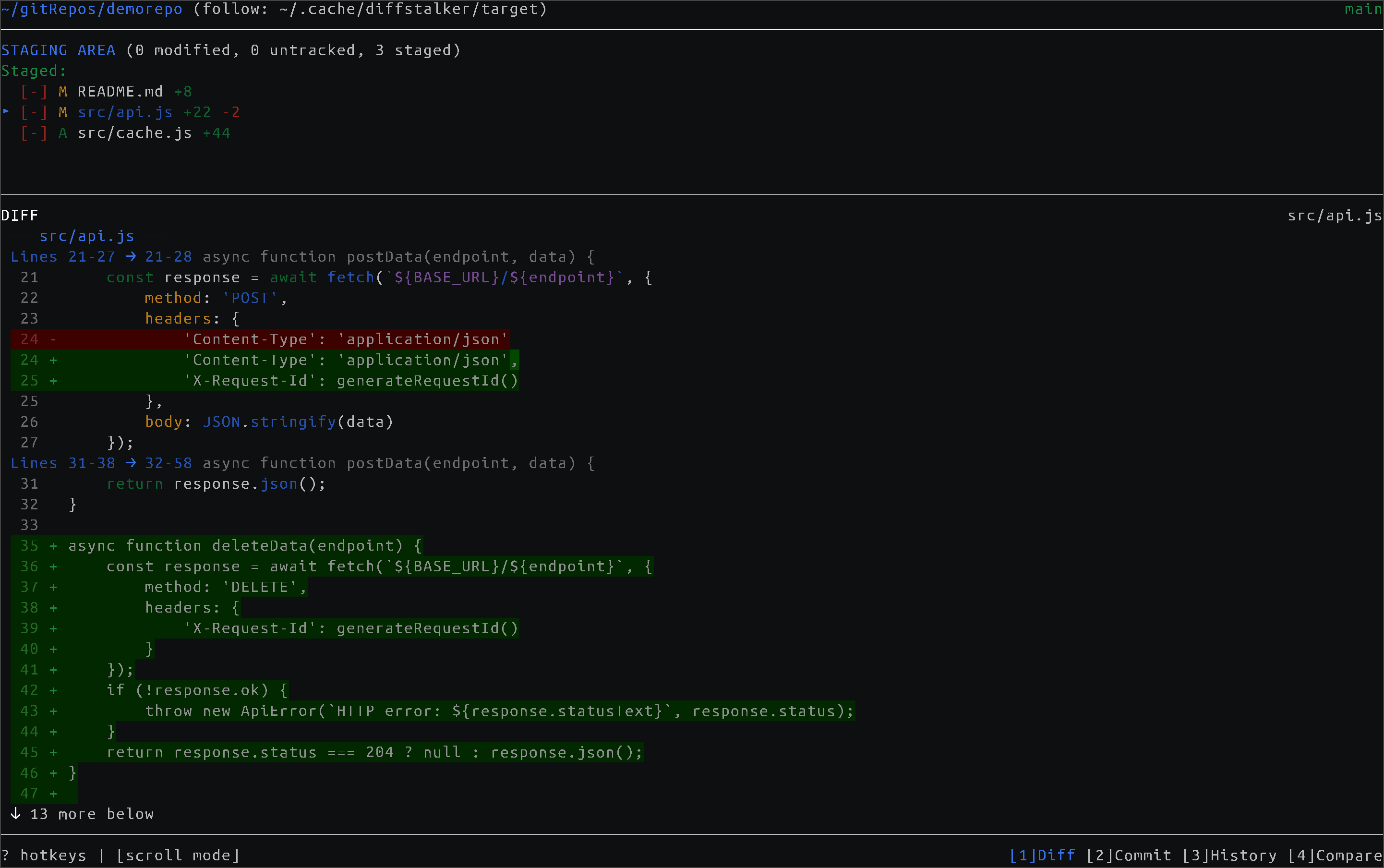 Stage files and review changes with word-level diff highlighting.
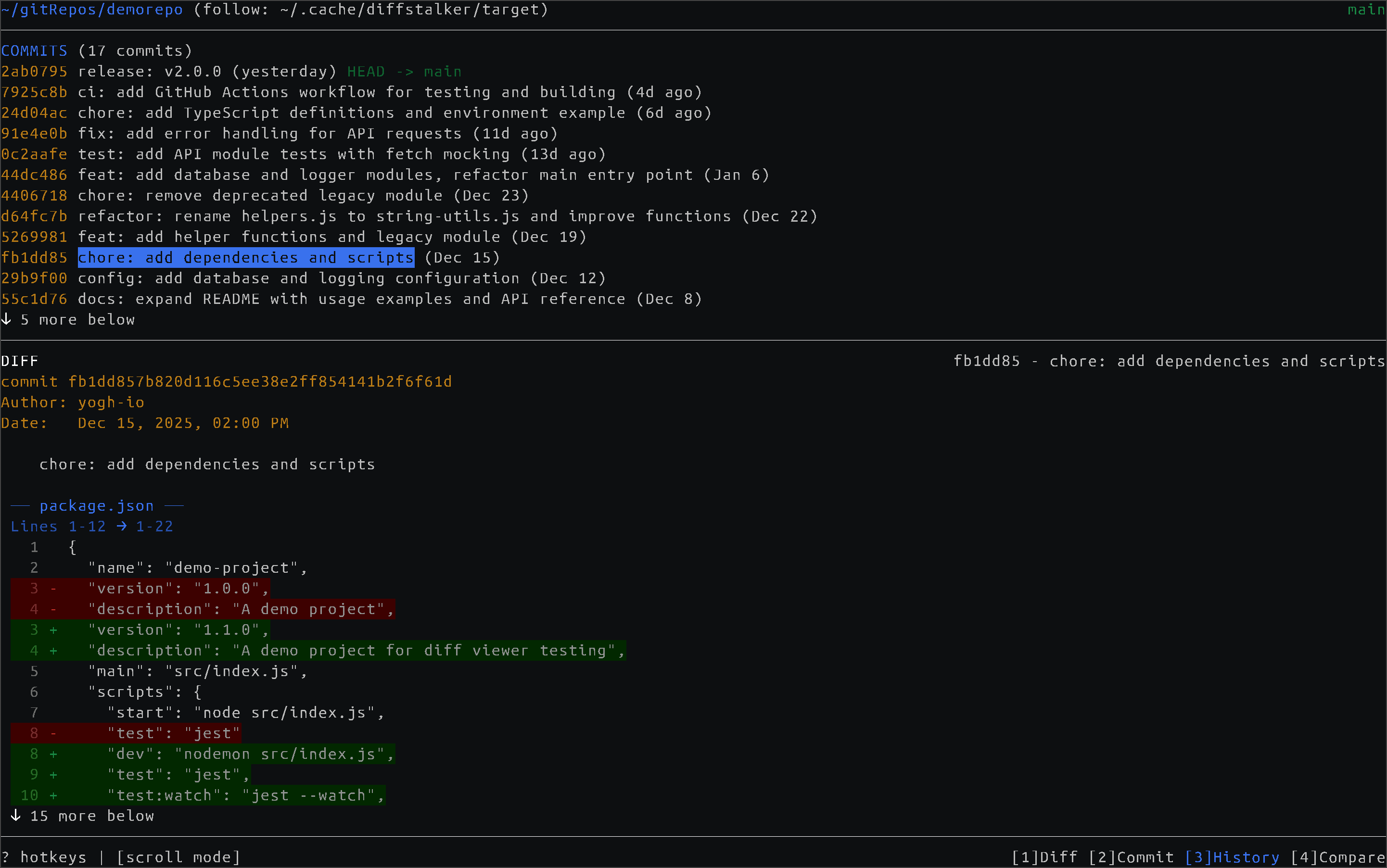 Browse commit history and inspect past changes.
Why diffstalker?
Keep up with AI. When AI assistants edit your code, changes happen fast. diffstalker gives you a live view of what's being modified, so you can review changes as they happen rather than piecing things together afterward.
Always-on visibility. Put it on your second monitor and forget about it. As you switch between projects, diffstalker follows along - showing your current changes, staged files, and diffs without you ever needing to alt-tab or type git status.
Dead-simple integration. Follow mode watches a plain text file for paths. Any script, hook, or tool can write to it. Add two lines to your shell config and every cd into a git repo updates the display automatically.
Everything at a glance. Auto-tab mode ensures there's always something useful on screen - uncommitted changes when you have them, recent commits when you don't.
Features
- Five views - Staging, Commit, History, PR comparison, and a file Explorer with syntax-highlighted preview
- Word-level diffs - See exactly which words changed within each line, not just which lines differ
- Follow mode - Automatically tracks whichever repo you're working in via a simple file-based hook
- Auto-tab - Intelligently switches views based on context (changes → history → PR diff)
- Fuzzy file finder -
Ctrl+P to jump to any file in the repo
- PR review - Compare your branch against any base branch with per-file and per-commit diffs
- Mouse & keyboard - Click to stage, scroll through diffs, or use vim-style
j/k navigation
- Right-click to discard - Quickly throw away unwanted changes with confirmation
- Resizable panes -
[ and ] to adjust the split between file list and diff
- Line wrapping - Toggle with
w for long lines
- 6 themes - Dark, light, colorblind-friendly (blue/red palette), and ANSI-only variants that use your terminal's colors
Installation
npm install -g diffstalker
Or from source:
git clone https://github.com/yogh-io/diffstalker.git
cd diffstalker
npm install && npm run build:prod
npm link
Quick Start
diffstalker
diffstalker /path/to/repo
diffstalker --follow
Follow mode watches ~/.cache/diffstalker/target for repository paths. Write or append to this file - diffstalker reads the last non-empty line, so both styles work.
Integration Examples
Shell hook - update on every cd:
diffstalker_notify() {
[[ -d .git ]] && echo "$PWD" > ~/.cache/diffstalker/target
}
cd() { builtin cd "$@" && diffstalker_notify; }
Tmux - update on pane/window switch:
set-hook -g pane-focus-in 'run-shell "tmux display -p \"#{pane_current_path}\" > ~/.cache/diffstalker/target"'
Neovim - update when changing buffers:
vim.api.nvim_create_autocmd({"BufEnter"}, {
callback = function()
local root = vim.fn.finddir('.git/..', vim.fn.expand('%:p:h') .. ';')
if root ~= '' then
local f = io.open(os.getenv('HOME') .. '/.cache/diffstalker/target', 'w')
if f then f:write(vim.fn.fnamemodify(root, ':p:h')); f:close() end
end
end
})
Any script:
echo "/path/to/repo" > ~/.cache/diffstalker/target
echo "/path/to/repo" >> ~/.cache/diffstalker/target
The file-based approach is intentionally simple. IDE plugins, window manager hooks, project switchers, git hooks - if it can write to a file, it can drive diffstalker.
Views
1 | Diff | Stage/unstage files, review word-level diffs |
2 | Commit | Write commit messages, amend previous commits |
3 | History | Browse recent commits and inspect their diffs |
4 | PR | Compare branch against a base branch with per-file navigation |
5 | Explorer | Browse the file tree with syntax-highlighted preview and fuzzy finder |
Keybindings
| Navigate | ↑/↓ or j/k |
| Switch panes | Tab |
| Switch views | 1-5 |
| Toggle stage | Space or Enter |
| Stage/unstage all | Shift+A / Shift+Z |
| Discard changes | d (with confirmation) |
| Fuzzy file finder | Ctrl+P or / in Explorer |
| Resize panes | [ / ] |
| Toggle line wrap | w |
| Themes | t |
| Help | ? |
Full keybinding reference available with ? in the app.
Themes
Six built-in themes - press t to switch:
| Dark / Light | Default palettes |
| Dark / Light (colorblind) | Blue/red palette for color vision deficiency |
| Dark / Light (ANSI) | Uses your terminal's 16 colors for full consistency |
Configuration
Config file: ~/.config/diffstalker/config.json
{
  "theme": "dark",
  "splitRatio": 0.4,
  "targetFile": "~/.cache/diffstalker/target"
}
CLI Options
diffstalker [options] [path]

Options:
  -f, --follow [FILE]  Watch file for repo paths
  --once               Show status once and exit
  -d, --debug          Log path changes to stderr
  -h, --help           Show help
License
MIT





