react-notifications
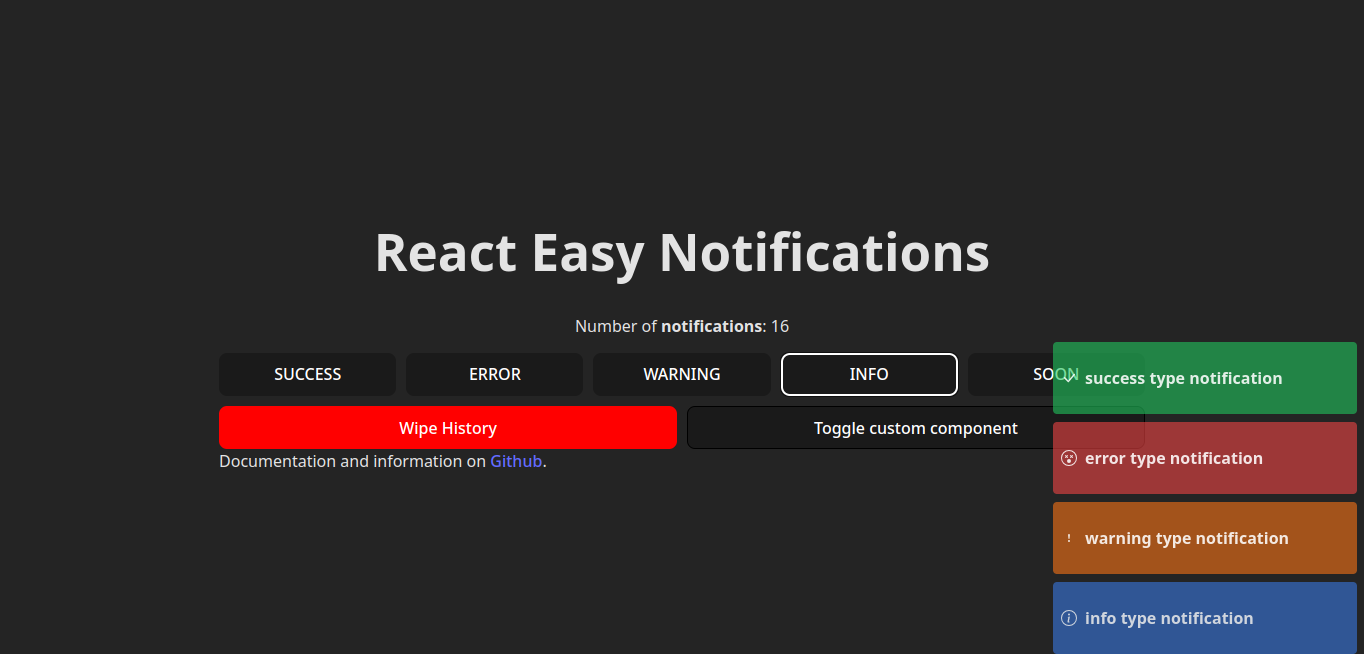
:atom: react notifications made easy.
Why ⁉️
Why another react notification system ? Why not, this project appears from the need to have an easy and very customizable react library, and more important, to be a project who everyone can contribute to improve it.
Make your pull request with your ideas. 🧙♂️
Features 😎
- Fast and simple to use.
- Custom Notification component.
- Easy customization.
- Multiple notifications type.
- Multiple animations. (WIP)
Documentation 🔗
Go to Documentation to look more features and functionalities.
visit the npm package npm package
Installation 🐚
First install the library you can use the package manager what you like.
$ npm i doom-react-notifications
$ pnpm i doom-react-notifications
$ yarn add doom-react-notifications
Usage 📖
First you need to know the notification object, have basic properties to manage the notification.
const notification = {
type: "success",
title: "Title of the notification",
message: "body message of the notification",
};
To start using the library you only need to envolve your notification space in the component <NotificationProvier />, then you can use the hook useNotification, the example below show you a simple case of use.
import {
NotificationProvider,
NotificationConsumer,
} from "doom-react-notifications";
import { Button } from "./components/Button";
import "doom-react-notifications/dist/style.css";
export default function App() {
return (
<NotificationProvider>
<Button />
<NotificationConsumer />
</NotificationProvider>
);
}
And then trigger the notification with the hook provided for the library.
import {useNotification} from "doom-react-notifications";

export function Button () {
  const { showNotification } = useNotification();

  const handleClick = () => {
    showNotification({
      ...
    });
  }

  return (
    <button onClick={handleClick}>
      Show Notification
    </button>
  )
}
Custom Notification Component 💅
You can create your own notification component with your custom structure and styles, to use it pass the custom component as Custom prop to <NotificationProvider />, as show below.
const CustomNotification = ({ type, message, onClick }) => {
return (
<div onClick={onClick} style={{ borderStyle: "dashed" }}>
<p className="notification-title">{title}</p>
<p className="notification-message">{message} with custom skeleton</p>
</div>
);
};
export default function App() {
return (
<NotificationProvider>
<Button />
<NotificationConsumer Custom={CustomNotification} />
</NotificationProvider>
);
}
Contributing ❤️
To make a contribution, open a pull request, i be glad to read and share ideas of how improve this project.





