

elm-live | A flexible dev server for Elm. Live reload included.
New Version Available
Thanks to the help of @lucamug and others a new version of elm-live is available! With the following changes:
- Hot reloading
- Local SSL
- No reload mode
- No server mode
- Removed before and after build commands. If you used these and cannot imagine using elm-live without them make an issue and let's discuss!
- and more!
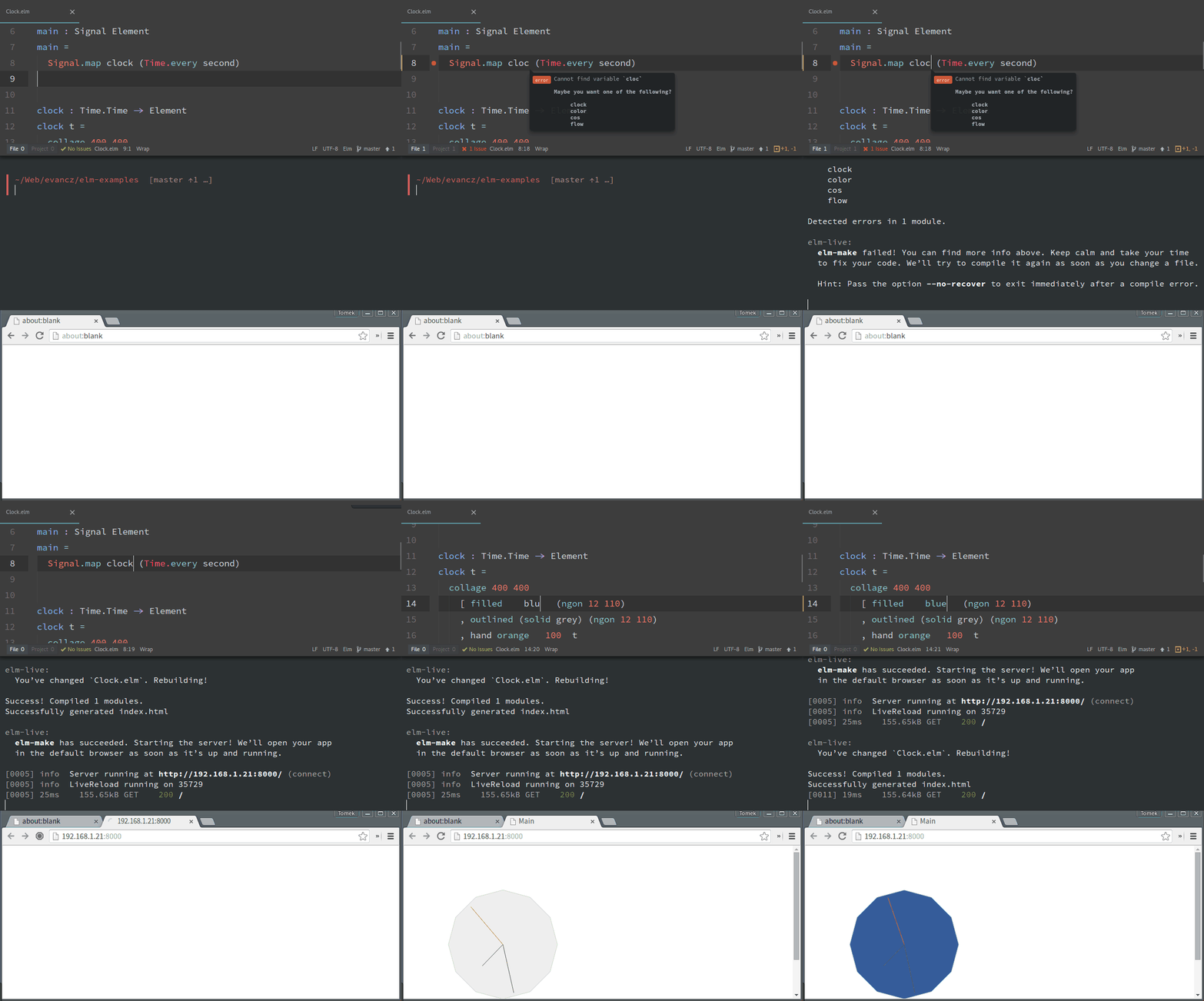
INSTALLATION
To use the new version of elm-live while it is in alpha you can run one of the following commands:
npm install --global elm elm-live@next
npm install --save-dev elm elm-live@next
Otherwise, to use the latest stable version:
npm install --global elm elm-live
npm install --save-dev elm elm-live
If you are using Elm 0.18
npm install --global elm elm-live@prev
npm install --save-dev elm elm-live@prev
If you’d rather bring your own global elm, npm install --global elm-live will do.
Version Compatibility
| 4 | <= v2.6.1 |
| 6 | >= v2.6.2 && < v4.0.0 |
| 10 | >= v4.0.0 |
SYNOPSIS
elm-live [...<options>] [--] ...<elm make args>
elm-live --help
DESCRIPTION
First, we spawn elm make with the elm make args you’ve given.
When the build is ready, we start a static HTTP server in the current directory. We inject a live reload snippet into every HTML file we serve. Every time a static file has changed, we’ll reload your app in all browsers you’ve opened it with. (Mobile and IE included!)
We also watch all *.elm files in the current directory and its subdirectories. Whenever you change, add or remove one of them, we’ll rebuild your program and reload the page.
OPTIONS
-e, --path-to-elm=PATH
An absolute or relative path to elm. If you’ve installed elm-platform locally with npm (npm install --save-dev elm), you’ll likely want to set this to node_modules/.bin/elm. Default: elm.
-p, --port=PORT
Set the port to start the server at. If the port is taken, we’ll use the next available one. PORT should be a valid port number. Default: 8000.
-h, --host=HOST
Set the host interface to attach the server to. Default: localhost.
-S, --ssl
Start an https server instead of http. Default: false.
-S, --ssl-cert=PATH
Pass in a relative path to your own ssl cert. Default: false.
-S, --ssl-key=PATH
Pass in a relative path to your own ssl key. Default: false.
-x, --proxy-prefix=PREFIX
Proxy requests to paths starting with PREFIX to another server. Requires --proxy-host and should be a string like /api. Defaults to not proxying
-y, --proxy-host=HOST
Proxy requests to another server running at HOST. Requires --proxy-prefix and should be a full URL, eg. http://localhost:9000. Defaults to not proxying
-d, --dir=PATH
The base for static content. Default: ..
-s, --start-page=PATH
A custom html file to serve other than the default index.html.
-u, --pushstate
Serve index.html on 404 errors. This lets us use client-side routing in Elm. For instance, we can have a URL like http://localhost:8000/account get handled by the Elm navigation package instead of failing with a 404 error.
-H, --hot
Turn on hot module reloading.
-o, --open
We’ll open the app in your default browser as soon as the server is up.
-v, --verbose
Log more stuff!
--no-reload
Turn off live reload. This means you will need to manual reload your website after each build to see the changes.
--no-server
Turn off the server for elm-live. This is useful when you are using elm inside of another development ecosystem.
--help
You’re looking at it.
EXAMPLES
Have the compiler generate your index.html for you.
This command will start the server at https://localhost:8000 and compile your elm code to an index.html file in the folder you are running the command from. Note: the --open flag will open the page in the browser for you.
$ elm-live src/Main.elm --open
Use a custom HTML file
This command tells elm make to compile your elm code to a file named elm.js in the folder you are running the command from. From there you just need to include the script in default file of index.html as shown in the Elm guide here: https://guide.elm-lang.org/interop/
$ elm-live src/Main.elm --open -- --output=elm.js
To specify an HTML file other than the default, you can use the --start-page flag. This is an easy way to avoid elm make accidentally overriding your custom HTML.
$ elm-live src/Main.elm --open --start-page=custom.html -- --output=elm.js
Support client-side routing in Elm
This command tells the server to always serve up the index.html no matter what the URL is. This allows Elm to handle the routing clientside. Note: this option is a must when you are using Browser.Navigation
$ elm-live src/Main.elm --open --pushstate
Adding the debugger during dev
All possible elm make flags are available in elm-live. You just need to make sure they are passed after -- in the command. So the command below shows how to turn on the debugger in elm make.
elm-live src/Main.elm --open -- --debug
TROUBLESHOOTING
I’m seeing a SyntaxError about block-scoped declarations
If you’re seeing one of these:
SyntaxError: Block-scoped declarations (let, const, function, class) not yet supported outside strict mode
make sure you’re running on node 6+. If you can’t upgrade, consider transpiling source/elm-live.js to ES5.
By the way, yarn should be warning you about installing incompatible packages. To get the same behavior in npm, set the engine-strict flag.
Original Author
Huge shoutout to the creator Tomek Wiszniewski!
Current Owner
Will King
CREDITS
Many thanks to Evan Czaplicki, the creator of Elm, for the Elm Compiler – the most brilliant language compiler the world has ever seen! Without elm make, elm-live would be a car without an engine.
Many thanks to Matt DesLauriers for the wonderful budo. That’s what does the heavy lifting on the static server side.
Warm thanks to our amazing contributors! Credits to Brian for making Windows support possible, Kurt for allowing a configurable --host and Josh for his work on enabling client-side navigation. Thanks to Ryan batch updates are nice and fast. Kudos to Mathieu, Rémy and Nicolas for making the developer experience smoother and to Gabriel for the --before-build option. Many thanks to Noah for making sure elm-live works smoothly with elm-test. Thanks to Darren for finding and fixing the bug with --port options on the 3.0.0 release.
LICENSE
MIT © Will King & Tomek Wiszniewski





