ES Drager 拖拽组件

🌈介绍
基于 vue3.x + CompositionAPI + typescript + vite 的可拖拽、缩放、旋转的组件
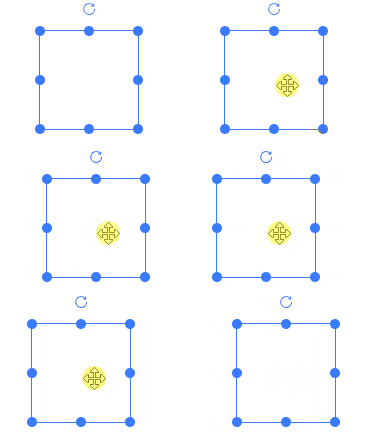
- 拖拽&区域拖拽
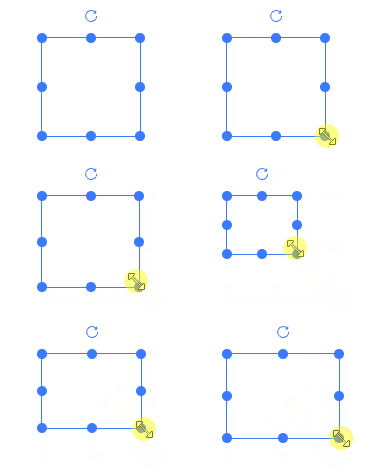
- 支持缩放
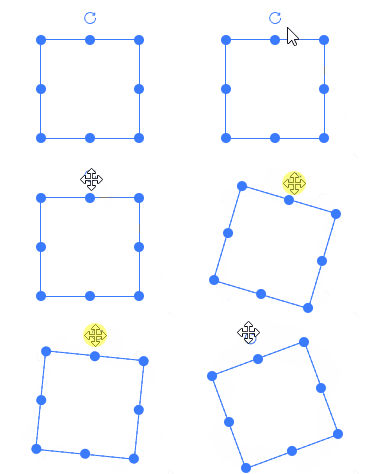
- 旋转
- 网格拖拽缩放
- 拖拽编辑器
运行项目
git clone https://github.com/vangleer/es-drager.git
pnpm install
pnpm dev
pnpm build
pnpm docs:build
主要目录介绍
| packages/docs | 项目示例文档、编辑器展示 |
| packages/editor | 编辑器核心代码 |
| packages/drager | es-drager组件 |
综合案例
下面是基于 es-drager 实现的一个简单可视化拖拽编辑器
ES Drager Editor
相关文章
可拖拽、缩放、旋转组件实现细节
网格效果及使用方法
辅助线和撤销回退
元素组合与拆分
菜单操作栏、json数据导入导出
⚡ 使用说明
安装依赖
npm i es-drager
全局注册
import { createApp } from 'vue'
import App from './App.vue'

import 'es-drager/lib/style.css'
import Drager from 'es-drager'

createApp(App)
  .component('es-drager', Drager)
  .mount('#app')
<template>
  <es-drager>
    drager
  </es-drager>
</template>
组件中直接使用
<template>
  <Drager>
    drager
  </Drager>
</template>

<script setup lang='ts'>
import Drager from 'es-drager'
</script>
浏览器直接引入
直接通过浏览器的 HTML 标签导入 es-drager,然后就可以使用全局变量 ESDrager 了。
<!DOCTYPE html>
<html lang="en">
<head>
  <meta charset="UTF-8">
  <meta http-equiv="X-UA-Compatible" content="IE=edge">
  <meta name="viewport" content="width=device-width, initial-scale=1.0">
  <link rel="stylesheet" href="https://unpkg.com/es-drager/lib/style.css">
  <title>Document</title>
</head>
<body>
  <div id="app">
    <es-drager>drager</es-drager>
  </div>

  <script src="https://unpkg.com/vue@3/dist/vue.global.js"></script>
  <script src="https://unpkg.com/es-drager"></script>
  <script>
    const { createApp } = Vue
    const app = createApp({})
    app.use(ESDrager)
    app.mount('#app')
  </script>
</body>
</html>
Drager API
Drager 属性
| tag | component组件的is属性 | ^[string] | div |
| type | 类型,rect, text, image | ^[string] | rect |
| width | 宽度 | ^[number] | 100 |
| height | 高度 | ^[number] | 100 |
| left | 横坐标偏移 | ^[number] | 0 |
| top | 纵坐标偏移 | ^[number] | 0 |
| angle | 旋转角度 | ^[number] | 0 |
| skew | 倾斜角度 | ^[Array] | [0, 0] |
| color | 颜色 | ^[string] | #3a7afe |
| resizable | 是否可缩放 | ^[boolean] | true |
| rotatable | 是否可旋转 | ^[boolean] | - |
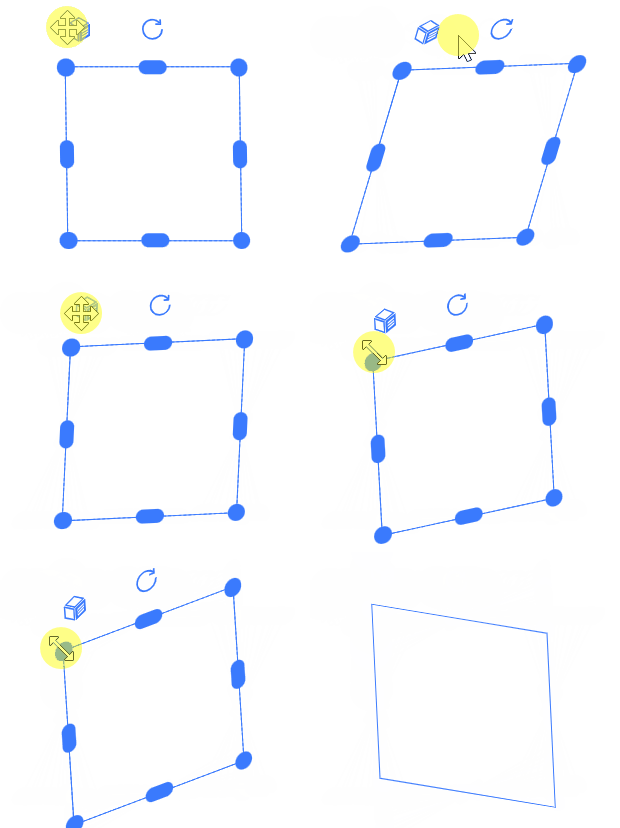
skewable  | 是否可倾斜 | ^[boolean] | - |
| boundary | 是否判断边界(最近定位父节点,考虑性能谨慎使用。只支持移动,缩放在v1.3后不支持) | ^[boolean] | - |
| disabled | 是否禁用 | ^[boolean] | - |
| minWidth | 最小宽度 | ^[number] | - |
| minHeight | 最小高度 | ^[number] | - |
| maxWidth | 最大宽度 | ^[number] | - |
| maxHeight | 最大高度 | ^[number] | - |
| selected | 控制是否选中 | ^[boolean] | - |
| checkCollision | 是否开启碰撞检测 | ^[boolean] | - |
| snapToGrid | 开启网格 | ^[boolean] | - |
| gridX | 网格X大小 | ^[number] | 50 |
| gridY | 网格Y大小 | ^[number] | 50 |
| snap | 开启吸附 | ^[boolean] | - |
| snapThreshold | 吸附阈值 | ^[number] | 10 |
| markline | 辅助线(可自定义) | ^[boolean]^[Function] | - |
| extraLines | 添加除了es-drager元素以外的对齐线,例如添加中心点对齐(可参考) | ^[Function] | |
| scaleRatio | 缩放比 | ^[number] | 1 |
| disabledKeyEvent | 禁用方向键移动 | ^[boolean] | - |
| border | 是否显示边框 | ^[boolean] | true |
| aspectRatio | 宽高缩放比 | ^[number] | - |
| equalProportion | 宽高等比缩放(该属性和aspectRatio互斥,同时使用会存在问题) | ^[boolean] | - |
| resizeList | 显示的缩放handle列表,top, bottom, left, right, top-left, top-right, bottom-left, bottom-right | ^[string[]] | - |
Drager 事件
| change | 位置、大小改变 | ^[Function](dragData) => void |
| drag | 拖拽中 | ^[Function](dragData) => void |
| drag-start | 拖拽开始 | ^[Function](dragData) => void |
| drag-end | 拖拽结束 | ^[Function](dragData) => void |
| resize | 缩放中 | ^[Function](dragData) => void |
| resize-start | 缩放开始 | ^[Function](dragData) => void |
| resize-end | 缩放结束 | ^[Function](dragData) => void |
| rotate | 旋转中 | ^[Function](dragData) => void |
| rotate-start | 旋转开始 | ^[Function](dragData) => void |
| rotate-end | 旋转结束 | ^[Function](dragData) => void |
| skew | 倾斜中 | ^[Function](dragData) => void |
| skew-start | 倾斜开始 | ^[Function](dragData) => void |
| skew-end | 倾斜结束 | ^[Function](dragData) => void |
| focus | 获取焦点/选中 | ^[Function](selected) => void |
| blur | 失去焦点/非选中 | ^[Function](selected) => void |
export type DragData = {
  width: number
  height: number
  left: number
  top: number
  angle: number
  skew: number[],
}
Drager 插槽
| default | 自定义默认内容 |
| resize | 缩放handle |
| rotate | 旋转handle |
| skew | 倾斜handle |