


New Research: Supply Chain Attack on Axios Pulls Malicious Dependency from npm.Details →
Socket
Book a DemoSign in
Socket

essence-ionic

Package Overview
Dependencies
Maintainers
1
Versions
3
Alerts
File Explorer

Advanced tools

Socket logo

Install Socket

Detect and block malicious and high-risk dependencies

Install

essence-ionic

This is ionic custom components.

latest
Source
npmnpm
Version
5.0.0
Version published
Maintainers
1
Created
Source

essence-ionic

This is ionic custom components.

Introduce

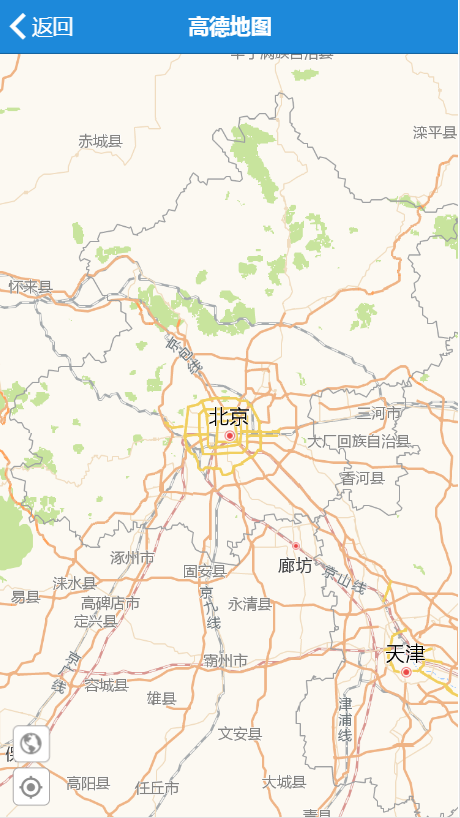
  • essence-ion-amap(高德地图)

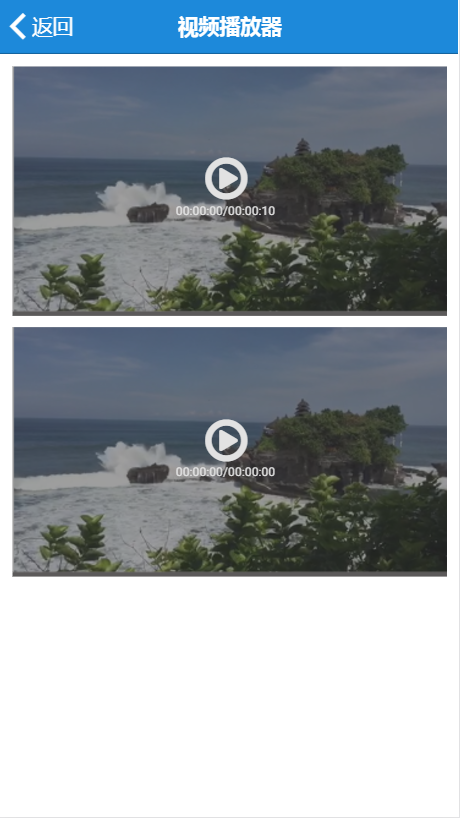
  • essence-ion-videoplayer(视频播放器)

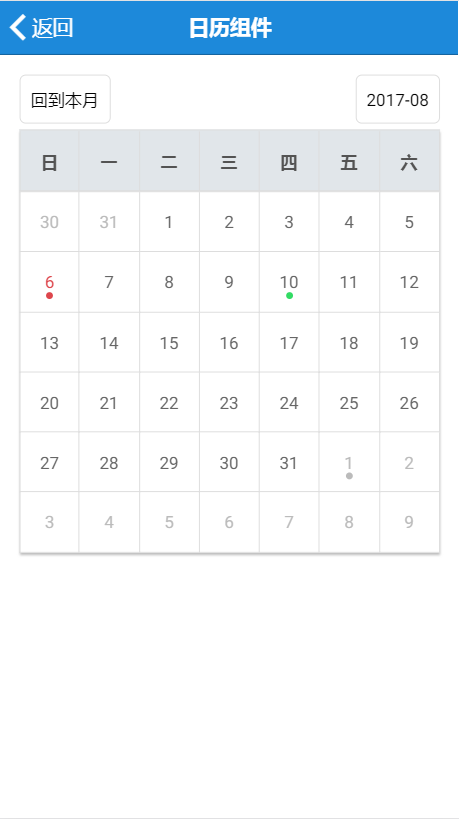
  • essence-ion-calendar(日历)

Usage

  • Install

    npm install --save essence-ionic@latest
    
  • Add the EssenceIonicModule

    import {EssenceIonicModule} from "essence-ionic";
    @NgModule({
        imports: [
            EssenceIonicModule
        ]
    })
    

Use components

essence-ion-amap

需求在index.html引入高德地图API:

  • Use in Template

    <essence-ion-amap (ready)="amapReady($event)" (destroy)="amapDestroy($event)"></essence-ion-amap>
    
  • Use in component

    amapReady ($event: EssenceIonAMapComponent) {
        console.log($event);
    }
    
    amapDestroy ($event) {
        console.log($event);
    }
    

essence-ion-videoplayer

  • Use in Template

    <div #videoDiv>
        <essence-ion-videoplayer (ready)="videoViewerReady($event)" [source]="url" [width]="videoDiv.offsetWidth"></essence-ion-videoplayer>
    </div>
    
  • Use in component

    url: string = 'http://www.laixiangran.cn/CDN/custom/video/test.mp4';
    
    constructor() {}
    
    videoViewerReady($event: any) {
        console.log($event);
    }
    

essence-ion-calendar

  • Use in Template

    <essence-ion-calendar [schedules]="schedules"
    					  (ready)="onReady()"
    					  (ViewSchedule)="onViewSchedule($event)"
    					  (dateChange)="onDateChange($event)">
    </essence-ion-calendar>
    
  • Use in component

    schedules: any;
    
    constructor() {
    	this.schedules = [
    		{
    			date: new Date(),
    			data: {
    				title: '参加会议',
    				address: '公司会议室',
    				content: '讨论考核制度',
    				info: '参会人员包括:张三、李四'
    			}
    		}
    	]
    }
    
    onReady() {
    	console.log('日历组件加载完成!');
    }
    
    onDateChange($event: Date) {
    	console.log($event);
    }
    
    onViewSchedule($event: any) {
    	console.log($event);
    }
    

API

essence-ion-amap

Inputs

  • apiKey(string) - 高德地图JS API key,请到官网申请

  • webApiKey(string) - 高德地图Web服务key,请到官网申请

  • options?Object) - 地图初始化参数对象,参数详情

  • showCurrentLocation?boolean=false) - 是否显示定位按钮,true为显示

  • isShowMapToolbar?boolean=true) - 是否显示左下角地图工具栏,true为显示

  • showLocationMarker?boolean=true) - 是否显示定位之后的图标,true为显示

  • showTraffic?boolean=false) - 是否加载实时交通图层,true为加载

Outputs (event)

  • ready($event) - 地图初始化完成事件,参数$event为当前EssenceIonAMapComponent实例对象

  • destroy($event) - 地图销毁事件

  • location($event) - 地图定位成功事件,参数$event为{code,info, result}

Properties

  • eAMapany) - 高德地图对象AMap

essence-ion-videoplayer

Inputs

  • width?number=0) - 视频播放器的宽度

  • height?number=0) - 视频播放器的高度

  • poster (?string) - 视频海报路径

  • sourcestring) - 视频路径

Outputs (event)

  • ready($event) - 视频播放器初始化完成事件,参数$event为当前EssenceIonVideoplayerComponent实例对象

  • videoPlay($event) - 视频播放开发事件

  • videoPause($event) - 视频播放暂停事件

  • videoEnded($event) - 视频播放结束事件

  • videoPan($event) - 视频滑动快进/退事件

  • videoError($event) - 视频播放错误事件

essence-ion-calendar

Inputs

  • schedules?Array<{date: Date, data: any}>) - 要显示在日历中对应日期的数据

Outputs (event)

  • ready($event) - 日历初始化完成事件,参数$event为当前EssenceIonCalendarComponent实例对象

  • dateChange($event) - 日期改变事件,参数$event为改变之后的日期

  • viewData($event) - 查看对应日期的数据

License

MIT License

Keywords

angular

FAQs

Package last updated on 24 Apr 2018

Did you know?

Socket

Socket for GitHub automatically highlights issues in each pull request and monitors the health of all your open source dependencies. Discover the contents of your packages and block harmful activity before you install or update your dependencies.

Install

Related posts

