folder-ui
ui components for a folder editor
install
Install the module to your project:
$ npm install folder-ui --save
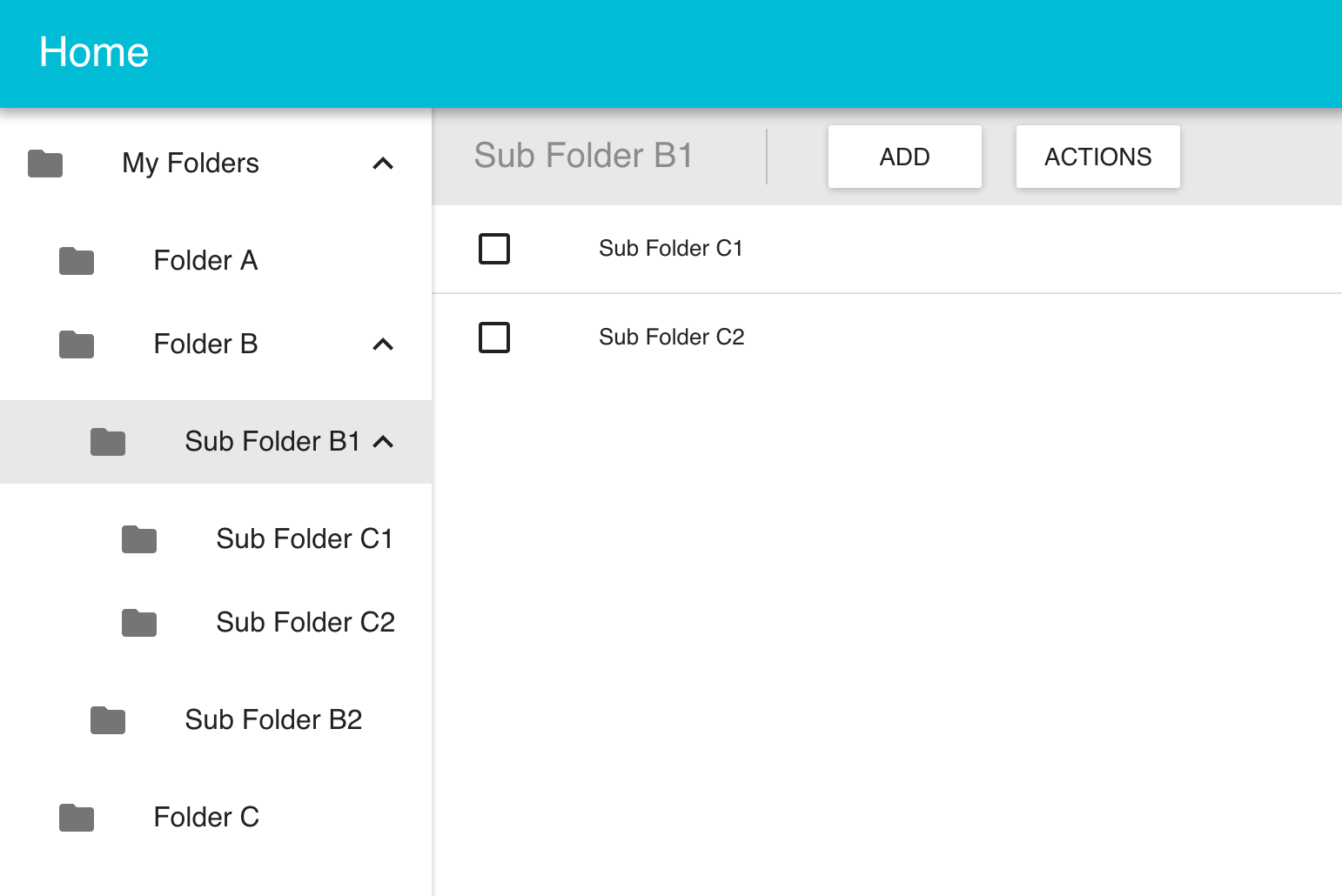
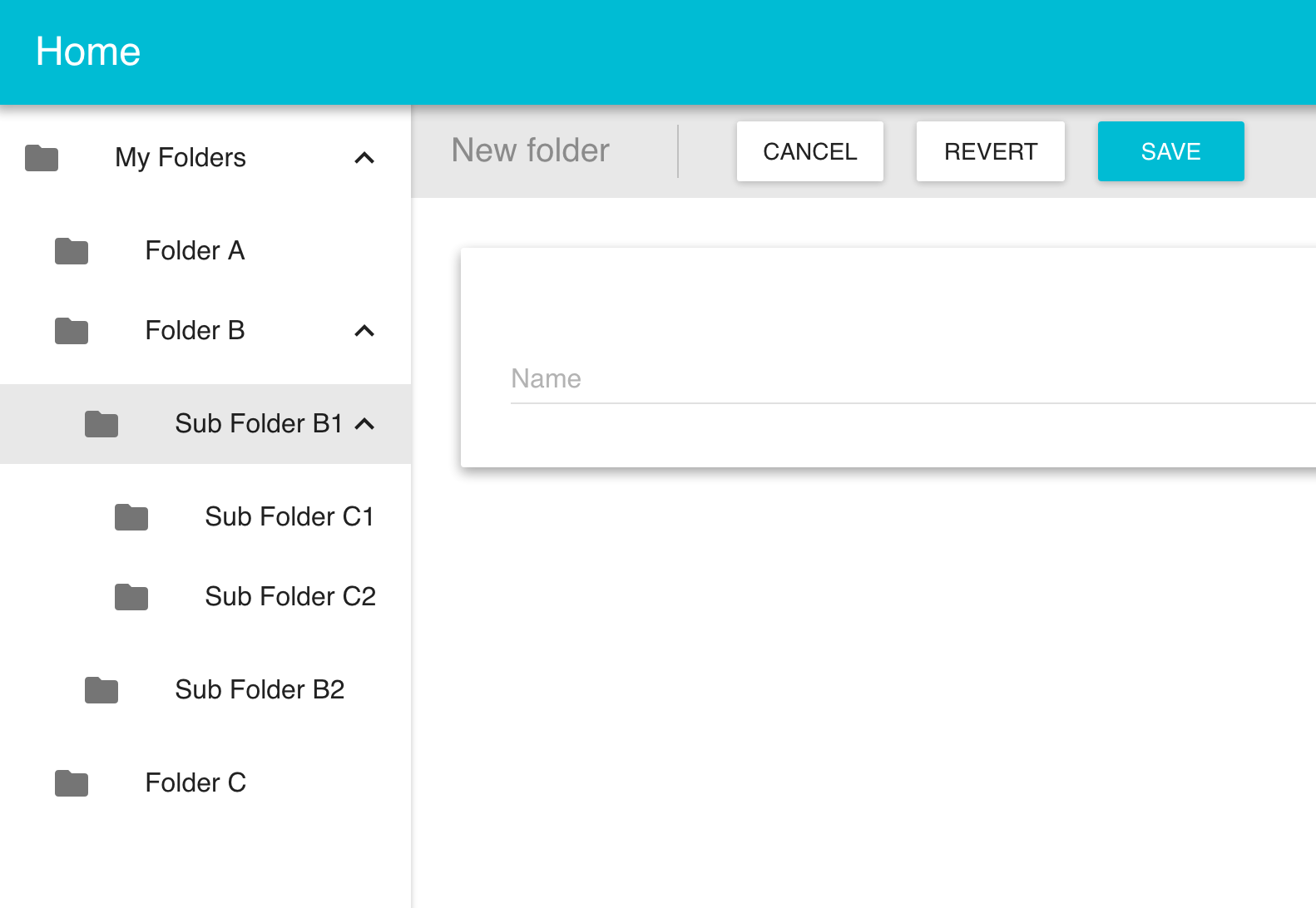
folder-ui provides the following components to be used in a Window Explorer type application:
- TreeViewer - view a hierarchical data structure
- ChildrenViewer - display a list of items
- ChildrenToolbar - a toolbar for the children viewer
- FormViewer - edit a single item
- FormToolbar - a toolbar for the form viewer
There are 2 main ways in which you an use this library:
external state
If you have a JSON file or database or something that your data lives in - you can connect that to the folder-ui Container components using the database library (more below)
existing redux state
If you already have state in your application that can be used to feed the visual components, you must create your own container components, actions and reducers. In this case you can skip to the Visual Components section.
Database Library
If you are working with external state and want folder-ui to handle redux state, you need to provide a database library. A folder-ui database library is an object with the following properties - all functions:
loadTree(done) - load the tree dataloadChildren(id, done) - load the children for an itemloadItem(id, done) - load a single itemaddItem(parent, item, done) - add an item to a parentsaveItem(item, done) - save an itemdeleteItem(id, done) - delete an item from a parentpasteItems(mode, parent, items, done) - paste items, mode is {copy,cut}
In all cases the callback done takes the following signature: done(err, data) (i.e. standard node callback style)
FolderReducer
To enable multiple folder-ui components in the same application - you must create the reducers by passing a name - this is used to filter actions so they only modify the correct part of the state tree:
import { routerReducer } from 'react-router-redux'
import FolderReducer from 'folder-ui/lib/reducer'

const PRODUCTS_NAME = 'products'
const SHOPS_NAME = 'shops'

const reducer = combineReducers({
  routing: routerReducer,
  products: FolderReducer('products'),
  stores: FolderReducer('shops')
})
FolderActions
You create a set of FolderActions for each reducer that you use.
As well as passing a name (which points to the correct reducer for these actions), you must also pass an instance of the database library and some routing information:
import FolderActions from 'folder-ui/lib/actions'
import DB1 from './db1'
import DB2 from './db2'
const productActions = FolderActions('products', DB1())
const shopsActions = FolderActions('shops', DB2())
Here - we have created 2 sets of actions, each hooked up to it's own reducer (using the name) and will consume the database instance we passed to it - one for each service.
Container Components
Container components link the reducer, actions and database and can be used either with react-router or stand-alone inside your own containers.
- ChildrenTable
- ChildrenToolbar
- Form
- FormToolbar
- Tree
All of the container components require actions and handlers properties.
You can use the ContainerFactory function from tools to wrap the container components. We also use the Wrapper components to contain the Tree on the left and the Toolbar above the main content.
import React from 'react'
import { Route, IndexRoute } from 'react-router'
import TreeWrapper from 'folder-ui/lib/components/TreeWrapper'
import ToolbarWrapper from 'folder-ui/lib/components/ToolbarWrapper'
import Tree from 'folder-ui/lib/containers/Tree'
import ChildrenToolbar from 'folder-ui/lib/containers/ChildrenToolbar'
import ChildrenTable from 'folder-ui/lib/containers/ChildrenTable'
import FormToolbar from 'folder-ui/lib/containers/FormToolbar'
import Form from 'folder-ui/lib/containers/Form'
import { ContainerFactory } from 'folder-ui/lib/tools'
import Schema from 'folder-ui/lib/schema'
import FolderActions from 'folder-ui/lib/actions'
import AppWrapper from './AppWrapper'
import Home from './Home'
import DB from './db'
import RouteInfo from './routeinfo'
import { PRODUCT_TYPES, PRODUCT_TABLE_FIELDS, PRODUCT_LIBRARY } from './schema'
const NavWrapper = ContainerFactory({
width:250
})(TreeWrapper)
const productRoutes = RouteInfo({
path:'products'
})
const productActions = FolderActions('products', DB())
const productSchema = Schema({
types:PRODUCT_TYPES,
tableFields:PRODUCT_TABLE_FIELDS,
library:PRODUCT_LIBRARY
})
const productFactory = ContainerFactory({
actions:productActions,
handlers:productRoutes.handlers,
info:productRoutes.info
})
const productContainers = {
tree:productFactory(Tree),
childrenToolbar:productFactory(ChildrenToolbar, {
getChildTypes:productSchema.getChildTypes
}),
childrenTable:productFactory(ChildrenTable, {
fields:productSchema.getTableFields(),
showCheckboxes:true,
showHeader:false,
multiSelectable:true
}),
formToolbar:productFactory(FormToolbar, {
getSchema:productSchema.getSchema
}),
form:productFactory(Form, {
getSchema:productSchema.getSchema,
getLibrary:productSchema.getLibrary
})
}
const productViews = {
tree:{
sidebar: productContainers.tree,
main: ToolbarWrapper
},
view:{
toolbar: productContainers.childrenToolbar,
main: productContainers.childrenTable
},
edit:{
toolbar: productContainers.formToolbar,
main: productContainers.form
}
}
const Routes = (opts = {}) => {
return (
<Route path="/" component={AppWrapper}>
<IndexRoute component={Home} />
<Route component={NavWrapper}>
<Route path="products" components={productViews.tree}>
<IndexRoute components={productViews.view} />
<Route path="view/:id" components={productViews.view} />
<Route path="delete/:parent/:ids" components={productViews.view} />
<Route path="edit/:id" components={productViews.edit} />
<Route path="edit/:parent/:id" components={productViews.edit} />
<Route path="add/:parent/:type" components={productViews.edit} />
</Route>
</Route>
</Route>
)
}
export default Routes
Templates
The whole of the above setup is wrapped up in a template which you can use as follows:
import React from 'react'
import { Route, IndexRoute } from 'react-router'

import BasicTemplate from '../src/templates/basic'

import AppWrapper from './AppWrapper'
import Home from './Home'

import DB from './db'
import { TYPES, TABLE_FIELDS, LIBRARY } from './schema'

const ProductRoutes = BasicTemplate({
  types:TYPES,
  tableFields:TABLE_FIELDS,
  library:LIBRARY,
  name:'products',
  path:'products',
  db:DB()
})

const ShopRoutes = BasicTemplate({
  types:TYPES,
  tableFields:TABLE_FIELDS,
  library:LIBRARY,
  name:'shops',
  path:'shops',
  db:DB([{
    id:0,
    name:'My Shops',
    children:[]
  }])
})

const Routes = (opts = {}) => {
  return (
    <Route path="/" component={AppWrapper}>
      <IndexRoute component={Home} />
      {ProductRoutes}
      {ShopRoutes}
    </Route>
  )
}

export default Routes
license
MIT





