Getting started with Node.js on Bluemix
By following this guide, you'll set up a development environment, deploy an app locally and on Bluemix, and integrate a Bluemix database service in your app.
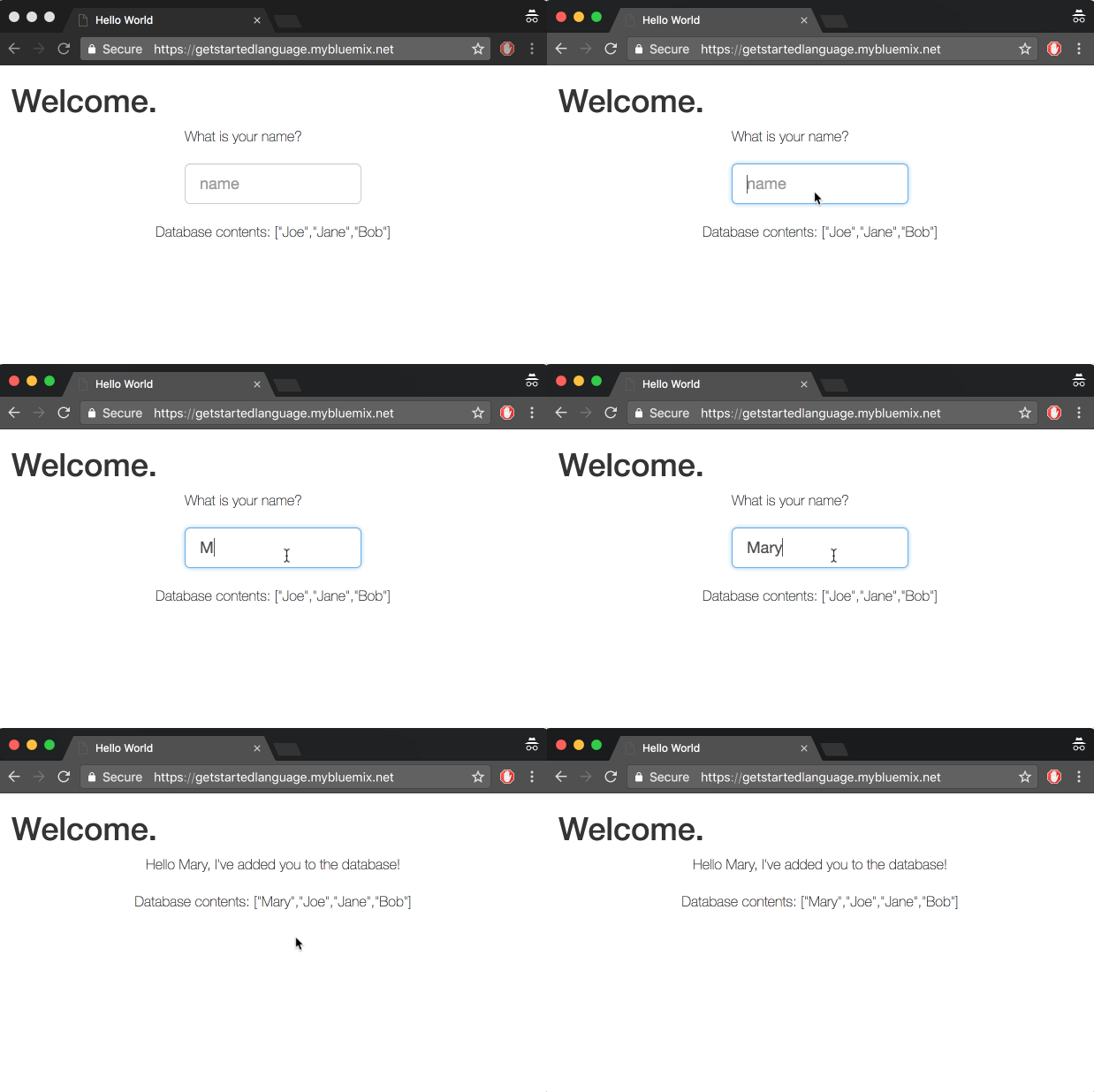
Prerequisites
You'll need a Bluemix account, Git Cloud Foundry CLI and Node
1. Clone the sample app
Now you're ready to start working with the simple Node.js hello world app. Clone the repository and change to the directory to where the sample app is located.
git clone https://github.com/IBM-Bluemix/get-started-node
cd get-started-node
Peruse the files in the get-started-node directory to familiarize yourself with the contents.
2. Run the app locally
Install the dependencies listed in the package.json file to run the app locally.
npm install
Run the app.
npm start
View your app at: http://localhost:3000
3. Prepare the app for deployment
To deploy to Bluemix, it can be helpful to set up a manifest.yml file. One is provided for you with the sample. Take a moment to look at it.
The manifest.yml includes basic information about your app, such as the name, how much memory to allocate for each instance and the route. In this manifest.yml random-route: true generates a random route for your app to prevent your route from colliding with others. You can replace random-route: true with host: myChosenHostName, supplying a host name of your choice. Learn more...
applications:
- name: nodejs-helloworld
  random-route: true
  memory: 128M
4. Deploy the app
You can use the Cloud Foundry CLI to deploy apps.
Choose your API endpoint
cf api <API-endpoint>
Replace the API-endpoint in the command with an API endpoint from the following list.
https://api.ng.bluemix.net # US South
https://api.eu-gb.bluemix.net # United Kingdom
https://api.au-syd.bluemix.net # Sydney
Login to your Bluemix account
cf login
From within the nodejs-helloworld directory push your app to Bluemix
cf push
This can take a minute. If there is an error in the deployment process you can use the command cf logs <Your-App-Name> --recent to troubleshoot.
View your app at the URL listed in the output of the push command, for example, myUrl.mybluemix.net. You can issue the
cf apps
command to view your apps status and see the URL.
5. Add a database
Next, we'll add a NoSQL database to this application and set up the application so that it can run locally and on Bluemix.
- Log in to Bluemix in your Browser. Select your application and click on
Connect new under Connections.
- Select
Cloudant NoSQL DB and Create the service.
- Select
Restage when prompted. Bluemix will restart your application and provide the database credentials to your application using the VCAP_SERVICES environment variable. This environment variable is only available to the application when it is running on Bluemix.
6. Use the database
We're now going to update your local code to point to this database. We'll create a json file that will store the credentials for the services the application will use. This file will get used ONLY when the application is running locally. When running in Bluemix, the credentials will be read from the VCAP_SERVICES environment variable.
- Create a file called
vcap-local.json in the nodejs-helloworld directory with the following content:
{
  "services": {
    "cloudantNoSQLDB": [
      {
        "credentials": {
          "url":"CLOUDANT_DATABASE_URL"
        },
        "label": "cloudantNoSQLDB"
      }
    ]
  }
}
-
Back in the Bluemix UI, select your App -> Connections -> Cloudant -> View Credentials
-
Copy and paste just the url from the credentials to the url field of the vcap-local.json file.
-
Run your application locally.
npm start
View your app at: http://localhost:3000. Any names you enter into the app will now get added to the database.
Tip: Use nodemon to automatically restart the application when you update code.
- Make any changes you want and re-deploy to Bluemix!
cf push





