Ghost Cursor
Generate realistic, human-like mouse movement data between coordinates or navigate between elements with puppeteer
like the definitely-not-robot you are.
Oh yeah? Could a robot do this?
Installation
yarn add ghost-cursor-frames
or with npm
npm install ghost-cursor-frames
Usage
Generating movement data between 2 coordinates.
import { path } from "ghost-cursor-frames"
const from = { x: 100, y: 100 }
const to = { x: 600, y: 700 }
const route = path(from, to)
Usage with puppeteer:
import { createCursor } from "ghost-cursor-frames"
import puppeteer from "puppeteer"
const run = async (url) => {
const selector = "#sign-up button"
const browser = await puppeteer.launch({ headless: false });
const page = browser.newPage()
const cursor = createCursor(page)
await page.goto(url)
await page.waitForSelector(selector)
await cursor.click(selector)
}
Usage with iframes:
import { createCursor } from "ghost-cursor-frames"
import puppeteer from "puppeteer"

const run = async (url) => {
  const selector = "#sign-up button"
  const browser = await puppeteer.launch({ headless: false });
  const page = browser.newPage()
  const cursor = createCursor(page)
  await page.goto(url)
  await page.waitForSelector(selector)
  const elementHandle = await page.$("frameSelector");
  const frame = await elementHandle.contentFrame();
  await cursor.click(selector, {}, frame)
}
Puppeteer-specific behavior
cursor.move() will automatically overshoot or slightly miss and re-adjust for elements that are too far away
from the cursor's starting point.- When moving over objects, a random coordinate that's within the element will be selected instead of
hovering over the exact center of the element.
- The speed of the mouse will take the distance and the size of the element you're clicking on into account.

Ghost cursor in action on a form
How does it work
Bezier curves do almost all the work here. They let us create an infinite amount of curves between any 2 points we want
and they look quite human-like. (At least moreso than alternatives like perlin or simplex noise)
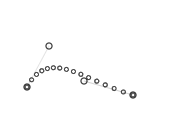
The magic comes from being able to set multiple points for the curve to go through. This is done by picking
2 coordinates randomly in a limited area above and under the curve.
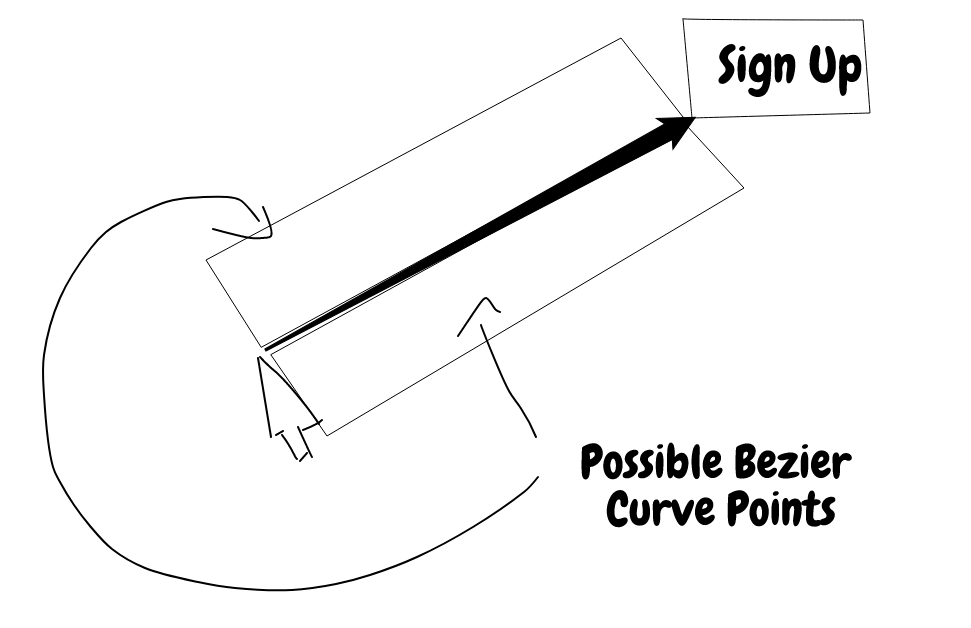
However, we don't want wonky looking cubic curves when using this method because nobody really moves their mouse
that way, so only one side of the line is picked when generating random points.
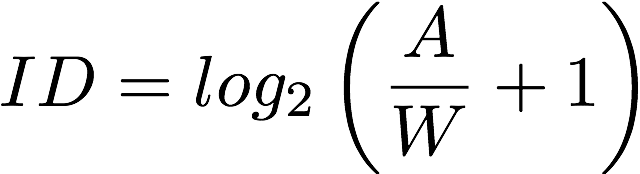
When calculating how fast the mouse should be moving we use
Fitts's Law
to determine the amount of points we should be returning relative to the width of the element being clicked on and the distance
between the mouse and the object.
Note:
This is a fork of Ghost Cursor
with support for iframes





