Giraflow CLI
CLI tool for visualizing and analyzing Information Flow models (.giraflow.json).
Installation
npm install -g giraflow-cli
Usage
Visualize an existing model
giraflow-cli <file> [options]
Options
-v, --view <mode> | timeline, slice, or table |
-e, --example | Show example data |
-s, --schema <path> | Validate against JSON schema |
--validate | Validate against bundled schema |
-o, --output <file> | Export to file |
Examples
giraflow-cli model.giraflow.json
giraflow-cli model.giraflow.json -v slice
giraflow-cli model.giraflow.json -v timeline -e
giraflow-cli model.giraflow.json -v table
Create a new model
giraflow-cli create [output-file]
Starts an interactive wizard that guides you through building a .giraflow.json model step by step.
Workflow
- Model metadata — Name (required) and description (optional)
- Element loop — Repeat until done:
-
Choose element type: Event, State View, Actor, or Command
-
Enter a name
-
Fill in type-specific fields (all optional, press Enter to skip):
| Event | producedBy (command name), externalSource |
| State View | sourcedFrom (comma-separated event names) |
| Actor | readsView (defaults to last state), sendsCommand |
| Command | — |
-
Add example data (choose one):
- None — skip
- Free text — stored as a string value
- Key-Value pairs — interactive loop, stored as a JSON object
-
Confirm whether to add another element
- Save — writes the model as JSON with 2-space indentation
Examples
giraflow-cli create my-model.giraflow.json
giraflow-cli create
Views
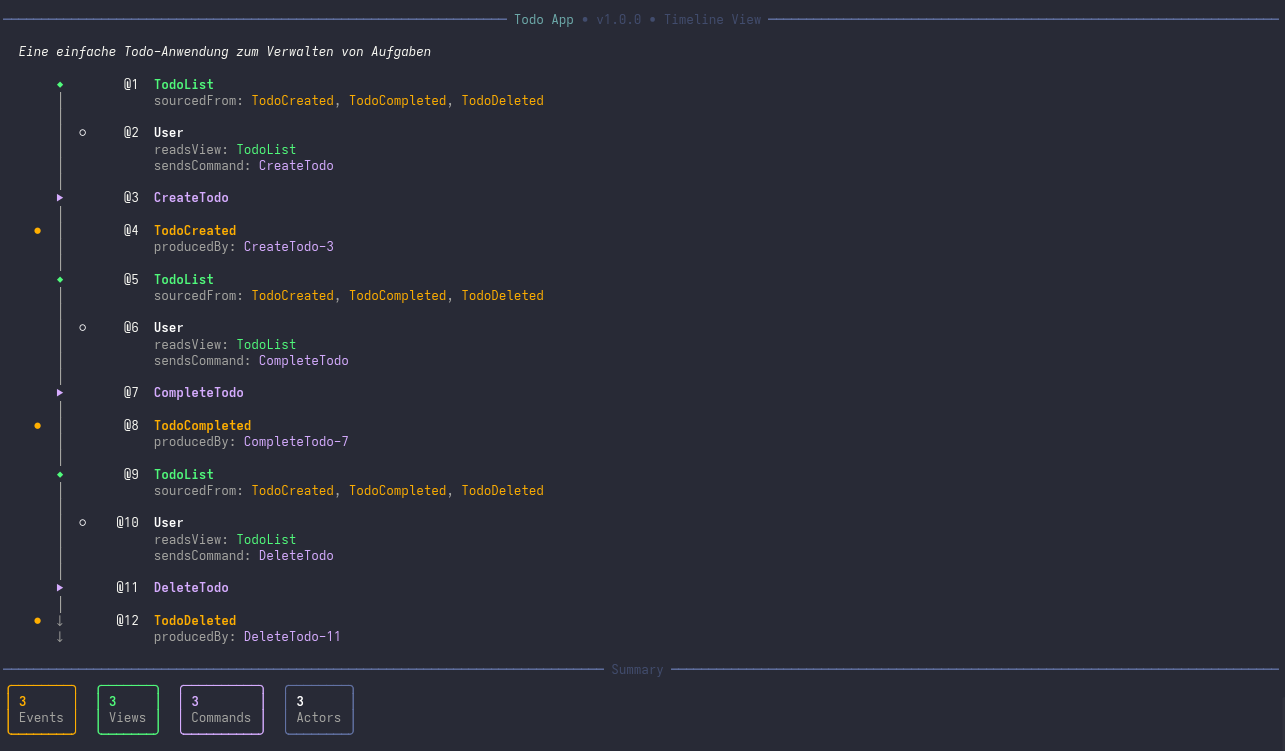
Timeline
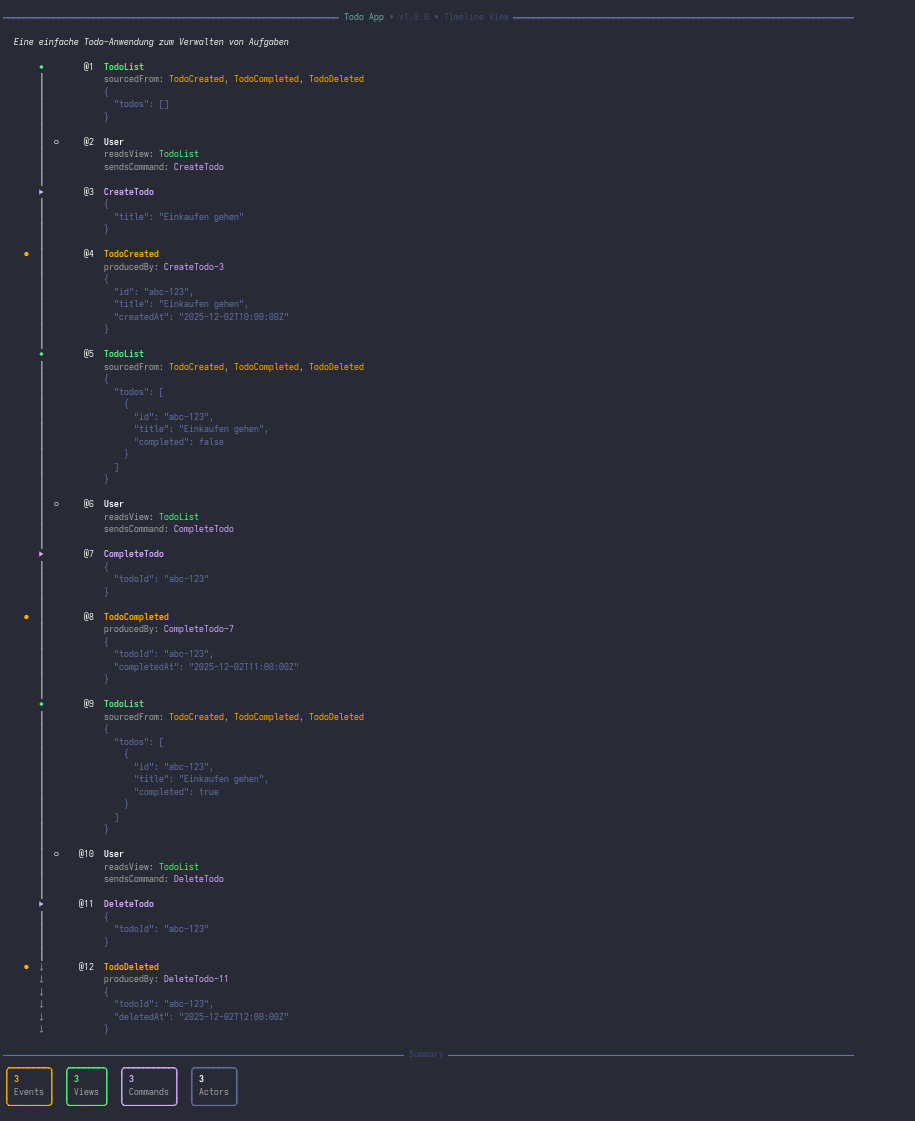
Chronological flow with symbols (●Event ◆State ▶Command ○Actor). Use -e to include example data.
With example data (-e):
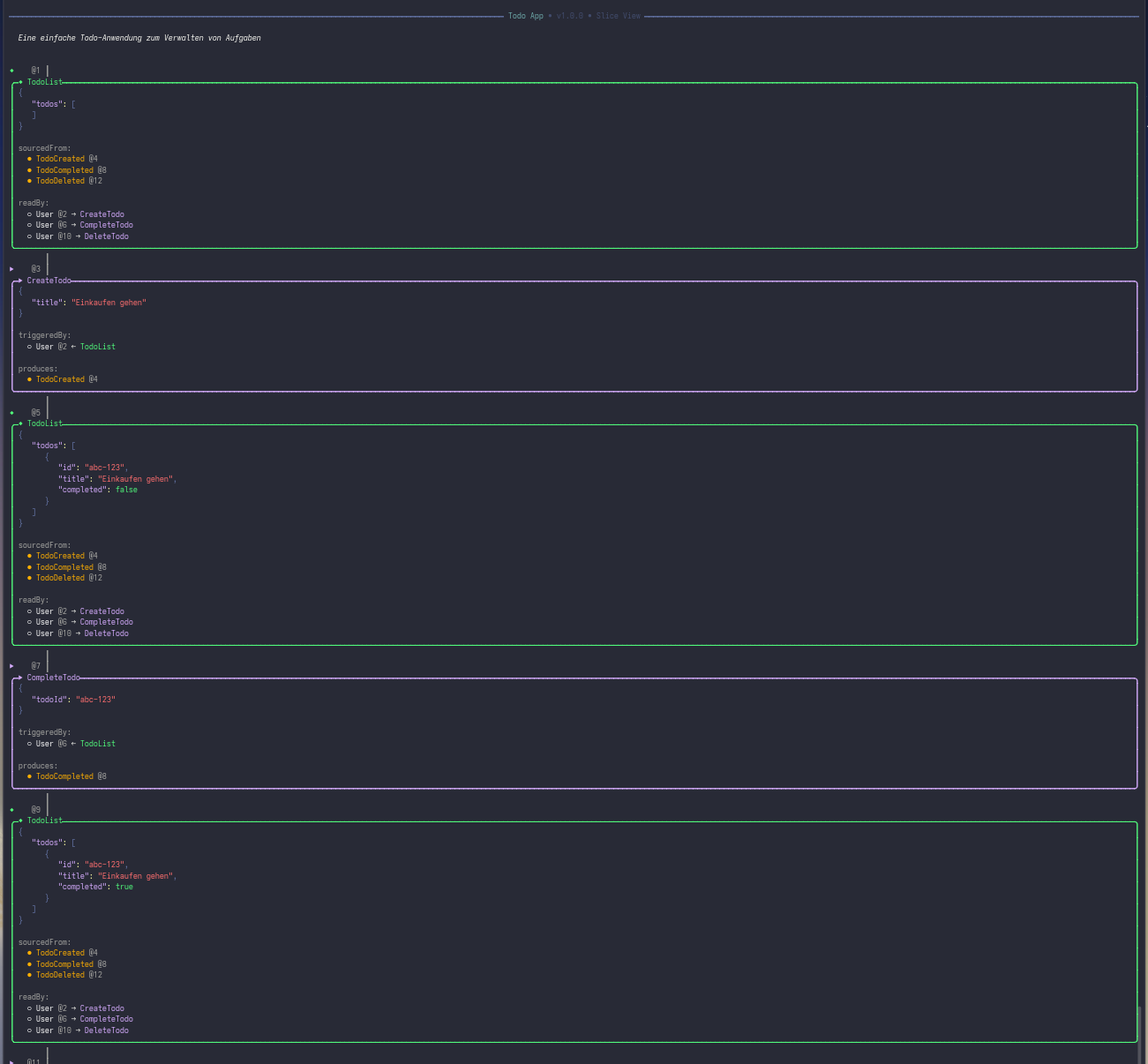
Slice
Detailed panels with JSON examples and Given-When-Then scenarios.
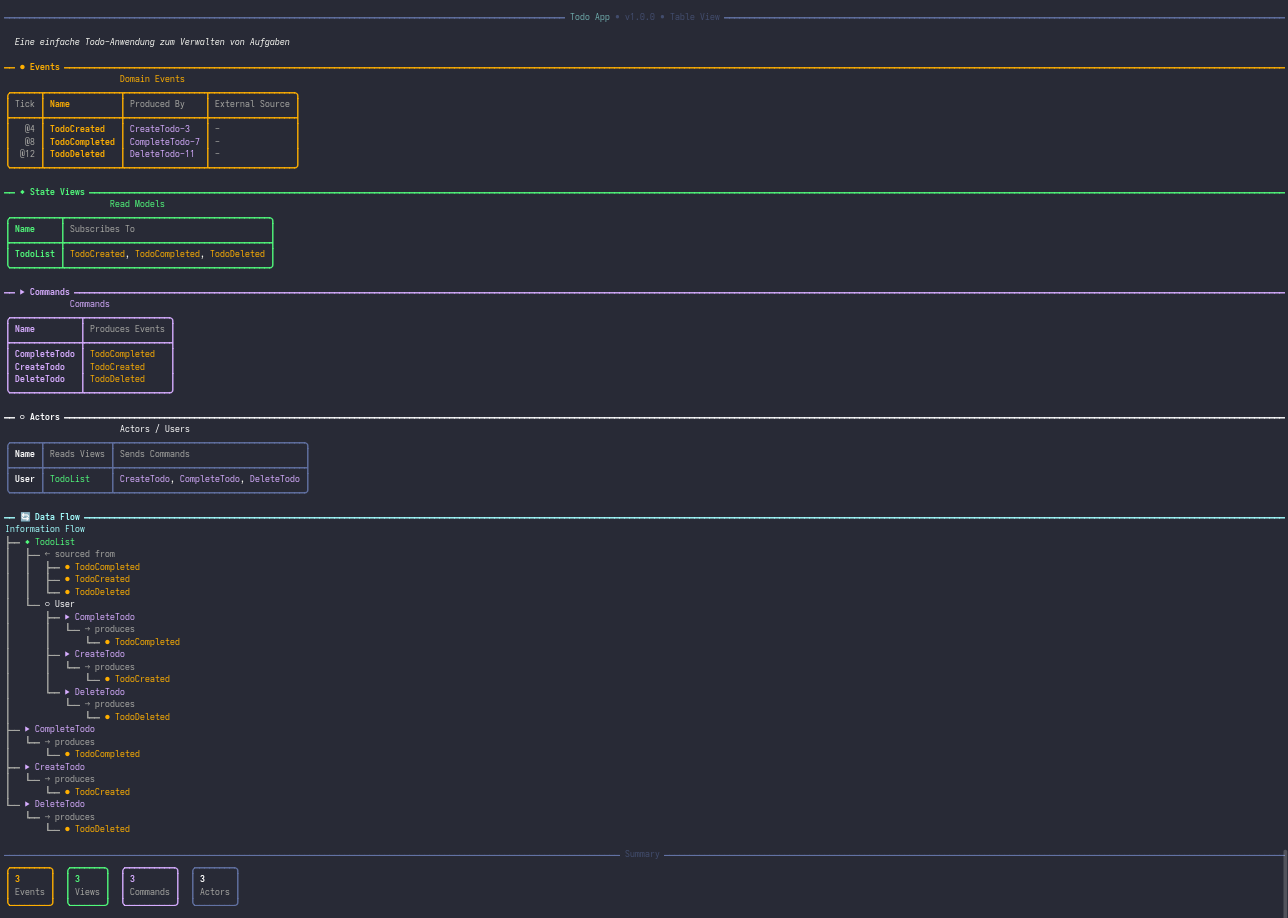
Table
Tabular overview per element type with data flow tree.
See Also
giraflow — Live preview server with hot reload for viewing models in the browser.
Links





