When a pair or multiple developers work on git projects, there is a convention that allows us to document our co-authors in the commit message. However, adding the co-authorship information on every single commit is painful.
Do a git commit in the same way it is usually done, with the pair members username, to make them get credit for the commit (if more than one member works on the same code, separate the username by comma). The author’s name(who writes the code - Driver) on the commit will be added automatically.
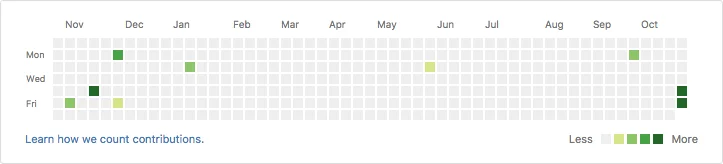
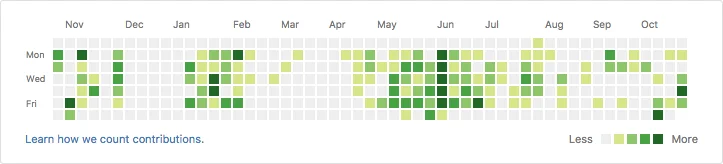
Each co-author will be added to the commit message, so that they are also credited in the github contributions view!
Before pairing
After pairing
- To install git co commit run the following command in the cmd or bash
$ npm i -g git-co-commit
It will install the git-co-commit package and add all the dependencies to the root level of your computer. To use the installed git co commit package do the following
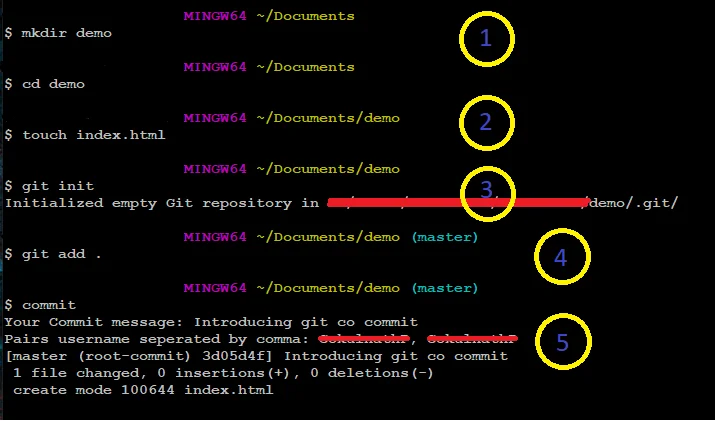
- Create a folder and then open the folder in cmd or bash
$ mkdir demo
$ cd demo
$ git init
$ touch index.html
$ git add index.html
- Run commit - it will ask for a commit message, once you add your commit message, it will ask for the pair’s username separated by comma (Author’s name doesn’t need to be included, it will be automatically added).
$ commit
To know more visit the documentation site of git co commit
License
Git co commit is open source npm package licensed as MIT.







