


Security News
The Hidden Blast Radius of the Axios Compromise
The Axios compromise shows how time-dependent dependency resolution makes exposure harder to detect and contain.
By Ahmad Nassri - Apr 01, 2026
gitbook-plugin-git-author-from-message
Advanced tools
This is a plugin for automatically adding author and timestamp to each gitbook page, including creator and last-modified from git commits




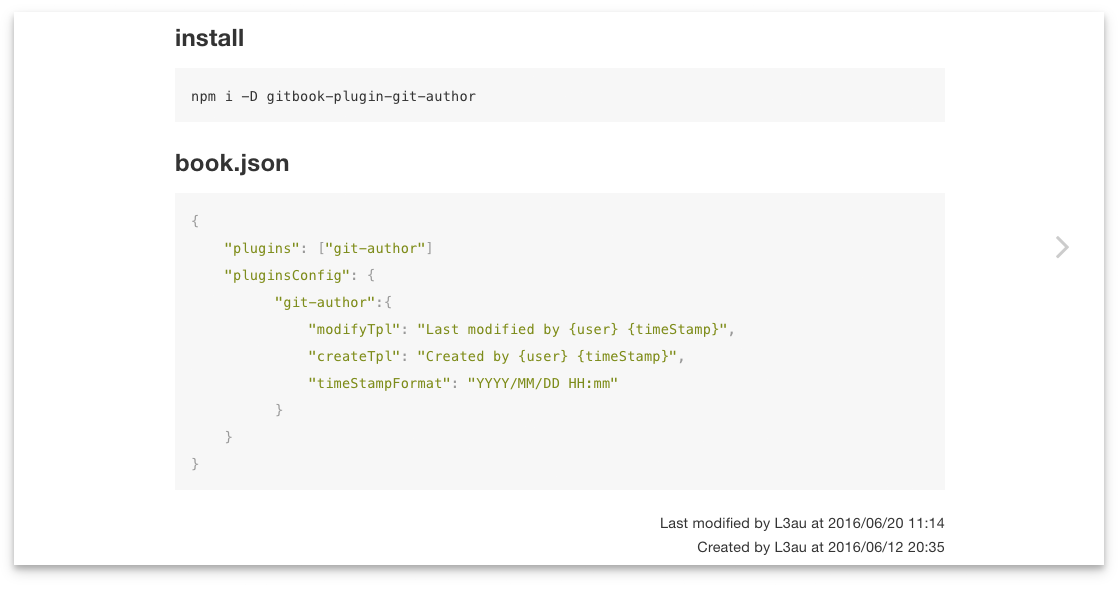
npm i -D gitbook-plugin-git-author
{
    "plugins": ["git-author"]
    "pluginsConfig": {
          "git-author":{
              "position": "bottom",
              "modifyTpl": "Last modified by {user} {timeStamp}",
              "createTpl": "Created by {user} {timeStamp}",
              "timeStampFormat": "YYYY-MM-DD HH:mm:ss"
          }
    }
}
README.md file
Be sure to commit this file to git repository firstly.
# Title of the Article

content
<h1>Title of the Article</h1>

<p>content</p>

<div class="git-author-container git-author-bottom">
  <div class="modified">Last modified by someone 2016-06-06 06:06:06</div>
  <div class="created">Created by someone 2016-06-06 06:06:06</div>
</div>
positiondefault: bottom
git-author content position in the article. top or bottom
this will add a git-author-{position} className to git-author-container
createTpl modifyTplYou can use {user} {timeStamp} as placeholder for username and timeStamp
default:
createTpl: Created by {user} {timeStamp}
modifyTpl: Last modified by {user} {timeStamp}
You may disable one of them by set it to a FALSY value.
e.g
"createTpl": false
timeStampFormatdefault: YYYY-MM-DD HH:mm:ss
use moment to process timeStamp
You can use timeFormat nunjucks filter to format time string in each article.
timeFormat([timeFormatString]){{ 1466749374153 | timeFormat('YYYY-MM-DD') }}
output
2016-06-24
{{ '2016-06-24T07:27:04.365Z' | timeFormat('MMMM Do YYYY, h:mm:ss a') }}
output
June 24th 2016, 3:27:04 pm
change default style by add a custom css file to your gitbook
book.json
{
    "styles": {
        "website": "./styles/website.css"
    }
}
website.css
.git-author-container {
    font-size: 85%;
}

.git-author-top {
    float: none;
}
FAQs
Did you know?

Socket for GitHub automatically highlights issues in each pull request and monitors the health of all your open source dependencies. Discover the contents of your packages and block harmful activity before you install or update your dependencies.
Security News
The Axios compromise shows how time-dependent dependency resolution makes exposure harder to detect and contain.

Research
A supply chain attack on Axios introduced a malicious dependency, plain-crypto-js@4.2.1, published minutes earlier and absent from the project’s GitHub releases.

Research
Malicious versions of the Telnyx Python SDK on PyPI delivered credential-stealing malware via a multi-stage supply chain attack.