


Security News
Crates.io Users Targeted by Phishing Emails
The Rust Security Response WG is warning of phishing emails from rustfoundation.dev targeting crates.io users.
By Sarah Gooding - Sep 12, 2025
grunt-svginjector
Advanced tools

Inject external SVG files into HTML
grunt-svginjector is a Grunt plugin that allows you to inline SVGs into your HTML by way of a generated JavaScript file. It works great in conjunction with grunt-svgstore for using SVG icons.
Read this article to see how I'm using it.
This plugin requires Grunt ~0.4.5
If you haven't used Grunt before, be sure to check out the Getting Started guide, as it explains how to create a Gruntfile as well as install and use Grunt plugins. Once you're familiar with that process, you may install this plugin with this command:
npm install grunt-svginjector --save-dev
Once the plugin has been installed, it may be enabled inside your Gruntfile with this line of JavaScript:
grunt.loadNpmTasks('grunt-svginjector');
svginjector taskRun this task with the grunt svginjector command.
containerType: String
Default: #svginjector
The ID of the element into which to inject the SVGs.
modeType: String
Default: replace
The mode option controls how the SVG is inserted into the DOM. Possible values:
replace replaces the content of the DOM element;append adds the SVG as the last child of the DOM element;prepend adds the SVG as the first child of the DOM element.A quick example (see the example folder for more input/output examples):
grunt.initConfig({
	svginjector: {
		example: {
			options: {
				container: '#icons-container'
			},
			files: {
				'example/dist/icons.js': 'example/src/icons.svg'
			}
		}
	}
});
FAQs
Inject SVGs into HTML pages
We found that grunt-svginjector demonstrated a not healthy version release cadence and project activity because the last version was released a year ago. It has 1 open source maintainer collaborating on the project.
Did you know?

Socket for GitHub automatically highlights issues in each pull request and monitors the health of all your open source dependencies. Discover the contents of your packages and block harmful activity before you install or update your dependencies.
Security News
The Rust Security Response WG is warning of phishing emails from rustfoundation.dev targeting crates.io users.
Product
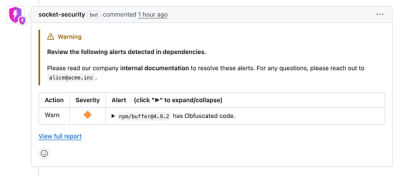
Socket now lets you customize pull request alert headers, helping security teams share clear guidance right in PRs to speed reviews and reduce back-and-forth.
Product
Socket's Rust support is moving to Beta: all users can scan Cargo projects and generate SBOMs, including Cargo.toml-only crates, with Rust-aware supply chain checks.