images-scraper
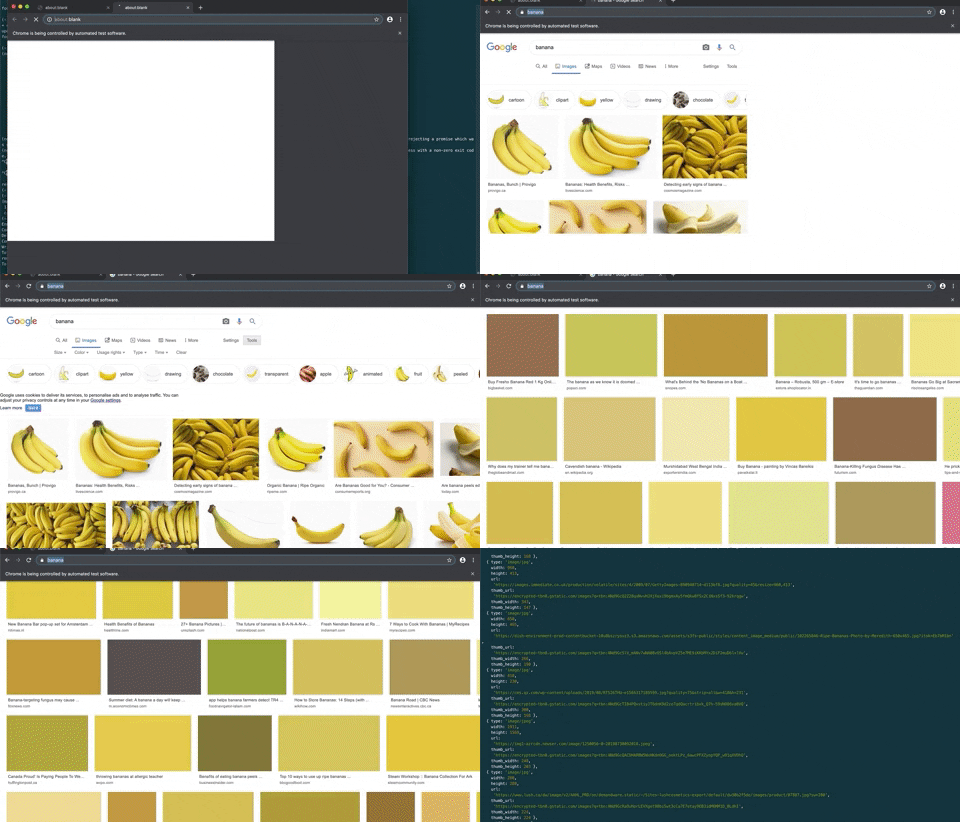
Simple NPM package to scrape Google images using Puppeteer. The headless browser will behave as a 'normal' user and scrolls to the bottom of the page until there are enough results.
Please note that this is not an ideal approach to scrape images. It is only a demonstration to scrape images from Google.
If you don't care about the source, it is probably better to use a different search engine with an API, such as Bing.
Installation
npm install images-scraper
Example
Give me the first 200 images of Banana's from Google (using headless browser)
var Scraper = require('images-scraper');

const google = new Scraper({
  puppeteer: {
    headless: true,
  },
});

(async () => {
  const results = await google.scrape('banana', 200);
  console.log('results', results);
})();
Results
node src/example.js
results [
  {
    url: 'https://api.time.com/wp-content/uploads/2019/11/gettyimages-459761948.jpg?quality=85&crop=0px%2C74px%2C1024px%2C536px&resize=1200%2C628&strip',
    source: 'https://time.com/5730790/banana-panama-disease/',
    title: 'What We Can Learn From the Near-Extinction of Bananas | Time'
  },
  ...
]
Example 2 Using an array in a single browser instance (save resources)
Give me the first 200 images of the following array of strings from Google (using headless browser)
var Scraper = require('images-scraper');

const google = new Scraper({
  puppeteer: {
    headless: false,
  },
});

var fruits = ['banana', 'tomato', 'melon', 'strawberry'](async () => {
  const results = await google.scrape(fruits, 200);
  console.log('results', results);
})();
Results when using an array
node src/example.js
results[
  {
    query: '<Your query string>',
    images: [
      {
        url: 'https://api.time.com/wp-content/uploads/2019/11/gettyimages-459761948.jpg?quality=85&crop=0px%2C74px%2C1024px%2C536px&resize=1200%2C628&strip',
        source: 'https://time.com/5730790/banana-panama-disease/',
        title: 'What We Can Learn From the Near-Extinction of Bananas | Time',
      },
    ],
  }
];
Options
There are multiple options that can be passed to the constructor.
var options = {
userAgent: 'Mozilla/5.0 (X11; Linux i686; rv:64.0) Gecko/20100101 Firefox/64.0',
puppeteer: {},
tbs: {
isz:
itp:
ic:
sur:
},
safe: false
};
Repl.it
Example to fork: https://repl.it/join/hylyxvxc-peterevers
Running this on Repl.it requires you to create a Bash repl instead of a NodeJS repl. Creating a Bash repl will provide you the Chromium dependency.
Heroku
To use this packages on Heroku, install https://elements.heroku.com/buildpacks/jontewks/puppeteer-heroku-buildpack .
Then run.
npm config set puppeteer_download_host=https://npm.taobao.org/mirrors
And reinstall Puppeteer.
Debugging
Debugging can be done by disabling the headless browser and visually inspect the actions taken.
const google = new Scraper({
  puppeteer: {
    headless: false,
  },
});
Or by settings the environment variable LOG_LEVEL.
LOG_LEVEL=debug node src/example.js.
License
Copyright (c) 2021, Peter Evers pevers90@gmail.com
Permission to use, copy, modify, and/or distribute this software for any purpose with or without fee is hereby granted, provided that the above copyright notice and this permission notice appear in all copies.
THE SOFTWARE IS PROVIDED "AS IS" AND THE AUTHOR DISCLAIMS ALL WARRANTIES WITH REGARD TO THIS SOFTWARE INCLUDING ALL IMPLIED WARRANTIES OF MERCHANTABILITY AND FITNESS. IN NO EVENT SHALL THE AUTHOR BE LIABLE FOR ANY SPECIAL, DIRECT, INDIRECT, OR CONSEQUENTIAL DAMAGES OR ANY DAMAGES WHATSOEVER RESULTING FROM LOSS OF USE, DATA OR PROFITS, WHETHER IN AN ACTION OF CONTRACT, NEGLIGENCE OR OTHER TORTIOUS ACTION, ARISING OUT OF OR IN CONNECTION WITH THE USE OR PERFORMANCE OF THIS SOFTWARE.





