ip-wiki — IP Address Utility Library for Wikipedia and Node.js





🐙 GitHub - 📦 npm - 📘 API Documentation
ip-wiki is a JavaScript library written in ES6 that provides classes for manipulating IP and CIDR addresses. As the name suggests, it was developed for use on Wikipedia (primarily front-end), but it also works as a Node.js module in back-end environments.

Installation
npm install ip-wiki
If you only need type definitions:
npm install -D ip-wiki
Usage
NodeJS
In CommonJS:
const { IP, IPUtil } = require('ip-wiki');
In ES modules:
import { IP, IPUtil } from 'ip-wiki';
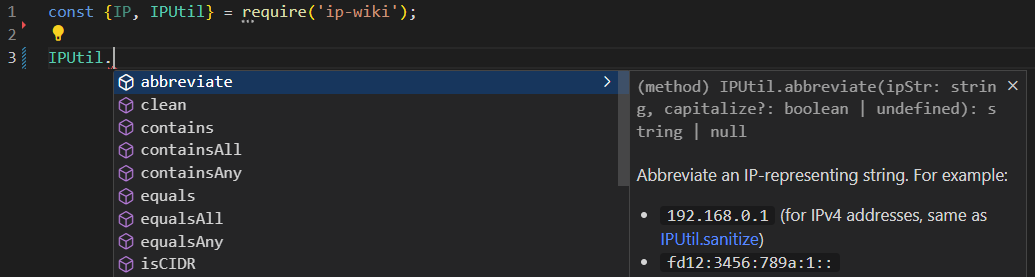
Then:
Wikipedia
Load and import ja:MediaWiki:Gadget-ip-wiki.js. In this case, this package is for Intellisense. (You may also want to install types-mediawiki as a dev dependency.)
function getIpWiki() {
const gadget = 'ext.gadget.ip-wiki';
return mw.loader.using(gadget).then((req) => req(gadget));
}
getIpWiki().then((ipWiki) => {
const { IP, IPUtil } = ipWiki;
});
If a module named ip-wiki is not defined in the local Gadgets-definition, you may need to cross-wiki-load it:
function getIpWikiX() {
const gadget = 'ext.gadget.ip-wiki';
return mw.loader.getScript('https://ja.wikipedia.org/w/load.php?modules=' + gadget).then(() => {
return mw.loader.using(gadget).then((req) => req(gadget));
});
}
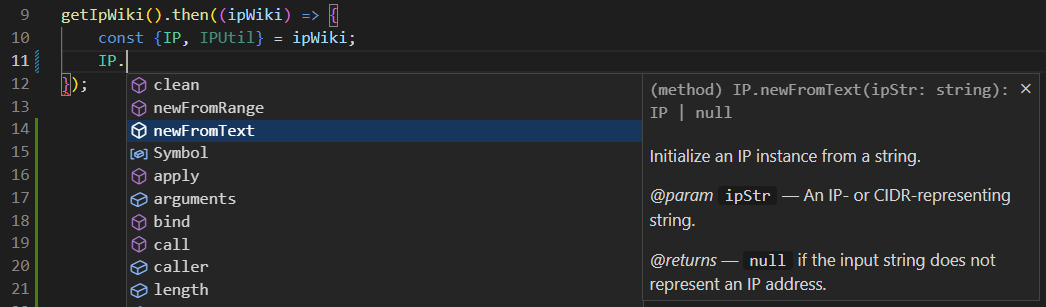
Then:
Class showcases
This library provides two main classes: the IP class and the static IPUtil class:
- Use the
IP class when you need to repeatedly manipulate the same IP address. This is more efficient than using IPUtil, as it avoids re-parsing the IP string.
- Use the
IPUtil class for one-off manipulations (i.e. when you don’t need to instantiate a class).
Class: IP
Suppose you want to retrieve the indexes of elements in the ipArr array that match the IP address 192.168.1.1:
const ip = IP.newFromText('192.168.1.1');
if (!ip) {
return;
}
const ipArr = [
'192.168.1.1/32',
'::1',
'192.168.001.001'
];
const indexes = ipArr.reduce( (acc, ipStr, i) => {
if (ip.equals(ipStr)) {
acc.push(i);
}
return acc;
}, []);
console.log(indexes);
Class: IPUtil
Suppose you want to filter ipArr to include only IPv6 addresses:
const ipArr = [
'192.168.1.1/32',
'::1',
'192.168.001.001'
];
const filtered = ipArr.filter((ip) => IPUtil.isIPv6(ip, true));
console.log(filtered);
Suppose you want to extract an array of IPv6 CIDRs in their sanitized form:
const ipArr = [
'foo',
'192.168.1.0',
'fd12:3456:789a:1::1',
'fd12:3456:789a:0:0:0:0:0/48',
'fd12:3456:789a:1::/64'
];
const ipv6Cidrs = ipArr.reduce( (acc, ipStr) => {
const sanitized = IPUtil.sanitize(ipStr, {
capitalize: false,
conditionPredicate: (version, isCidr) => version === 6 && isCidr
});
if (sanitized) {
acc.push(sanitized);
}
return acc;
}, []);
console.log(ipv6Cidrs);
Methods
For more methods and detailed usage, see the API documentation!





