iron-tween
!!! THIS IS FORK OF tween.js. I REFACTORED tween.js TO WORK IN NODE WITHOUT THE NEED FOR A BROWSER. I LEFT THEIR DOCUMENTATION IN THIS FILE FOR REFERENCE.
IF tween.js EVER RELEASES A VERSION THAT WILL WORK OUTSIDE THE BROWSER, THIS PROJECT WILL BE DELETED! USE WITH CAUTION. !!!
JavaScript tweening engine for easy animations, incorporating optimised Robert Penner's equations.




var coords = { x: 0, y: 0 };
var tween = new TWEEN.Tween(coords)
.to({ x: 100, y: 100 }, 1000)
.onUpdate(function() {
console.log(this.x, this.y);
})
.start();
requestAnimationFrame(animate);
function animate(time) {
requestAnimationFrame(animate);
TWEEN.update(time);
}
Installation
Download the library and include it in your code:
<script src="js/Tween.js"></script>
More advanced users might want to...
Use npm
npm install tween.js
Then include the Tween.js module with the standard node.js require:
var TWEEN = require('tween.js');
And you can use Tween.js as in all other examples--for example:
var t = new TWEEN.Tween( );
t.start();
You will need to use a tool such as browserify to convert code using this style into something that can be run in the browser (browsers don't know about require).
Use bower
bower install tweenjs --save
or install an specific tag. They are git tags, and you can run git tag in the command line for a list if you have cloned the repository locally, or you can also check out the list in the tween.js tags page. For example, to install v16.3.0:
bower install tweenjs
Then reference the library source:
<script src="bower_components/tweenjs/src/Tween.js"></script>
Features
- Does one thing and one thing only: tween properties
- Doesn't take care of CSS units (e.g. appending
px)
- Doesn't interpolate colours
- Easing functions are reusable outside of Tween
- Can also use custom easing functions
Documentation
Examples
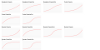 source
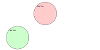 source
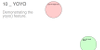 source
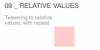 source
 source
 source
source
source
 source
 source
source
source
 source
 source
 source
Tests
You need to install npm first--this comes with node.js, so install that one first. Then, cd to tween.js's directory and run:
npm install
if running the tests for the first time, to install additional dependencies for running tests, and then run
npm test
every time you want to run the tests.
If you want to add any feature or change existing features, you must run the tests to make sure you didn't break anything else. If you send a PR to add something new and it doesn't have tests, or the tests don't pass, the PR won't be accepted. See contributing for more information.
People
Maintainer: sole.
All contributors.
Projects using tween.js