


Security News
The Hidden Blast Radius of the Axios Compromise
The Axios compromise shows how time-dependent dependency resolution makes exposure harder to detect and contain.
By Ahmad Nassri - Apr 01, 2026
A simple REPL for transpiling & executing ES6/ES7 code.
Stolen from Inspired by the excellent esbox
written by Callum Locke.
Beware: This project is not intended to be used for anything productive!
I'm only using it to learn and test several frameworks and libraries [Ractive, Inferno, React & Redux]
JScripty creates a fully functional headless browser environment in the console. Although there's no browser you still have the complete DOM functionality.
headless live testing. :smile: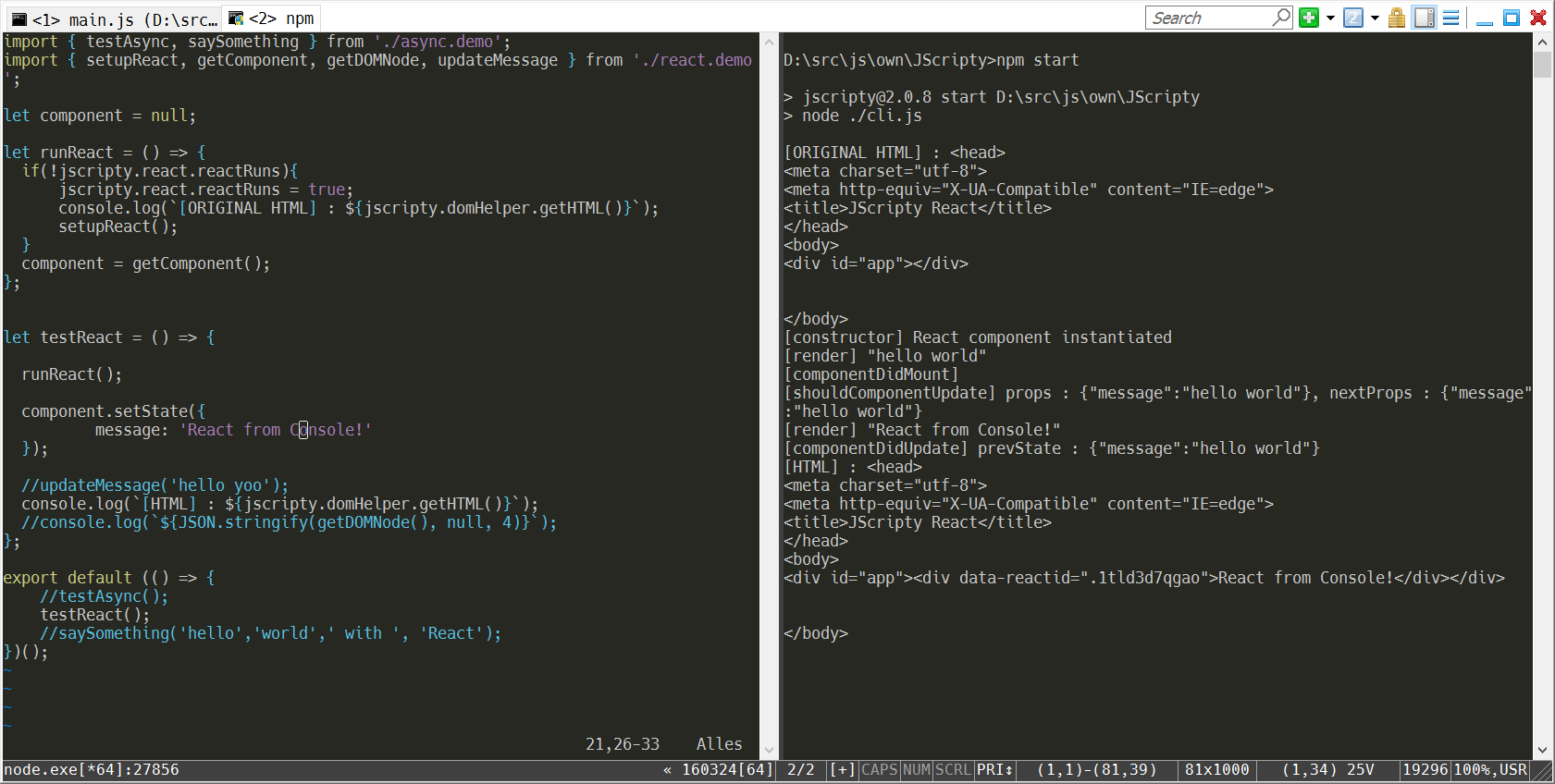
git clone https://github.com/brakmic/JScripty.git
npm install
Open two consoles.
If you're running under Windows I recommend ConEmu.
In the first console open a script with your preferred editor.
In the second console run JScripty with your preferred UI-Engine by executing
node cli.js --react

or

node cli.js --inferno
Ractive.js can run with both of them. Just append an additional --ractive flag. :smile:
Now edit the file and save it to kick-off the transpile-process.
After a few moments your code will be executed and shown in the console.
There's also a simple REPL available. All functions are located inside the namespace jscripty.
node cli.js --repl
Here's an example with React.
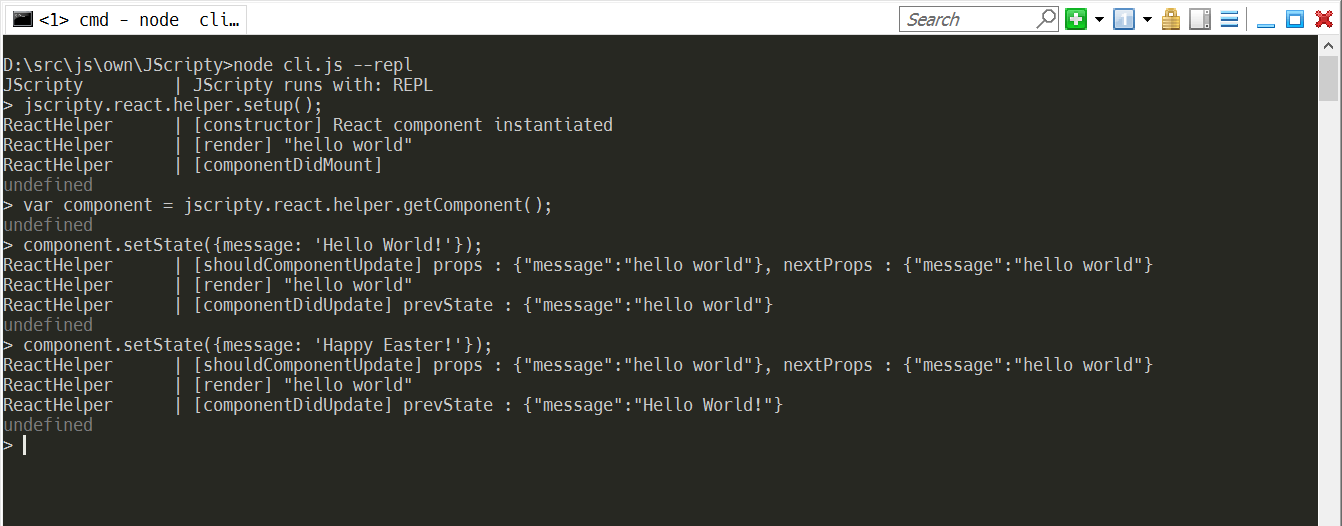
Change some piece of code, for example a component property, and press CTRL+S. Your running Ractive, Inferno or React instances will calculate the diffs and update accordingly. With a few simple logging commands you can now trace the data flows and interactions of your components.
You don't have to run JScripty in a console. For example, I configured it as an External Tool in my Visual Studio 2015.
Just go to menu Tools\External Tools and type in the following (notice: use your Node install-path)
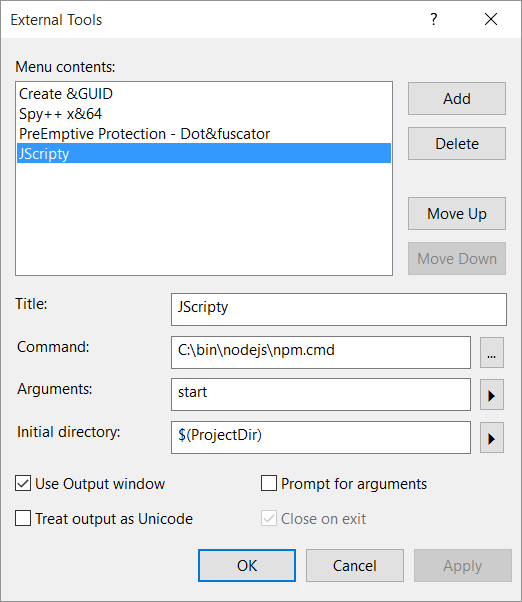
Now you'll get a new menu option JScripty under Tools.
Create a new, blank solution and import the JScripty folder as an Existing Web Site.
First right-click the Solution itself then select following options:
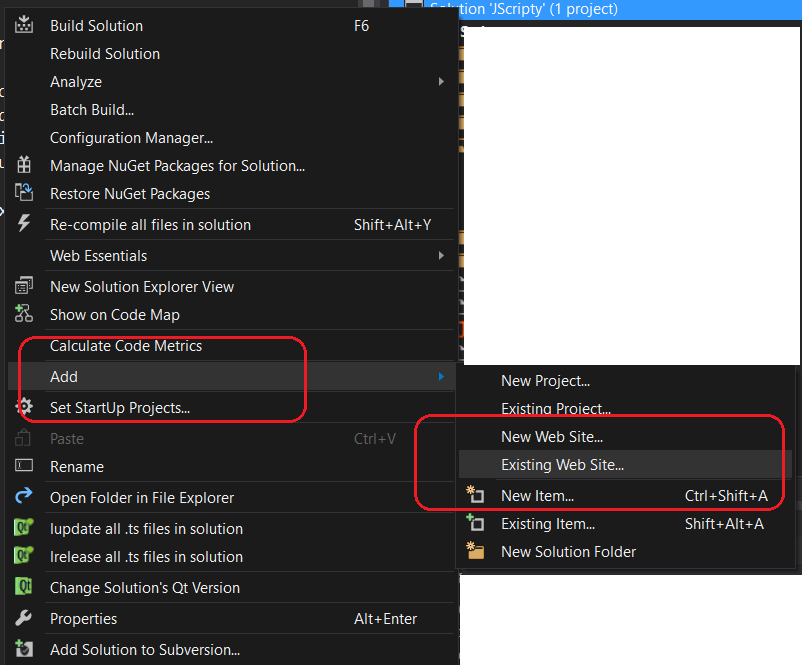
Go to the root folder of your JScripty project and select it.
The import will take a few moments and in the end you should get the following project settings:
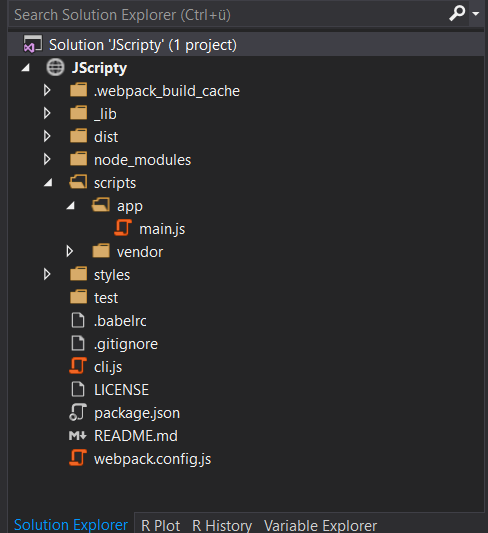
You can now select the JScripty menu option to start the watcher. Now change something in your main.js and watch the output.
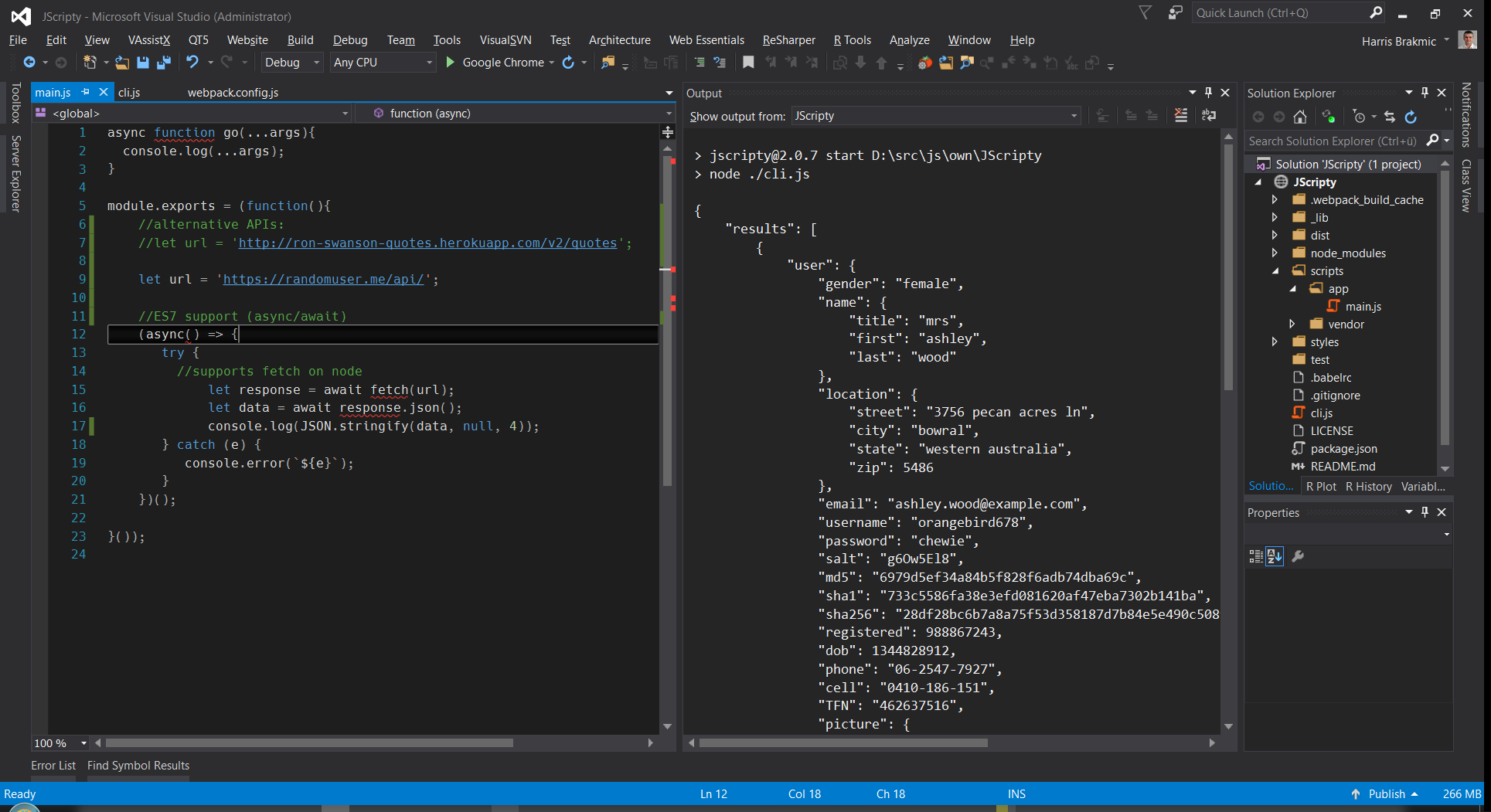
Notice: Visual Studio's Output Window doesn't recognize ANSI Escape Commands which makes the clearScreen function unusable. In scripts/env/jscripty.js you can find a variable to silent the ANSI-output.
Originally, this project had used much of the code from Callum's project which is a great tool for experimenting with newest JavaScript features. However, I didn't like the slow compilation times.
This is because on each save the running node instance has to restart and reload the complete environment again.
Therefore I thought it'd be much nicer to let webpack do all the heavy lifting. :smile:
After some experimentation with hot-reloading, webpack-dev-server and a few other things this solution now comprises of following ingredients:
file reload function in webpack.config.js to be called after each successful buildes2015, stage-0, react and transformers for ES7 async syntax.FAQs
a simple console-based es6-to-es5 REPL
The npm package jscripty receives a total of 30 weekly downloads. As such, jscripty popularity was classified as not popular.
We found that jscripty demonstrated a not healthy version release cadence and project activity because the last version was released a year ago. It has 1 open source maintainer collaborating on the project.
Did you know?

Socket for GitHub automatically highlights issues in each pull request and monitors the health of all your open source dependencies. Discover the contents of your packages and block harmful activity before you install or update your dependencies.
Security News
The Axios compromise shows how time-dependent dependency resolution makes exposure harder to detect and contain.

Research
A supply chain attack on Axios introduced a malicious dependency, plain-crypto-js@4.2.1, published minutes earlier and absent from the project’s GitHub releases.

Research
Malicious versions of the Telnyx Python SDK on PyPI delivered credential-stealing malware via a multi-stage supply chain attack.