Extremely light weight way to resolve jsonschema '$ref' references & inheritance: create circular/graphs, fractals from json (browser/coffeescript/javascript).
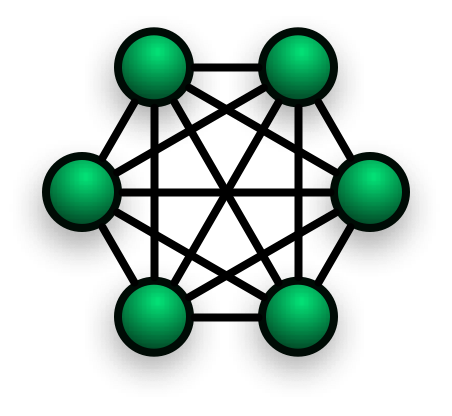
Stop processing json tree-structures, think json references and extentions.
Usage
nodejs:
jref = require('json-ref-parser')
Rule of thumb
When referencing to keys, always use underscores. Not doing this will not resolve references correctly.
Features
| resolving (old) jsonschema references to 'id'-fields | "$ref": "foobar" |
| resolving (new) jsonschema internal jsonpointers | "$ref": "#/foo/value" |
| resolving positional jsonpointers | "$ref": "#/foo/bar[2]" |
| resolving grouped jsonpointers | "$ref": [{"$ref": "#/foo"},{"$ref": "#/bar}] for building jsongraphs |
| evaluating positional jsonpointer function | "$ref": "#/foo/bar()" |
| resolving local files | "$ref": "/some/path/test.json" |
| resolving remote json(schema) files | "$ref": "http://foo.com/person.json" |
| resolving remote jsonpointers | "$ref": "http://foo.com/person.json#/address/street" |
| evaluating jsonpointer notation in string | foo_{#/a/graph/value} |
| evaluating dot-notation in string | foo_{a.graph.value} |
Developer tools:
| console.log debug output | jref.debug = true |
| redefine ref token | jref.reftoken = '@ref' |
| redefine extend token | jref.extendtoken = '@extend' |
| redefine jsonpointer starttoken | jref.pathtoken = '#' |
| redefine resolve tokens | jref.resolvetoken = '@res' |
NOTE: re-defining tokens is useful to prevent resolving only certain references. A possible rule of thumb could be to have '$ref' references for serverside, and '@ref' references for clientside when resolving the same jsondata.
Example: id fields
json = {
  foo: {
    id: 'foobar',
    value: 'bar'
  },
  example: {
    '$ref': 'foobar'
  }
};
outputs:
{
  foo: { id: 'foobar', value: 'bar' },
  example: {
    '$ref': 'foobar',
    '$res': { value: 'bar' }
}
Example: jsonpointers
{
  foo: {
    value: 'bar',
    foo: 'flop'
  },
  example: {
    ids: {
      '$ref': '#/foo/foo'
    }
  }
}
outputs:
{
  foo: {
    value: 'bar',
    foo: 'flop'
  },
  example: {
    ids: {
      '$ref': '#/foo/foo',
      '$res': 'flop'
    }
  }
}
NOTE: escaping slashes in keys is supported. "#/model/foo['\\/bar']/flop" will try to reference model.foo['/bar'].flop from itself
Example: remote schemas
{
  foo: {
    "$ref": "http://json-schema.org/address"
  }
  bar: {
    "$ref": "http://json-schema.org/address#/street/number"
  }
}
outputs: replaces value of foo with jsonresult from given url, also supports jsonpointers to remote source
NOTE: please install like so for remote support: 'npm install json-ref-lite sync-request'
Example: local files
{
  foo: {
    "$ref": "./test.json"
  }
}
outputs: replaces value of foo with contents of file test.json (use './' for current directory).
Example: array references
{
  "bar": ["one","two"],
  "foo": { "$ref": "#/bar[1]" }
}
outputs:
{
  "bar": ["one","two"],
  "foo": {
    "$ref": "#/bar[1]",
    '$res': "two"
  }
}
Example: evaluating functions
Ofcoarse functions fall outside the json scope, but they can be executed after
binding them to the json.
json = {
  "bar": { "$ref": "#/foo()" }
}

json.foo = function(){ return "Hello World"; }
outputs:
{
  "bar": {
    "$ref": "#/foo()",
    '$res': "Hello World"
    }
}





