


Security News
The Hidden Blast Radius of the Axios Compromise
The Axios compromise shows how time-dependent dependency resolution makes exposure harder to detect and contain.
By Ahmad Nassri - Apr 01, 2026
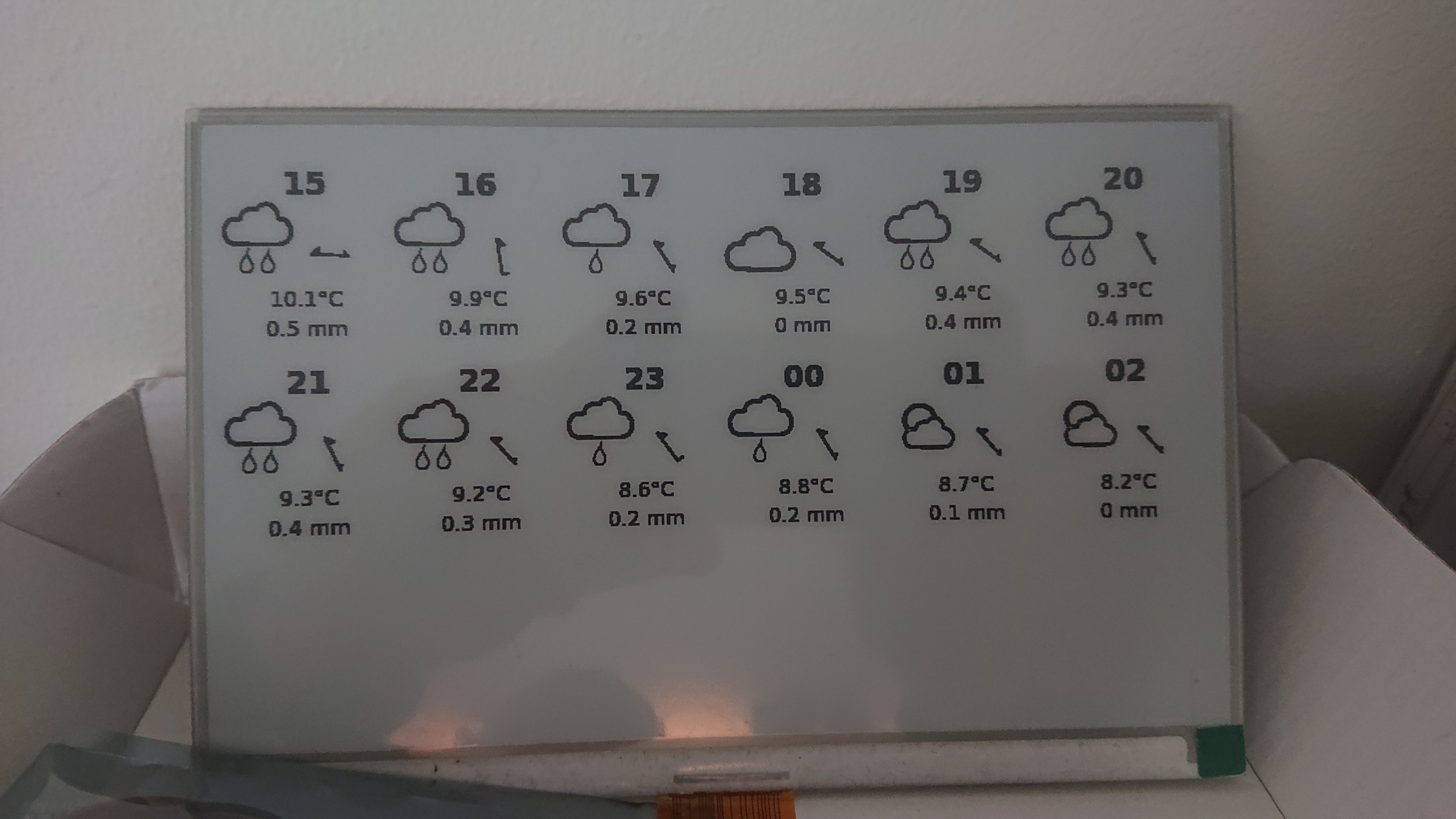
Just in time info when entering or exiting your home. Raspberry Pi Zero W + Waveshare e-paper display.
WIP. E-paper info board with different information that could be useful for when entering or exiting your home.
Building on Waveshare e-paper and Raspberry Pi Zero W, but should be created to work with other screens and Linux computers as well. So I guess the push of images to the screen should only be described, but not be a part of this module.
sudo apt-get install chromium-browser
sudo apt-get install graphicsmagick
I don't remember how I set up this, but using Python v2. Anything that will make the Waveshare display work is okay. It can be used from a C library too.
audstanley / NodeJs-Raspberry-Pi
wget -O - https://raw.githubusercontent.com/audstanley/NodeJs-Raspberry-Pi/master/Install-Node.sh | sudo bash;
node -v;
sudo node-install -v 14;
npm i justini
Basically, you do three things to get the weather onto the display.
@reboot pi sleep 30 && chromium-browser --headless --virtual-time-budget=10000 --disable-gpu --screenshot=/home/pi/node_modules/justini/img/screenshot.png --window-size=800,480 /home/pi/node_modules/justini/justini.html && gm convert -depth 1 /home/pi/node_modules/justini/img/screenshot.png /home/pi/node_modules/justini/img/screenshot.bmp && python /home/pi/node_modules/justini/python/justini.py
chromium-browser --headless --virtual-time-budget=10000 --disable-gpu --screenshot --window-size=800,480 ./justini.html
gm convert -depth 1 screenshot.png screenshot.bmp
python justini.py
... need to add python and waveshare install
FAQs
Just in time info when entering or exiting your home. Raspberry Pi Zero W + Waveshare e-paper display.
The npm package justini receives a total of 1 weekly downloads. As such, justini popularity was classified as not popular.
We found that justini demonstrated a not healthy version release cadence and project activity because the last version was released a year ago. It has 1 open source maintainer collaborating on the project.
Did you know?

Socket for GitHub automatically highlights issues in each pull request and monitors the health of all your open source dependencies. Discover the contents of your packages and block harmful activity before you install or update your dependencies.
Security News
The Axios compromise shows how time-dependent dependency resolution makes exposure harder to detect and contain.

Research
A supply chain attack on Axios introduced a malicious dependency, plain-crypto-js@4.2.1, published minutes earlier and absent from the project’s GitHub releases.

Research
Malicious versions of the Telnyx Python SDK on PyPI delivered credential-stealing malware via a multi-stage supply chain attack.